




Here's how it works

01. Edit your form online
Type text, add images, blackout confidential details, add comments, highlights and more.

02. Sign it in a few clicks
Draw your signature, type it, upload its image, or use your mobile device as a signature pad.

03. Share your form with others
Send it via email, link, or fax. You can also download it, export it or print it out.
How to use or fill out 484 Backer. Notice of Exclusions from Medicare Benefits Skilled Nursing Facility (NEMB-SNF) - cms with our platform

- Click ‘Get Form’ to open it in the editor.
- In Section A, enter the certification type and date. If this is an initial certification, mark ‘INITIAL’ and provide the required dates.
- Fill in the patient’s information including name, address, telephone number, and HICN as it appears on their Medicare card.
- Provide supplier information by entering your company name, address, telephone number, and NSC or NPI number.
- Indicate the place of service where the item will be used. Include any relevant facility names if applicable.
- Complete Section B by answering questions regarding medical necessity. Ensure that this section is reviewed by a physician before submission.
- In Section C, describe all items ordered along with their costs and Medicare fee schedule allowances.
- Finally, have the physician sign and date Section D to certify that all information is accurate and complete.
Start using our platform today for free to streamline your document editing and form completion!
Fill out 484 Backer. Notice of Exclusions from Medicare BenefitsSkilled Nursing Facility (NEMB-SNF) - cms online
It's free
It's free
See more 484 Backer. Notice of Exclusions from Medicare BenefitsSkilled Nursing Facility (NEMB-SNF) - cms versions
We've got more versions of the 484 Backer. Notice of Exclusions from Medicare BenefitsSkilled Nursing Facility (NEMB-SNF) - cms form. Select the right 484 Backer. Notice of Exclusions from Medicare BenefitsSkilled Nursing Facility (NEMB-SNF) - cms version from the list and start editing it straight away!
Security and compliance
At DocHub, your data security is our priority. We follow HIPAA, SOC2, GDPR, and other standards, so you can work on your documents with confidence.
Learn more


Related forms

Certification of School Building Compliance with fire Safety
The document outlines the certification requirements for fire safety provisions in child care centers located within sch ...

Mahler mas i
The Mahler Study Guides for CAS Exam MAS-1 provide comprehensive coverage of the exam syllabus, featuring approximately ...

Ocsop
The document is the Standard Operating Procedures (SOP) for the Officer Candidate School (OCS) of the Army National Guar ...

SHC Medical Records Request 2019
The document is a Medical Records Request and Release Form from CSU-Dominguez Hills Student Health Services. It requires ...

Stark state college transcript request
The document is an official transcript request form from Stark State College, requiring students to provide personal inf ...

Tx vaccine information form
The document is an addendum to the Meningococcal Vaccine Information Statement from the Texas Department of State Health ...
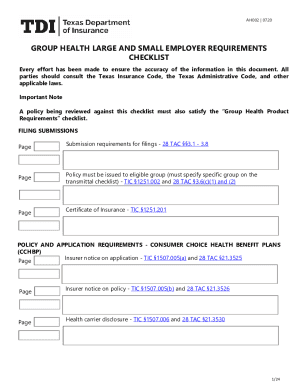
Texas large employer
The document AH002 | 0720 outlines the requirements and guidelines for group health insurance policies for large and sma ...

Vanuatu passport application form - Vanuatu immigration
The document outlines the requirements and procedures for applying for a Vanuatu passport, including necessary documents ...