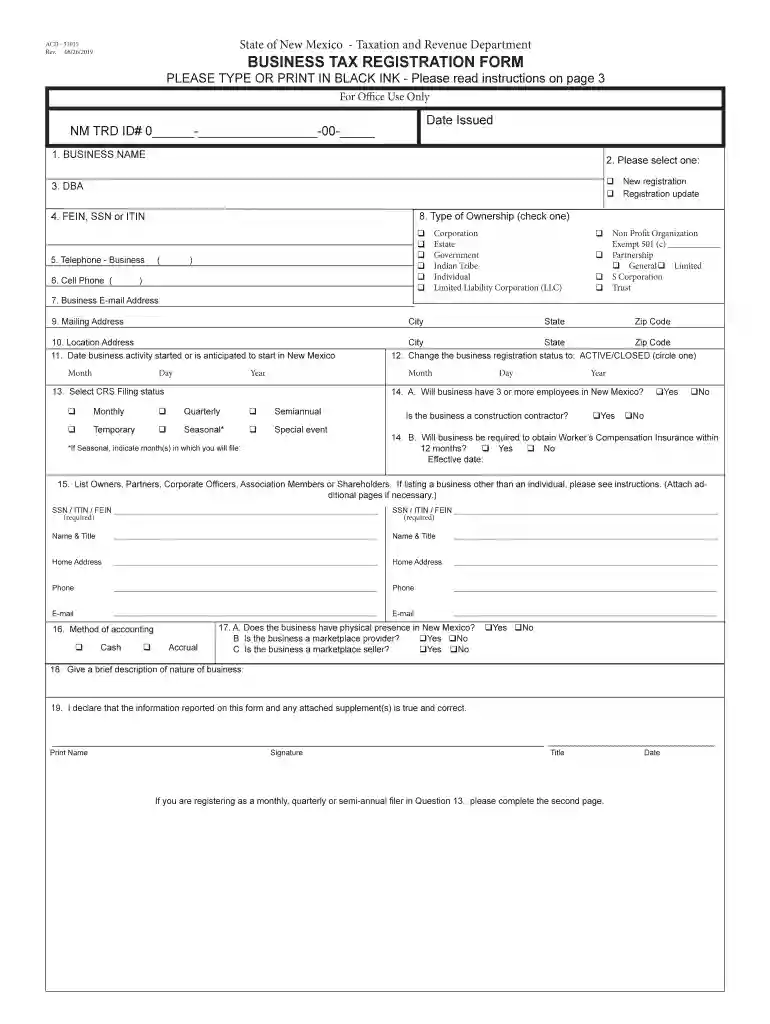
Acd 31015 new mexico 2026

Get Form
acd 31015 Preview on Page 1

Here's how it works

01. Edit your acd 31015 online
Type text, add images, blackout confidential details, add comments, highlights and more.

02. Sign it in a few clicks
Draw your signature, type it, upload its image, or use your mobile device as a signature pad.

03. Share your form with others
Send it via email, link, or fax. You can also download it, export it or print it out.

How to use or fill out acd 31015 new mexico with our platform

Form edit decoration
9.5
Ease of Setup
DocHub User Ratings on G2
9.0
Ease of Use
DocHub User Ratings on G2
  1. Click ‘Get Form’ to open the acd 31015 in the editor.
  2. Begin by entering your business name in the designated field. Ensure accuracy as this will be used for official records.
  3. Select whether this is a new registration or an update by checking the appropriate box.
  4. If applicable, provide your DBA (Doing Business As) name and enter your FEIN, SSN, or ITIN in the respective fields.
  5. Fill in your business telephone number and cell phone number for contact purposes.
  6. Choose the type of ownership from the options provided, ensuring you only select one.
  7. Complete your business email address and mailing address accurately, including city, state, and zip code.
  8. Indicate the date when your business activity started or is expected to start in New Mexico.
  9. Review all sections carefully before submitting to ensure all required fields are completed correctly.

Start using our platform today to simplify filling out your acd 31015 form for free!

See more acd 31015 new mexico versions

We've got more versions of the acd 31015 new mexico form. Select the right acd 31015 new mexico version from the list and start editing it straight away!
Versions Form popularity Fillable & printable
2022 4.9 Satisfied (28 Votes)
2020 4.8 Satisfied (100 Votes)
2020 4.4 Satisfied (141 Votes)
2019 4.3 Satisfied (47 Votes)
2014 4.3 Satisfied (79 Votes)
2007 4.4 Satisfied (525 Votes)
2005 4.3 Satisfied (220 Votes)
be ready to get more

Complete this form in 5 minutes or less

Get form

Got questions?

We have answers to the most popular questions from our customers. If you can't find an answer to your question, please contact us.
Contact us
Manufacturing Investment Tax Credit New Mexico tax law provides for a credit equal to 5.125% of the value of qualified equipment and other property used directly and exclusively in a manufacturing operation. The credit can be applied against compensating tax, gross receipts tax, or withholding tax due.
Who qualifies for the RD credit? Any company engaged in activities to develop or improve products, processes, software, formulas, techniques or inventions in a way that required some level of technical experimentation to determine the most accurate and appropriate design may qualify for the RD credit.
The tax is imposed on the gross receipts of persons who: sell property in New Mexico; property includes real property, tangible personal property, including electricity and manufactured homes, licenses (other than the licenses of copyrights, trademarks or patents) and franchises.
You can apply for a New Mexico Business Tax Identification Number (NMBTIN) online using the Departments website, Taxpayer Access Point (TAP) .
New Mexicos Alternative Energy Product Manufacturers Tax Credit Act45 provides a credit against the state (but not local) gross receipts tax, compensating use tax, and withholding tax not subject to a claim for another credit. The credit is 5 percent of a manufacturers qualifying expenditures.

Security and compliance

At DocHub, your data security is our priority. We follow HIPAA, SOC2, GDPR, and other standards, so you can work on your documents with confidence.

Learn more
ccpa2
pci-dss
gdpr-compliance
hipaa
soc-compliance

People also ask

Wheres my refund? To check the status of your refund for the current taxable year visit the Taxation and Revenue Departments online service the Taxpayer Access Point (TAP). Once you are on the TAP website go to the Personal Income tile and select the Wheres My Refund? link.

Related links