



Here's how it works



How to use or fill out CONTEMPT PROCEEDINGS UPON FAILURE OF PAYER OF INCOME TO COMPLY WITH WITHHOLDING ORDER FOR SUPPORT - jud ct with our platform

- Click ‘Get Form’ to open it in the editor.
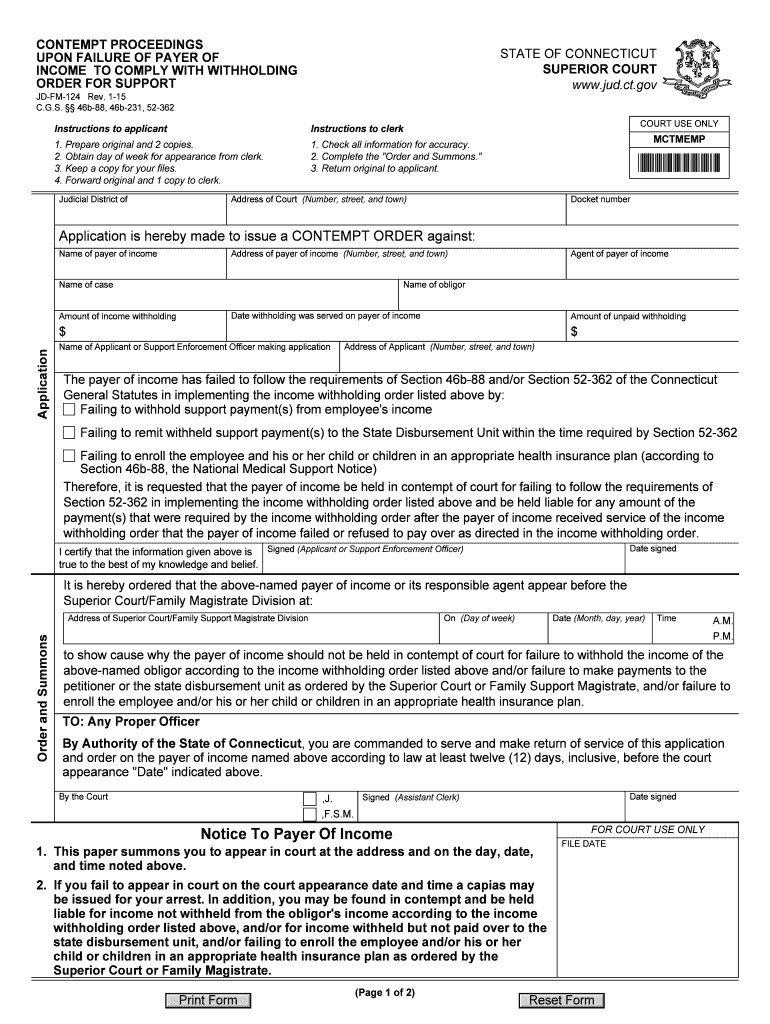
- Begin by entering the Judicial District and Docket number at the top of the form. This information is crucial for identifying your case.
- Fill in the details of the payer of income, including their name, address, and agent if applicable. Ensure all information is accurate to avoid delays.
- Complete the 'Application' section by providing the amount of income withholding and any unpaid amounts. This helps establish the basis for your contempt proceedings.
- In the 'Order and Summons' section, specify the court appearance details including date, time, and location. This is essential for notifying the payer of income.
- Finally, review all entries for accuracy before signing as the applicant or support enforcement officer. Once completed, save your document.
Start using our platform today to streamline your document editing and ensure a smooth process!
It's free
See more CONTEMPT PROCEEDINGS UPON FAILURE OF PAYER OF INCOME TO COMPLY WITH WITHHOLDING ORDER FOR SUPPORT - jud ct versions
Got questions?
How can I create an electronic signature in my CONTEMPT PROCEEDINGS UPON FAILURE OF PAYER OF INCOME TO COMPLY WITH WITHHOLDING ORDER FOR SUPPORT - jud ct on Android?
Signing documents on a mobile device is fast, straightforward, and doesn’t require software installation when you have an account with DocHub. Log in from any browser, complete your blank fields with your data, and click on Sign → Create your signature. You can draw your electronic signature the same way you usually do on paper, add its image to your CONTEMPT PROCEEDINGS UPON FAILURE OF PAYER OF INCOME TO COMPLY WITH WITHHOLDING ORDER FOR SUPPORT - jud ct, or type in your name and stylize its look. No matter what option you select, your paperwork will be valid.
How to complete and sign CONTEMPT PROCEEDINGS UPON FAILURE OF PAYER OF INCOME TO COMPLY WITH WITHHOLDING ORDER FOR SUPPORT - jud ct online?
You can quickly complete, edit, and even eSign your CONTEMPT PROCEEDINGS UPON FAILURE OF PAYER OF INCOME TO COMPLY WITH WITHHOLDING ORDER FOR SUPPORT - jud ct using DocHub. Create a new profile and start your free trial. After that, you can add the file with the form and easily make all the needed edits. No need to print on paper or use a third-party application to sign it, as you can put your electronic signature on your document faster through DocHub.
What is an income withholding order for child support in Indiana?
How long does an income withholding order take?
How much can child support take from a paycheck in Texas?
Security and compliance
At DocHub, your data security is our priority. We follow HIPAA, SOC2, GDPR, and other standards, so you can work on your documents with confidence.
Learn more