




01. Edit your ssa 789 online
Type text, add images, blackout confidential details, add comments, highlights and more.

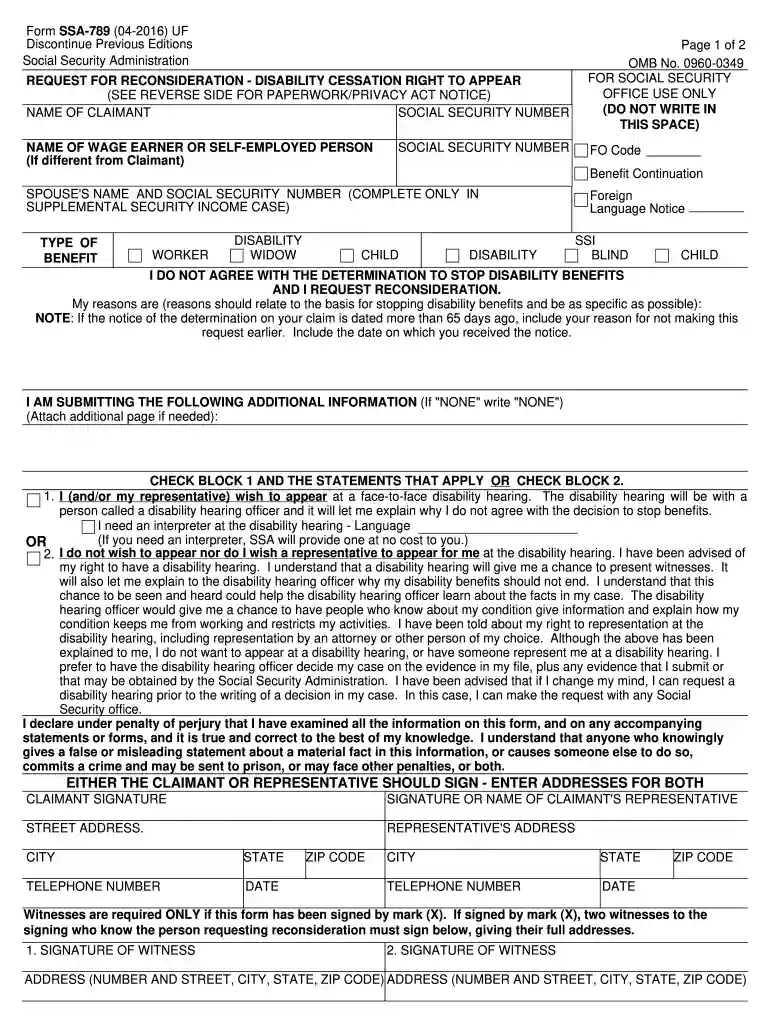
Type text, add images, blackout confidential details, add comments, highlights and more.

Draw your signature, type it, upload its image, or use your mobile device as a signature pad.

Send ssa 789 u4 via email, link, or fax. You can also download it, export it or print it out.

Start filling out your SSA 789 2012 form online for free today!
We've got more versions of the ssa 789 form. Select the right ssa 789 version from the list and start editing it straight away!
Electronic document approval requires a software solution that works in compliance with data protection and eSignature standards. DocHub is a great tool for that, because it fulfills all the previously mentioned requirements. Whatever method you prefer to sign your ssa 789 u4 form in DocHub, your electronic signature will be legally binding and court-admissible.
When you edit your ssa789 with DocHub, you will not need to look for other software or solutions to eSign it. An electronic signature is part of DocHub’s comprehensive editing toolset, which allows you to apply changes in your form without jumping between websites. Simply complete your form, double-check the correctness of the information and place your electronic signature at the end to make it submission-ready within minutes.
At DocHub, your data security is our priority. We follow HIPAA, SOC2, GDPR, and other standards, so you can work on your documents with confidence.
May 6, 2016 Commencing in 2012 with the certification of TCBs Procurement Section, followed by its Field. Operations Section and Business Support Section
A Social Security Number (SSN) is a unique, 9-digit number used for taxpayer identification, income reporting and record-keeping purposes.
Forms ; SSA-788, Statement of Care and Responsibility for Beneficiary ; SSA-789-U4, Request for Reconsideration - Disability Cessation ; SSA-795, Statement of


