




Here's how it works

01. Edit your formulario 2781 online
Type text, add images, blackout confidential details, add comments, highlights and more.

02. Sign it in a few clicks
Draw your signature, type it, upload its image, or use your mobile device as a signature pad.

03. Share your form with others
Send modelo sc 2781 via email, link, or fax. You can also download it, export it or print it out.
How to use or fill out modelo sc 2781 with our platform

- Click ‘Get Form’ to open modelo sc 2781 in the editor.
- Begin with Part I, where you will enter your personal information. Fill in your name, Social Security number, and contact details accurately.
- Proceed to Part II. Here, specify the reasons for not filing your income tax return for each applicable year. Ensure that you provide clear and concise explanations.
- In Part III, outline the purpose of this certification. This section should reflect your understanding of why this document is necessary.
- Complete Part IV by signing and dating the declaration. If applicable, include your spouse's signature as well.
- If filling out for a deceased taxpayer, switch to Part V and provide the administrator's details along with their signature.
Start using our platform today to fill out modelo sc 2781 easily and for free!
Fill out modelo sc 2781 online
It's free
It's free
See more modelo sc 2781 versions
We've got more versions of the modelo sc 2781 form. Select the right modelo sc 2781 version from the list and start editing it straight away!
Got questions?
We have answers to the most popular questions from our customers. If you can't find an answer to your question, please contact us.
Contact us
Where is my refund in Puerto Rico?
Residents of Puerto Rico and the U.S. Islands may contact the IRS toll-free at 800-829-1040 (hours of operation are 7 a.m. to 10 p.m. Monday - Friday).
Where is the status of my tax refund in Puerto Rico?
Also, for inquiries concerning the status of your refund or for any claims, you can call TeleHacienda at 787-721-0510 or toll free at 1-800-981-0675. In addition, you can access our site on the Internet at .
How do I check the status of my tax filing?
If you are receiving a tax refund, check its status using the IRS Wheres My Refund tool. You can view the status of your refund for the past 3 tax years. If you owe money or are receiving a refund, you can check your return status by signing in to view your IRS online account information.
Do I need to file a Puerto Rico tax return?
Filing Puerto Rico U.S. Tax Returns. Generally, if you are a Puerto Rico bona fide resident, you must file a Puerto Rico tax return.
What is Puerto Rico Form 482?
A Puerto Rico tax return reporting (Form 482) only your income from Puerto Rico. Wages for services performed in Puerto Rico, whether for a private employer, the U.S. Government, or otherwise, is income from Puerto Rico. A U.S. tax return (Form 1040) reporting all worldwide income.
Security and compliance
At DocHub, your data security is our priority. We follow HIPAA, SOC2, GDPR, and other standards, so you can work on your documents with confidence.
Learn more


Related forms

Court Order Delayed Certificate of Marriage VS 122 - cdph ca
The document is a court order from the Superior Court of California establishing the fact of marriage between two indivi ...
One family payment form
The document is an application form for the One-Parent Family Payment (OFP1) provided by Social Welfare Services. It out ...

6650-ELPS 2-12 Leader Pathway-D5
The document outlines suggested teacher behaviors and strategies for supporting English language learners (ELLs) across ...
LLC Tax Return in the State of KY - TurboTax Support - Intuit
The document is the Kentucky Single Member LLC Individually Owned Income and LLET Return for the year 2023. It outlines ...
Waldorf university proctor agreement form
The Proctor Agreement Form is a document for individuals agreeing to serve as proctors for Waldorf University students d ...
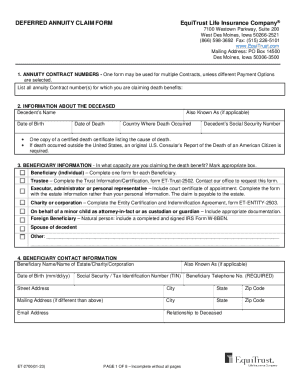
Get DEFERRED ANNUITY CLAIM FORM EquiTrust Life
The document is a Deferred Annuity Claim Form from EquiTrust Life Insurance Company, detailing the process for beneficia ...
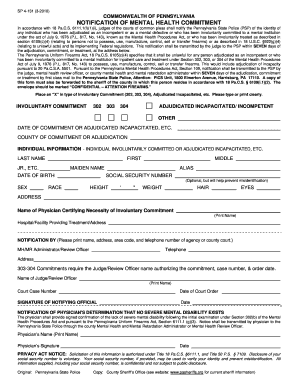
Sp 4 131
The document outlines the procedure for notifying the Pennsylvania State Police of individuals who have been adjudicated ...

951 Reddy Farm Road, Grayson, GA 30017 - MLS# 6738718
The document is a Square Footage Change Form for the Amarillo Association of Realtors, Inc., used to request changes to ...
People also ask
Can you track where your tax refund is?
You can contact the IRS to check on the status of your refund. If you call, wait times to speak with a representative can be long. But you can avoid the wait by using the automated phone system. Follow the message prompts when you call.
How do I check the status of my tax refund online?
Taxpayers can view status of refund 10 days after their refund has been sent by the Assessing Officer to the Refund Banker. Status of paid refund, being paid other than through Refund Banker, can also be viewed at .tin-nsdl.com by entering the PAN and Assessment Year.


