Type text, add images, blackout confidential details, add comments, highlights and more.
02. Sign it in a few clicks
Draw your signature, type it, upload its image, or use your mobile device as a signature pad.
03. Share your form with others
Send it via email, link, or fax. You can also download it, export it or print it out.
How to use or fill out meeting agenda document with our platform
Ease of Setup
DocHub User Ratings on G2
Ease of Use
DocHub User Ratings on G2
Click ‘Get Form’ to open the meeting agenda document in the editor.
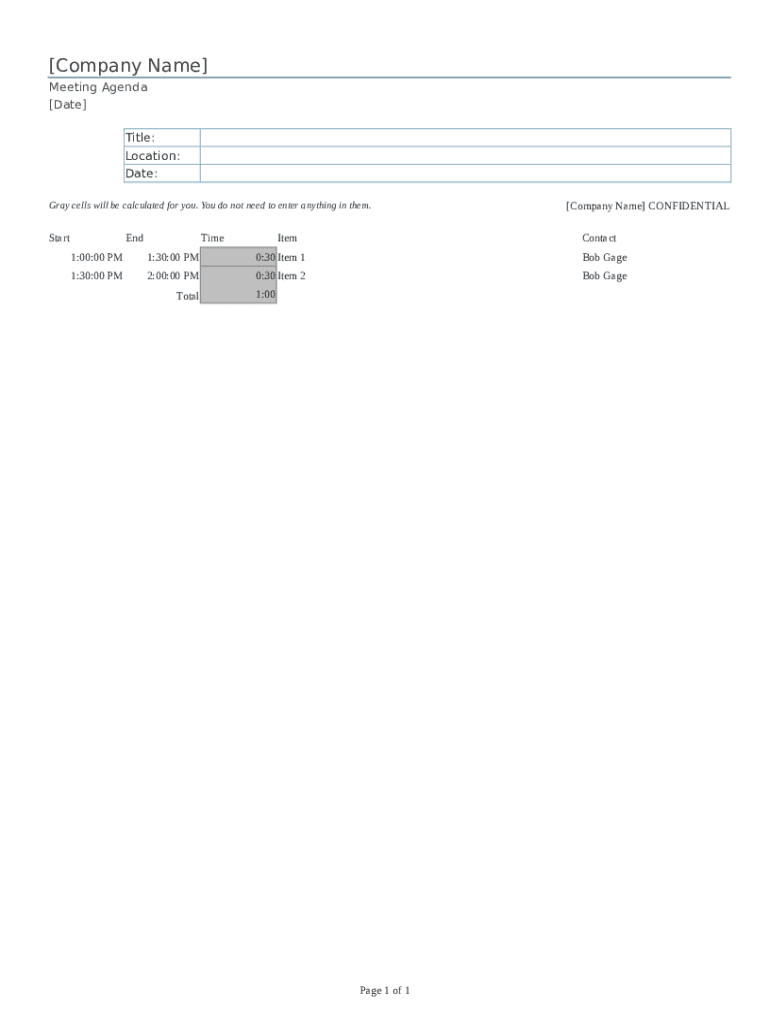
Begin by entering your company name at the top of the document. This personalizes the agenda and ensures clarity for all participants.
Fill in the date of the meeting in the designated field. This helps attendees prepare for the scheduled discussion.
Specify the title of the meeting, which should reflect its purpose. This section sets expectations for what will be discussed.
Input the location of the meeting, whether it’s a physical address or a virtual link, ensuring everyone knows where to join.
For each agenda item, enter the start time, end time, and description in their respective fields. The gray cells will automatically calculate total durations for you.
Review all entries for accuracy before saving or sharing your completed agenda with participants.
Start using our platform today to streamline your meeting preparations effortlessly!
This article explains how a meeting agenda can help you plan more effective meetings. Download a blank agenda template (Microsoft Word) you can print and use.Read more
Feb 21, 2024 Below you will find agendas for both in-person and virtual events. Use these agenda templates to help your team plan and prepare attendees for the day of theRead more
Cookie consent notice
This site uses cookies to enhance site navigation and personalize your experience.
By using this site you agree to our use of cookies as described in our Privacy Notice.
You can modify your selections by visiting our Cookie and Advertising Notice.