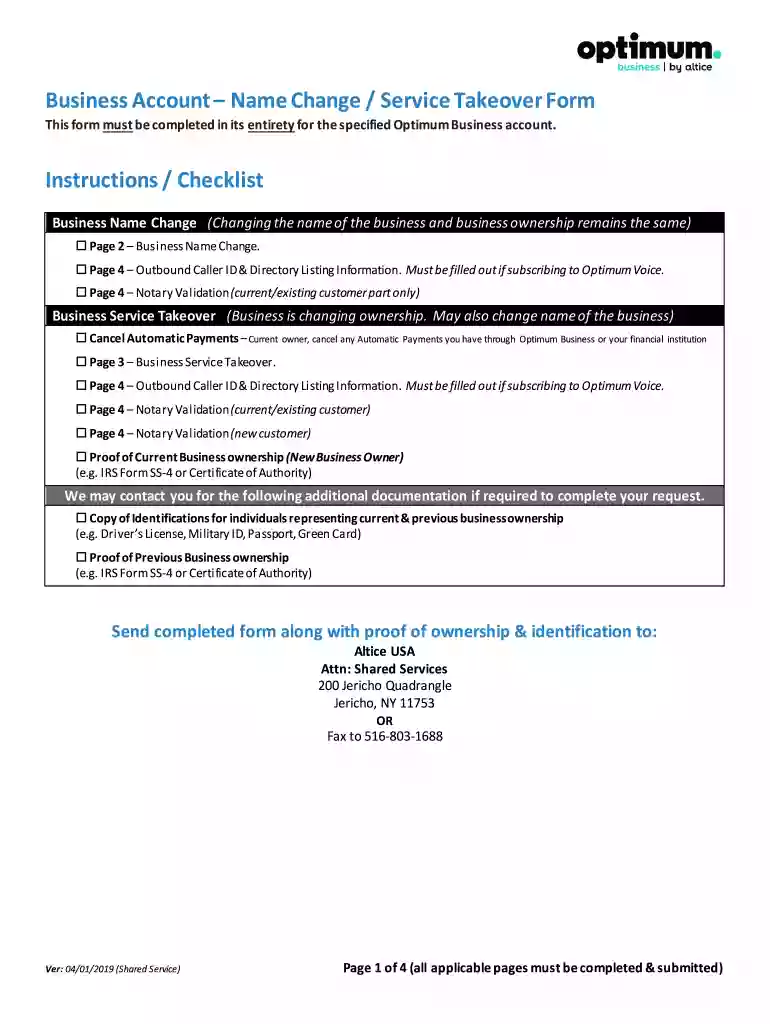
optimum business takeover form Preview on Page 1

Optimum business name change form 2026

Here's how it works

  • 01. Edit your optimum business takeover form online

    Type text, add images, blackout confidential details, add comments, highlights and more.

  • 02. Sign it in a few clicks

    Draw your signature, type it, upload its image, or use your mobile device as a signature pad.

  • 03. Share your form with others

    Send business takeover form optimum via email, link, or fax. You can also download it, export it or print it out.

How to use or fill out optimum business name change form with our platform

Form edit decoration
9.5
Ease of Setup
DocHub User Ratings on G2
9.0
Ease of Use
DocHub User Ratings on G2
  1. Click ‘Get Form’ to open the optimum business name change form in the editor.
  2. Begin by filling out the 'Business Name Change' section on Page 2. Enter your Optimum Account Number, current business name, EIN/Tax ID, and the new business name along with the service address and contact information.
  3. Proceed to Page 3 if you are also completing a Business Service Takeover. Fill in the existing account owner information and specify which Optimum services are being transferred.
  4. On Page 4, complete the Outbound Caller ID & Directory Listing Information if subscribed to Optimum Voice. Ensure you select whether you are changing this information or not.
  5. Lastly, ensure that all required signatures are provided for Notary Validation on Page 4. This is crucial for both current and new customers.

Start using our platform today to streamline your business name change process for free!

See more optimum business takeover form versions

We've got more versions of the optimum business takeover form form. Select the right optimum business takeover form version from the list and start editing it straight away!

VersionsForm popularityFillable & printable
20194.8 Satisfied (167 Votes)
20173.8 Satisfied (45 Votes)
20093.7 Satisfied (40 Votes)

be ready to get more

Complete this form in 5 minutes or less

Got questions?

We have answers to the most popular questions from our customers. If you can't find an answer to your question, please contact us.

You must verify your business before you can edit information about it. The changes can include the name, category, address, hours, phone number, and website. After verification of the business and approval of the edits, these changes can be published on Google Search and Maps.
Yes, account holders can let another person take ownership of an existing account. Both the current and the new owner must authorize an ownership transfer.
Contact the bank to find out if the existing business bank accounts name can be changed. Some banks will change the name on the account to a new DBA, while others require closing the account in the old name and opening a bank account for the new DBA.
For each Optimum Mobile business account, an authorized user must be named. The authorized user is someone whose role with the business may be verified and who is responsible for managing the account, including managing users and bill payments.
If the Account Manager ID was not created for you, you can create one online at optimum.net/newid and simply follow the easy online instructions. To get started, you will need to be connected to the Internet from your Optimum Business service location.

Security and compliance

At DocHub, your data security is our priority. We follow HIPAA, SOC2, GDPR, and other standards, so you can work on your documents with confidence.

People also ask

Generally, businesses need a new EIN when their ownership or structure has changed. Although changing the name of your business does not require you to obtain a new EIN, you may wish to visit the Business Name Change page to find out what actions are required if you change the name of your business.
Changes to Your Business Log in to e-Services for Business. From the Account Management Panel, select Update Account Information. Enter the Date of Change. From the drop down menu, select Legal Business Name Change or Business Name or DBA Change. Enter the reason for change, then select Next. Enter the new Legal Name.
Contact your county, city, or town as you may need to update your business licenses and permits or cancel existing licenses and apply for new ones under your new business name. Find out if you need to apply for an EIN name change. Refer to IRS Publication 1635 to check whether you need to reapply.

optimum takeover form

Implementing IBM Content Manager OnDemand Solutions

If you need to change the name of an application or application group that is used to archive a spooled file, you might want to use an output queue monitor.Read more

Learn more
Update Bio. Information | My Information | The Solution

You can update some information using your SiS Self-Service account such as chosen name, address, telephone number and personal email address.Read more

Learn more
If you believe that this page should be taken down, please follow our DMCA take down process here