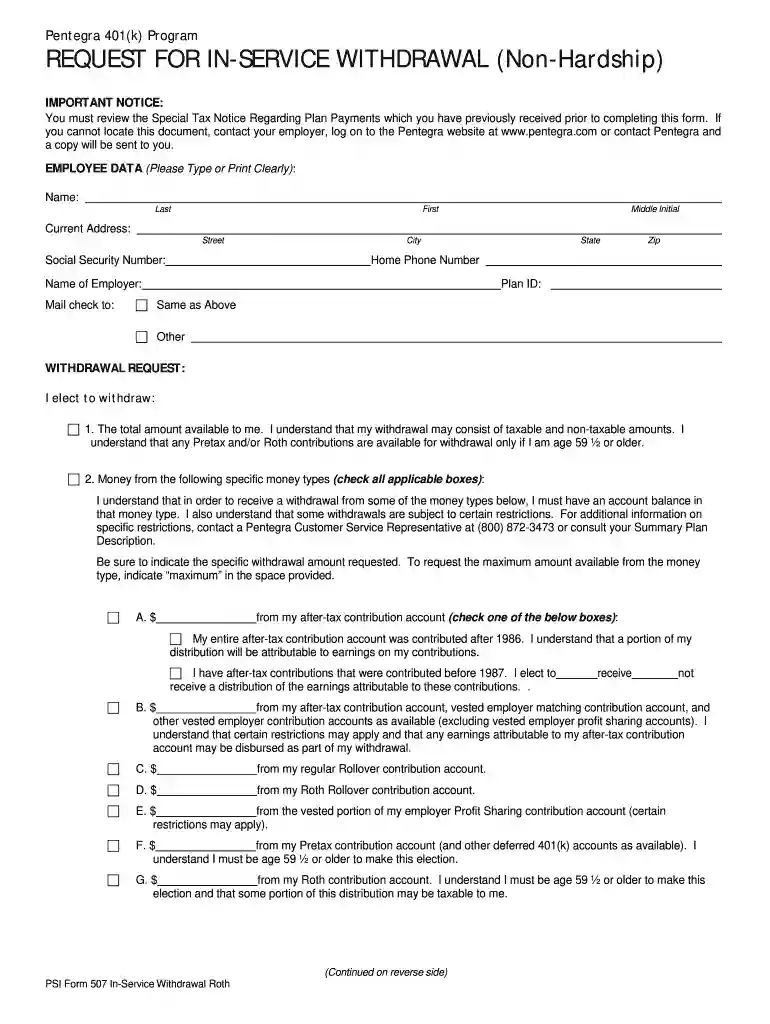
Pentegra 401k rollover form 2026

Get Form
pentegra 401k withdrawal form Preview on Page 1

Here's how it works

01. Edit your pentegra 401k withdrawal form online
Type text, add images, blackout confidential details, add comments, highlights and more.

02. Sign it in a few clicks
Draw your signature, type it, upload its image, or use your mobile device as a signature pad.

03. Share your form with others
Send pentegra 401k via email, link, or fax. You can also download it, export it or print it out.

How to use or fill out pentegra 401k rollover form with our platform

Form edit decoration
9.5
Ease of Setup
DocHub User Ratings on G2
9.0
Ease of Use
DocHub User Ratings on G2
  1. Click ‘Get Form’ to open the pentegra 401k rollover form in the editor.
  2. Begin by filling out the EMPLOYEE DATA section. Clearly type or print your name, current address, Social Security number, and home phone number. Ensure all information is accurate for processing.
  3. In the WITHDRAWAL REQUEST section, select the amount you wish to withdraw. You can choose either the total amount available or specific amounts from various accounts. Be sure to indicate any specific withdrawal amounts requested.
  4. Next, complete the PAYMENT INSTRUCTIONS section by selecting how you want your withdrawal processed. Choose between receiving a check directly, rolling over to an IRA, or a combination of both.
  5. Fill in details about your rollover institution if applicable. This includes account type and receiving plan information.
  6. Finally, sign and date the form in the EMPLOYEE’S SIGNATURE section to certify that you have reviewed all necessary documents and understand the implications of your withdrawal.

Start using our platform today for free to streamline your pentegra 401k rollover process!

See more pentegra 401k rollover form versions

We've got more versions of the pentegra 401k rollover form form. Select the right pentegra 401k rollover form version from the list and start editing it straight away!
Versions Form popularity Fillable & printable
2018 4 Satisfied (33 Votes)
be ready to get more

Complete this form in 5 minutes or less

Get form

Got questions?

We have answers to the most popular questions from our customers. If you can't find an answer to your question, please contact us.
Contact us
Feel free to contact the Pentegra Customer Care Center at 866-633-4015 or customerservice@pentegra.com. What does it mean to me? The new approach will deliver a more elevated level of service, and a more dynamic, personalized approach to serving your needs.
Call your new 401k company and roll it over. They send a check to the new company in their name. If you do a direct rollover, there wont be taxes due. DO NOT withdraw funds. Most people will cash out a part of it like a bonus. Its not a bonus, its your retirement. Also, dont leave it.
How to find your old 401(k) Your previous employer. Your previous plan administrator. Your states unclaimed property database. The Pension Benefit Guaranty Corporation (PBGC) The Employee Benefits Security Administration (EBSA) Abandoned Plan Program. The EBSA Retirement Savings Lost and Found Database.
For indirect IRA rollovers: The 401(k) plan administrator will send you Form 1099-R. Use the values reported on your 1099-R on your personal tax return via Form 1040. You must roll over the check amount and the 20% withheld within 60 days for the distribution to be tax-free.
With a direct rollover, your money is transferred from one account to the other; you never touch it. This process is tax-free and requires no withholding. You can do a direct rollover at any time for any amount, and there is no limit to the number of direct rollovers you can do in a year.