Type text, add images, blackout confidential details, add comments, highlights and more.
02. Sign it in a few clicks
Draw your signature, type it, upload its image, or use your mobile device as a signature pad.
03. Share your form with others
Send codefendants band via email, link, or fax. You can also download it, export it or print it out.
How to use or fill out co defendant with our platform
Ease of Setup
DocHub User Ratings on G2
Ease of Use
DocHub User Ratings on G2
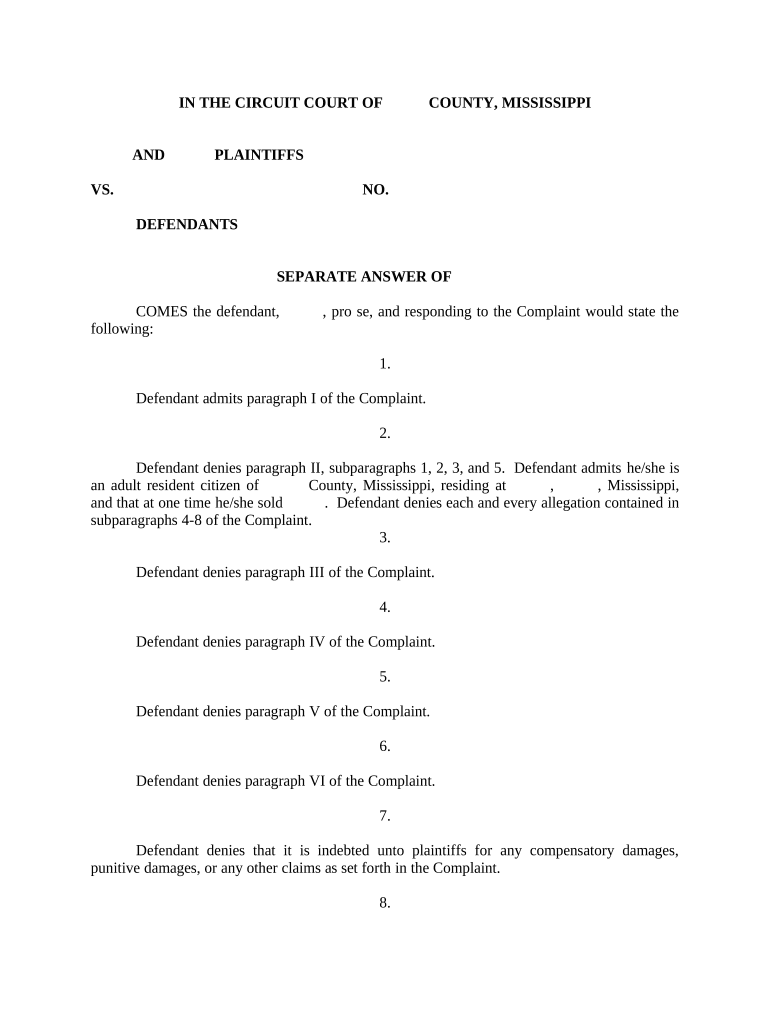
Click ‘Get Form’ to open the co defendant document in the editor.
Begin by filling in your name and address in the designated fields. Ensure that all information is accurate to avoid any delays.
Proceed to respond to each paragraph of the Complaint. For paragraphs you admit, check the corresponding box; for those you deny, provide a brief explanation in the space provided.
In section eight, detail any defenses you wish to assert. This may include claims regarding safety or product usage as mentioned in your response.
Complete the Certificate of Service at the end of the document by entering your name and date, ensuring it reflects when you mailed copies to other parties involved.
Start using our platform today for free and streamline your document editing process!
Is a co defendant a snitchWhat is a co defendant in a drug caseCo defendant personCo defendant charges droppedCo defendant urban dictionaryCo defendant in spanishIs co defendant hyphenatedCo defendant capitalized
Security and compliance
At DocHub, your data security is our priority. We follow HIPAA, SOC2, GDPR, and other standards, so you can work on your documents with confidence.
D.A. Bragg returns 192 stolen antiquities to Pakistan
Nov 15, 2022 Last week, Kapoor and a co-defendant indicted by the office, Sanjeeve Asokan, were convicted and sentenced by a Special Court in Kumbakonam,Read more
Cookie consent notice
This site uses cookies to enhance site navigation and personalize your experience.
By using this site you agree to our use of cookies as described in our Privacy Notice.
You can modify your selections by visiting our Cookie and Advertising Notice.