Type text, add images, blackout confidential details, add comments, highlights and more.
02. Sign it in a few clicks
Draw your signature, type it, upload its image, or use your mobile device as a signature pad.
03. Share your form with others
Send rule 4 summons mississippi form via email, link, or fax. You can also download it, export it or print it out.
How to use or fill out Summons - Mississippi with our platform
Ease of Setup
DocHub User Ratings on G2
Ease of Use
DocHub User Ratings on G2
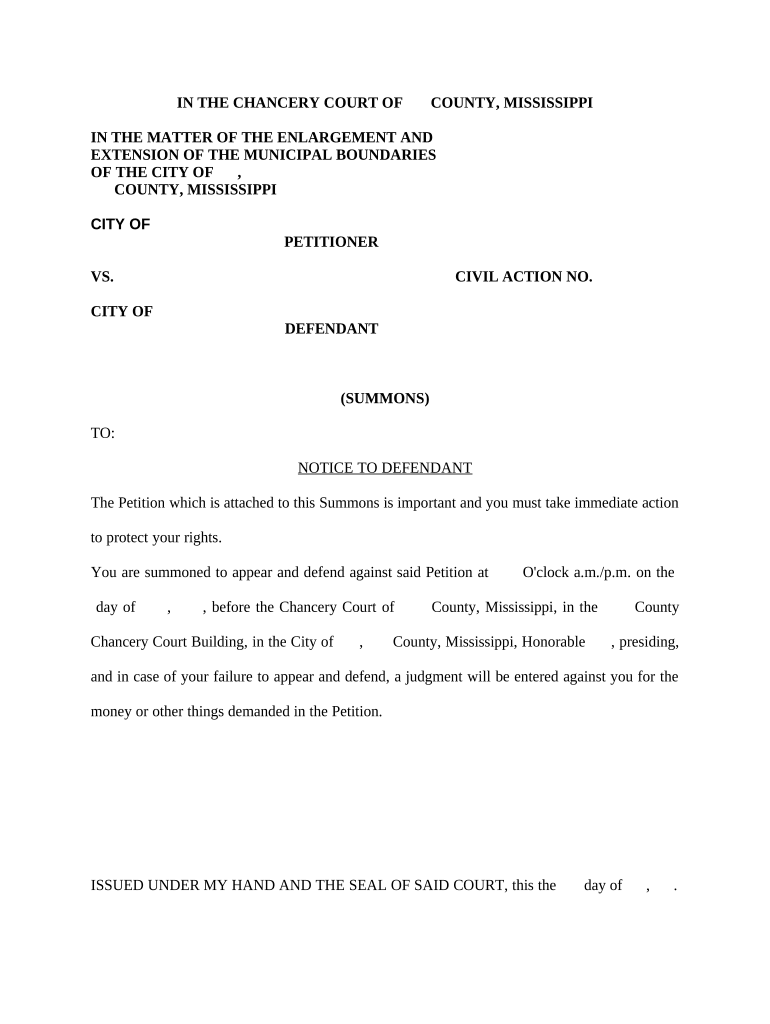
Click ‘Get Form’ to open the Summons - Mississippi in the editor.
Begin by filling in the 'COUNTY' and 'CITY OF' fields at the top of the form. Ensure that you accurately specify the relevant county and city involved in the case.
In the 'CIVIL ACTION NO.' section, enter the assigned civil action number for your case. This is crucial for proper identification of your legal matter.
Next, complete the 'TO:' section by entering the name of the defendant. This identifies who is being summoned.
Fill in the date and time when you are required to appear before the Chancery Court. Make sure this information is correct to avoid any complications.
Finally, sign and date at the bottom where indicated, ensuring that all necessary signatures are included for validity.
Start using our platform today to easily fill out your Summons - Mississippi for free!
Rule 4 summons mississippiRule 81 summons mississippi formMississippi rules of courtMotion to dismiss mississippiFree printable guardianship forms mississippiProof of service summonsMS Rules of Civil ProcedureCircuit court summons form
Security and compliance
At DocHub, your data security is our priority. We follow HIPAA, SOC2, GDPR, and other standards, so you can work on your documents with confidence.
Your response must be mailed or delivered within thirty (30) days from the date of delivery of this Summons and Complaint or a judgment by default will beRead more
Rule 4 - Summons (a) Summons: Issuance. Upon filing of the complaint, the clerk shall forthwith issue a summons. (c) Service: (1) By Process Server. (d)Read more
Cookie consent notice
This site uses cookies to enhance site navigation and personalize your experience.
By using this site you agree to our use of cookies as described in our Privacy Notice.
You can modify your selections by visiting our Cookie and Advertising Notice.