Type text, add images, blackout confidential details, add comments, highlights and more.
02. Sign it in a few clicks
Draw your signature, type it, upload its image, or use your mobile device as a signature pad.
03. Share your form with others
Send it via email, link, or fax. You can also download it, export it or print it out.
How to use or fill out agreement musical with our platform
Ease of Setup
DocHub User Ratings on G2
Ease of Use
DocHub User Ratings on G2
Click ‘Get Form’ to open the agreement musical in the editor.
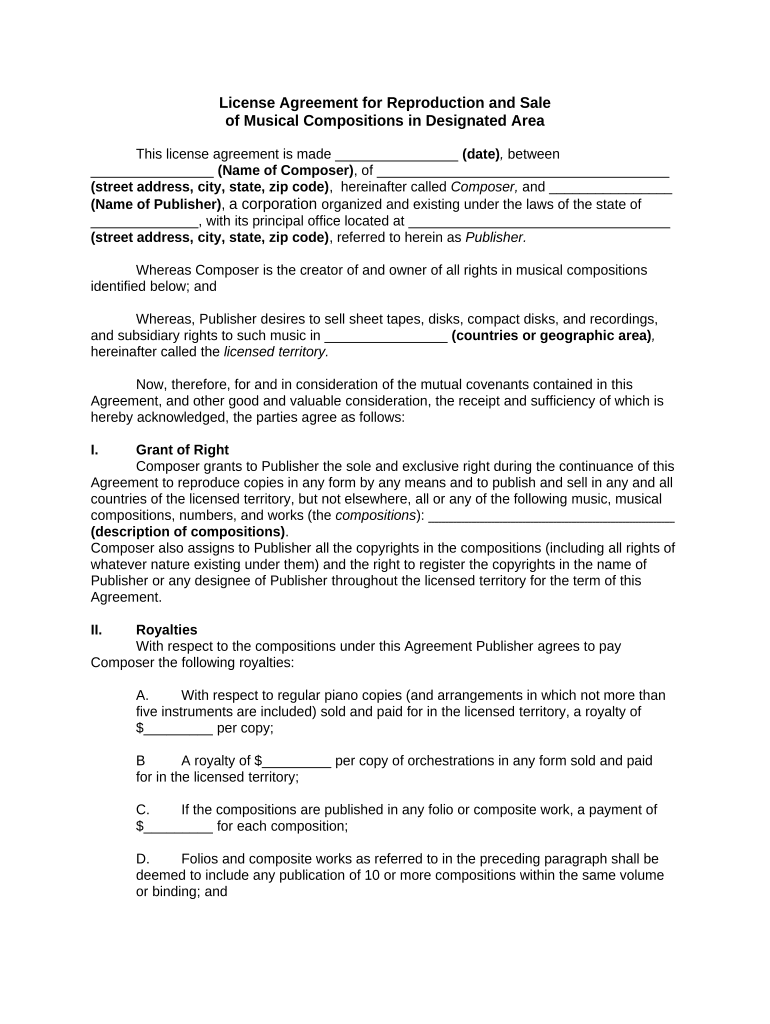
Begin by entering the date of the agreement in the designated field. This is crucial for establishing the timeline of your contract.
Fill in the name and address of the Composer and Publisher. Ensure all details are accurate to avoid any legal complications.
In the 'Grant of Right' section, specify the musical compositions being licensed. Clearly describe each composition to ensure clarity on rights granted.
Next, input royalty amounts in the 'Royalties' section. Be precise with figures to reflect agreed terms accurately.
Complete any additional sections as required, such as accounting frequency and governing law, ensuring all fields are filled out correctly.
Finally, review all entries for accuracy before signing. Use our platform’s tools to make edits easily if needed.
Start using our platform today for free to streamline your agreement musical process!
LICENSE AGREEMENT FOR COPYRIGHTED MUSICAL WORK. THIS AGREEMENT is made this day of , 20 , (the Effective Date) by and between (the Licensor) and.Read more
Parks and Recreation reserves the right to review and approve all music that will be performed at events and to exclude any music it deems offensive. MusiciansRead more
If you do not agree with them, you should promptly return the music computer with the program package unopened. And you will be reimbursed of your purchaseRead more
Cookie consent notice
This site uses cookies to enhance site navigation and personalize your experience.
By using this site you agree to our use of cookies as described in our Privacy Notice.
You can modify your selections by visiting our Cookie and Advertising Notice.