Type text, add images, blackout confidential details, add comments, highlights and more.
02. Sign it in a few clicks
Draw your signature, type it, upload its image, or use your mobile device as a signature pad.
03. Share your form with others
Send it via email, link, or fax. You can also download it, export it or print it out.
How to use or fill out ohio validity with our platform
Ease of Setup
DocHub User Ratings on G2
Ease of Use
DocHub User Ratings on G2
Click ‘Get Form’ to open the ohio validity document in the editor.
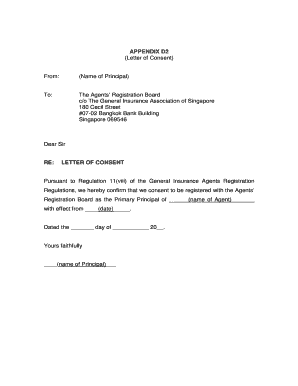
Begin by entering the name of the agent in the designated field. This is crucial as it identifies who is certifying the power of attorney.
Next, input the name of the principal, which refers to the individual granting authority to the agent.
Fill in the date of the power of attorney document. Ensure this date is accurate as it establishes when authority was granted.
Review and confirm that all statements regarding the principal's status and any contingencies are correctly filled out. Add any additional relevant statements if necessary.
Sign and date the document in the signature section provided for the agent, ensuring all information is legible.
Finally, have a notary acknowledge your signature by filling out their section at the bottom of the form.
Start using our platform today to easily complete your ohio validity form online for free!
Ohio will requirementsDoes a will need to be DocHubd in ohioOhio probate thresholdHow long can an estate stay open in ohioOral will ohioHolographic will ohioOhio revised code marriage licenseOhio personal property laws
Security and compliance
At DocHub, your data security is our priority. We follow HIPAA, SOC2, GDPR, and other standards, so you can work on your documents with confidence.
The court shall declare the will valid if it finds all of the following: (a) The will was properly executed pursuant to section 2107.03 of the Revised Code.Read more
Cookie consent notice
This site uses cookies to enhance site navigation and personalize your experience.
By using this site you agree to our use of cookies as described in our Privacy Notice.
You can modify your selections by visiting our Cookie and Advertising Notice.