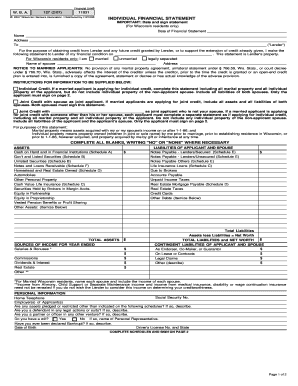
Nj husband wife 2026

Get Form
njhotwife Preview on Page 1

Here's how it works

01. Edit your njhotwife online
Type text, add images, blackout confidential details, add comments, highlights and more.
02. Sign it in a few clicks
Draw your signature, type it, upload its image, or use your mobile device as a signature pad.
03. Share your form with others
Send reddit njhotwife via email, link, or fax. You can also download it, export it or print it out.

How to use or fill out nj husband wife with our platform

Form edit decoration
9.5
Ease of Setup
DocHub User Ratings on G2
9.0
Ease of Use
DocHub User Ratings on G2
  1. Click ‘Get Form’ to open the nj husband wife document in the editor.
  2. Begin by entering the date of the deed at the top of the form. This is crucial for legal documentation.
  3. Fill in the names and mailing addresses of both Grantors (husband and wife) in the designated fields.
  4. Next, specify how the Grantees will hold the property. Choose from options like 'Tenants by the Entirety' or 'Joint Tenants with Right of Survivorship' based on your preference.
  5. Provide a detailed legal description of the property, including municipality, block number, and lot number as required.
  6. Ensure all signatures are completed by both Grantors at the bottom of the form, confirming their agreement to transfer ownership.
  7. Finally, complete any notary acknowledgment sections as needed to validate your document legally.

Start using our platform today for free to streamline your document editing and signing process!

be ready to get more

Complete this form in 5 minutes or less

Get form

Got questions?

We have answers to the most popular questions from our customers. If you can't find an answer to your question, please contact us.
Contact us

If you frequently work with documents stored in your Google Drive, DocHub is a superb solution for you to easily and quickly complete, adjust, and approve them. This editor integrates properly with Google services, so you can export your r njhotwife from your Google Drive to the editor without the need of downloading and re-uploading it. Right-click on your file, choose Open With → DocHub PDF Sign and Edit. In our editor, add and assign Signature Fields for all parties involved, then click on the Menu option above → Send → choose how you want to share your paperwork.

In addition to an extensive toolset for editing PDFs on mobile phones, DocHub allows you to sign your njhotwife reddit along the way. Open our editor in your internet browser, make changes using DocHub’s toolset, and complete your editing by eSigning the finished form.

be ready to get more

Complete this form in 5 minutes or less

Get form