Contractors notice 2026

Get Form
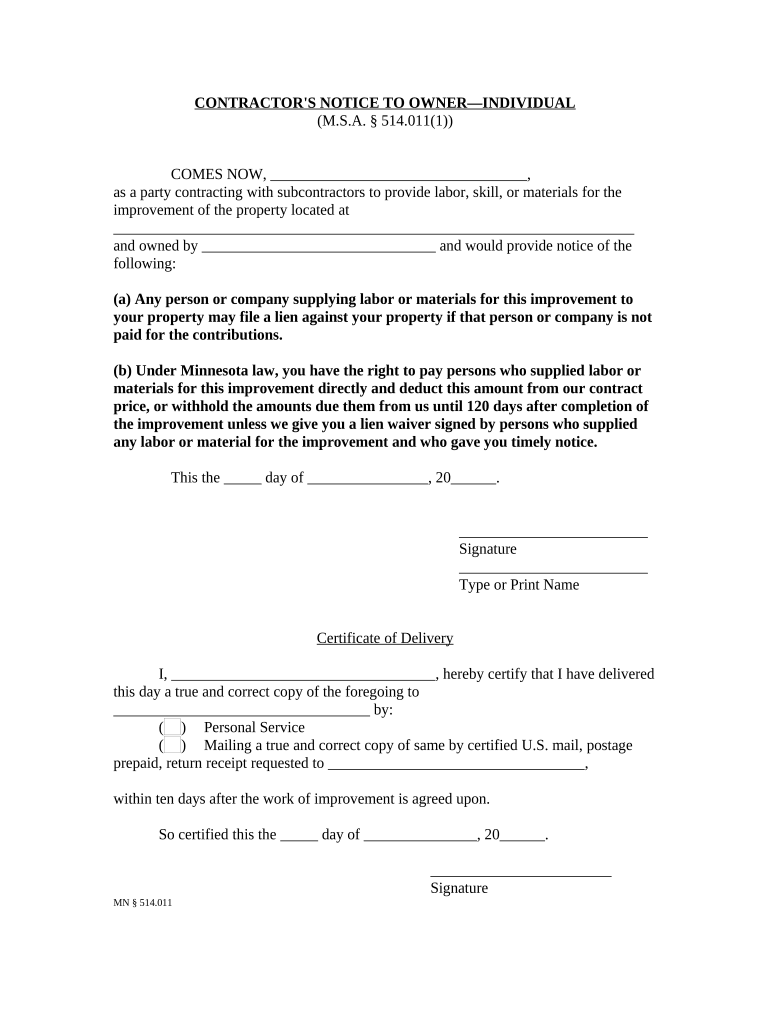
contractors notice Preview on Page 1

Here's how it works

01. Edit your form online
Type text, add images, blackout confidential details, add comments, highlights and more.
02. Sign it in a few clicks
Draw your signature, type it, upload its image, or use your mobile device as a signature pad.
03. Share your form with others
Send it via email, link, or fax. You can also download it, export it or print it out.

How to use or fill out contractors notice with our platform

Form edit decoration
9.5
Ease of Setup
DocHub User Ratings on G2
9.0
Ease of Use
DocHub User Ratings on G2
  1. Click ‘Get Form’ to open the contractor's notice in the editor.
  2. In the first section, fill in your name as the party contracting with subcontractors. This identifies you as the primary contractor responsible for the project.
  3. Next, provide the property address where the improvement will take place. Ensure this is accurate to avoid any legal complications.
  4. Enter the owner's name in the designated field. This is crucial for establishing who holds ownership of the property.
  5. Review section (a) and (b) carefully, ensuring you understand your rights and obligations regarding lien filings and payments.
  6. Date the document by filling in the day and month before signing it at the bottom of the form.
  7. Complete the Certificate of Delivery section by certifying that you have delivered a copy of this notice to the owner, selecting your method of delivery.

Start using our platform today to streamline your document editing and ensure your contractor's notice is filled out correctly!

be ready to get more

Complete this form in 5 minutes or less

Get form

Got questions?

We have answers to the most popular questions from our customers. If you can't find an answer to your question, please contact us.
Contact us
The process of giving notice is vital to triggering the contract mechanisms that allow the contractor to pursue additional time and cost and to reserve its rights to recover for any unforeseen but related impacts that may later arise.
Yes, you can always quit, but your contract might stipulate how. Always review your contract to see what steps to take to quit your contract job. Giving notice is a must. Aim for at least two weeks.
It is customary to give 2 weeks notice. But if there is a reason you cannot do 2 week notice, try to give 1 week and work with them for a smooth transition.
Californias At-Will Employment Law Does Not Require 2 Weeks Notice. California is an at-will employment state.
When terminating a contract, providing your contractor with a notice period of around two weeks or more displays professionalism and respect. Ideally, you should notify the contractor in writing and keep a copy for your records.

Security and compliance

At DocHub, your data security is our priority. We follow HIPAA, SOC2, GDPR, and other standards, so you can work on your documents with confidence.

Learn more
ccpa2
pci-dss
gdpr-compliance
hipaa
soc-compliance
be ready to get more

Complete this form in 5 minutes or less

Get form

People also ask

If your contract doesnt have a resignation stipulation, giving your employer two weeks notice before leaving a role is a traditional practice. Consider giving more notice if: Youve been working in this contract role for a long time, such as an extended or long-term contract position.
A notice of contract is defined as the knowledge of information of specific facts or of a certain state of affairs and the formal papers that provide this information. Notice is given directly to the involved party. There is both implied notice and express notice, which are different.

Related links