



Here's how it works



How to use or fill out montana easement with our platform

- Click ‘Get Form’ to open the Montana easement document in the editor.
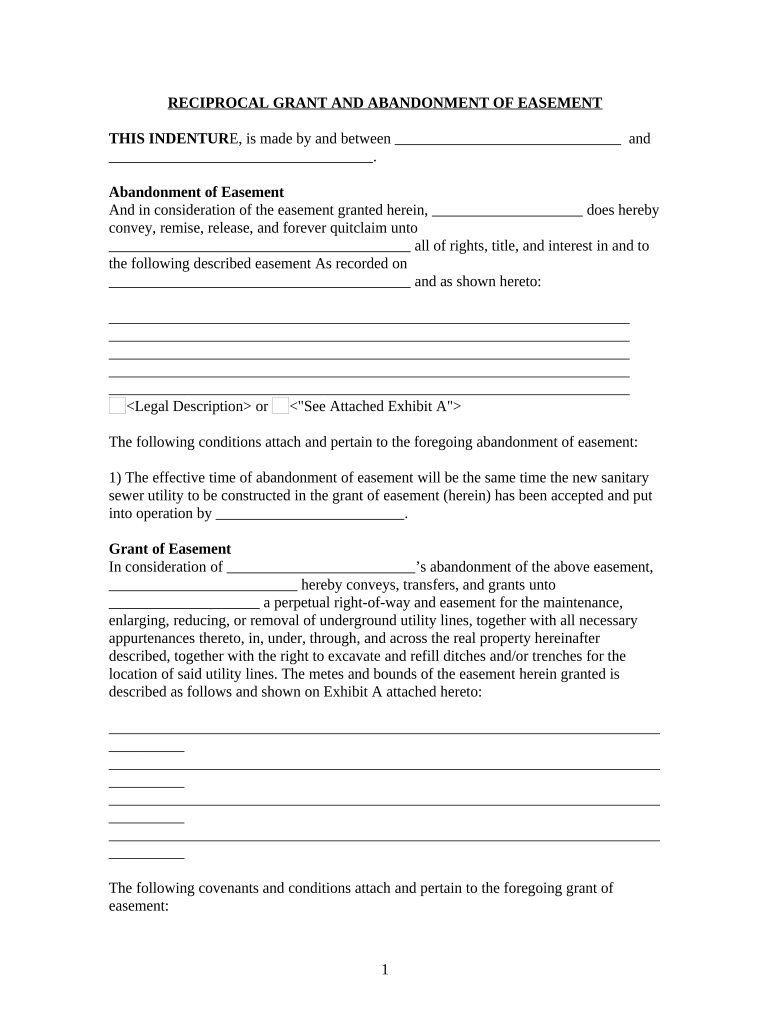
- Begin by filling in the names of the parties involved at the top of the document. Ensure that all names are spelled correctly to avoid any legal issues.
- In the 'Abandonment of Easement' section, provide a detailed legal description of the easement being abandoned. You can either write it directly or reference an attached Exhibit A.
- Next, move to the 'Grant of Easement' section. Here, specify the terms under which the new easement is granted, including rights for maintenance and any conditions that apply.
- Fill in any additional covenants and conditions as outlined in your document. Make sure to review these carefully to ensure compliance with local regulations.
- Finally, sign and date the document where indicated. If required, have it notarized by a public notary to validate your agreement.
Start using our platform today for free to streamline your Montana easement editing process!
It's free
Got questions?
Can I use DocHub to create legal electronic signatures on my montana easement?
Yes, you can use DocHub for signing any business and private paperwork, including your montana easement. All eSignatures you create with our tool are legally binding and court-admissible, as DocHub complies with standards required by ESIGN and UETA. Save your completed paperwork with a detailed Audit Trail if needed.
What internet browser do I need to edit montana easement online?
If you want to edit your montana easement online easily, it does not matter what web browser you employ. DocHub’s straightforward editing instruments are available using any internet browser. Simply open the appropriate tab in the editor, add your document, and fill it out without stress.
Security and compliance
At DocHub, your data security is our priority. We follow HIPAA, SOC2, GDPR, and other standards, so you can work on your documents with confidence.
Learn more