Montana domestic 2026

Get Form
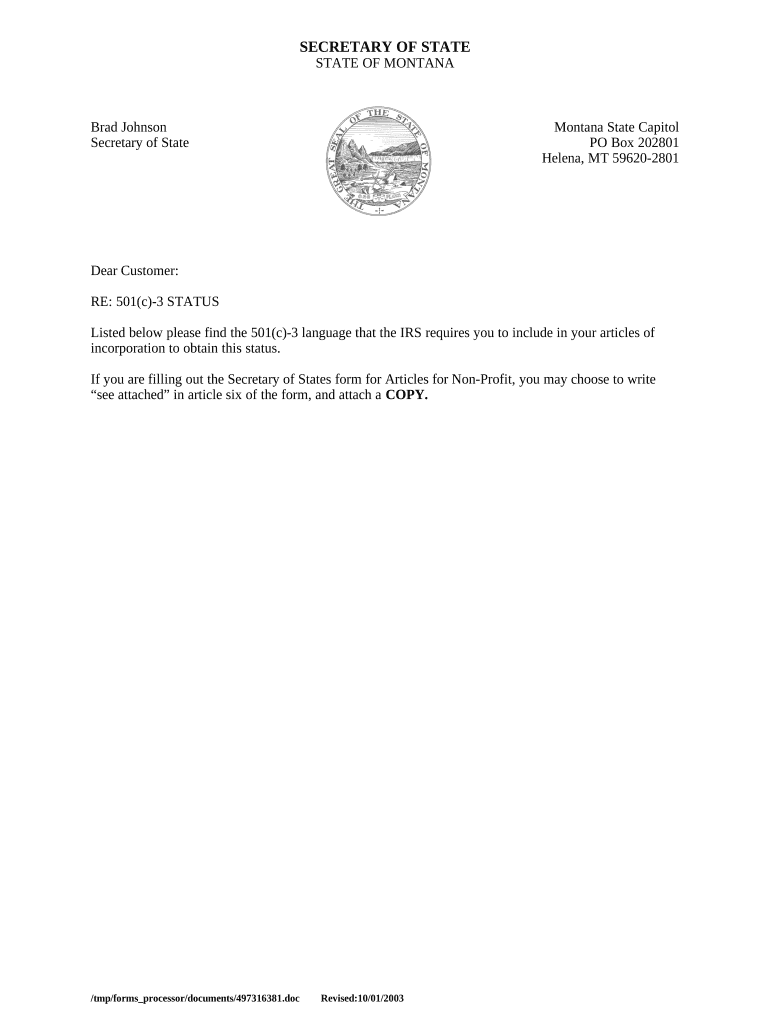
montana domestic Preview on Page 1

Here's how it works

01. Edit your form online
Type text, add images, blackout confidential details, add comments, highlights and more.
02. Sign it in a few clicks
Draw your signature, type it, upload its image, or use your mobile device as a signature pad.
03. Share your form with others
Send it via email, link, or fax. You can also download it, export it or print it out.

How to use or fill out Montana Domestic with our platform

Form edit decoration
9.5
Ease of Setup
DocHub User Ratings on G2
9.0
Ease of Use
DocHub User Ratings on G2
  1. Click ‘Get Form’ to open the Montana Domestic form in the editor.
  2. Begin by filling out the organization’s name in the designated field. Ensure that it matches your official registration.
  3. In Article Six, you may write 'see attached' if you are including additional documentation. Attach a copy of the required 501(c)(3) language as specified.
  4. Complete the purpose section by clearly stating your organization's charitable, religious, educational, or scientific objectives as outlined in the IRS requirements.
  5. Review and confirm that no part of your organization’s earnings will benefit private individuals, except for reasonable compensation for services rendered.
  6. Ensure compliance by stating that your organization will not engage in political campaigning or lobbying activities.
  7. Finally, include a clause regarding asset distribution upon dissolution of the organization, adhering to IRS guidelines.

Start using our platform today to streamline your document editing and ensure a smooth filing process!

be ready to get more

Complete this form in 5 minutes or less

Get form

Security and compliance

At DocHub, your data security is our priority. We follow HIPAA, SOC2, GDPR, and other standards, so you can work on your documents with confidence.

Learn more
ccpa2
pci-dss
gdpr-compliance
hipaa
soc-compliance
be ready to get more

Complete this form in 5 minutes or less

Get form