Lease Subordination Agreement - Pennsylvania 2026

Get Form
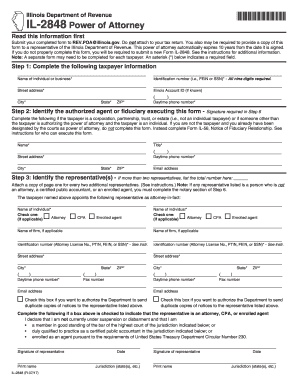
Lease Subordination Agreement - Pennsylvania Preview on Page 1

Here's how it works

01. Edit your form online
Type text, add images, blackout confidential details, add comments, highlights and more.
02. Sign it in a few clicks
Draw your signature, type it, upload its image, or use your mobile device as a signature pad.
03. Share your form with others
Send it via email, link, or fax. You can also download it, export it or print it out.

How to use or fill out Lease Subordination Agreement - Pennsylvania with our platform

Form edit decoration
9.5
Ease of Setup
DocHub User Ratings on G2
9.0
Ease of Use
DocHub User Ratings on G2
  1. Click ‘Get Form’ to open the Lease Subordination Agreement in the editor.
  2. Begin by filling in the 'State' and 'County' fields at the top of the document. This information is crucial for identifying the jurisdiction of the agreement.
  3. Next, enter the names of the 'Lessor', 'Lienholder', and 'Lessee'. Ensure that these names are accurate as they represent all parties involved in this agreement.
  4. Fill in the 'Effective Date' field, which indicates when this agreement will take effect. This date is important for legal purposes.
  5. In the section describing the lands covered by the mortgage or deed of trust, provide a detailed description of the property. This ensures clarity regarding what is being subordinated.
  6. Complete any additional fields related to recording details, such as volume and page numbers from county records for both the mortgage and lease.
  7. Finally, ensure that all parties sign where indicated. You can easily add signatures using our platform’s signing feature for a seamless process.

Start using our platform today to fill out your Lease Subordination Agreement quickly and efficiently!

be ready to get more

Complete this form in 5 minutes or less

Get form

Got questions?

We have answers to the most popular questions from our customers. If you can't find an answer to your question, please contact us.
Contact us
How can you docHub a Subordination Agreement? The Subordination Agreement is commonly docHubd with an Acknowledgment. You would need to personally appear before a Notary Public with this document signed by you. Then, you would sign the Notarys journal (in most states) and acknowledge that you signed the document.
Subordination to Lender Interests: In some cases, landlords may agree to subordinate or waive their lien in favor of a tenants lender. This agreement, typically made in writing through a landlord consent agreement, allows the lender to have priority in claiming the tenants property.
Generally, contracts dont need to be docHubd, as the signed contract itself is legally binding. However, if a potential legal dispute arises between the parties, having the contract docHubd can be very beneficial. Having a notary will provide proof of the parties entering into the contract.
A subordination agreement must be signed and acknowledged by a notary and recorded in the official records of the county to be enforceable.
Pennsylvania Lease Termination: 60-Day Notice and Late Fees Confusion over notice periods and disputes about late fee applicability are common. In Pennsylvania, tenants or landlords must provide a 60-day written notice to terminate a lease.

Security and compliance

At DocHub, your data security is our priority. We follow HIPAA, SOC2, GDPR, and other standards, so you can work on your documents with confidence.

Learn more
ccpa2
pci-dss
gdpr-compliance
hipaa
soc-compliance
be ready to get more

Complete this form in 5 minutes or less

Get form