Preferred Worker Program - Quarterly Claim Cost Reimbursement Request - Oregon 2026

Get Form
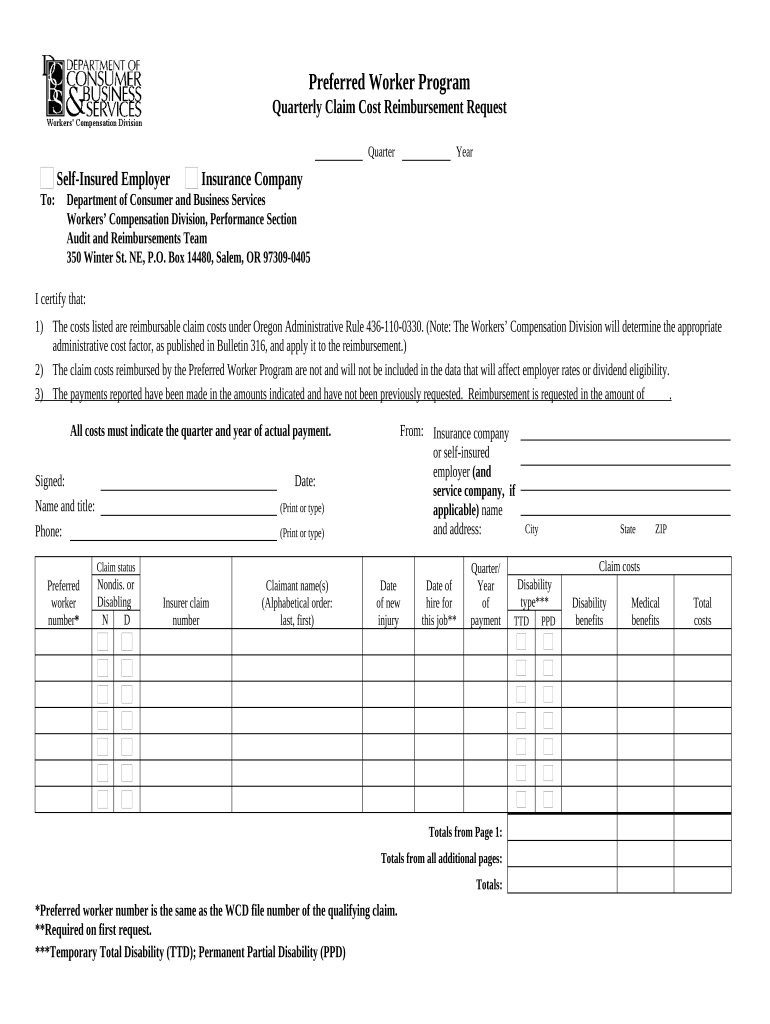
preferred worker program Preview on Page 1

Here's how it works

01. Edit your preferred worker program online
Type text, add images, blackout confidential details, add comments, highlights and more.
02. Sign it in a few clicks
Draw your signature, type it, upload its image, or use your mobile device as a signature pad.
03. Share your form with others
Send it via email, link, or fax. You can also download it, export it or print it out.

How to use or fill out Preferred Worker Program - Quarterly Claim Cost Reimbursement Request - Oregon with our platform

Form edit decoration
9.5
Ease of Setup
DocHub User Ratings on G2
9.0
Ease of Use
DocHub User Ratings on G2
  1. Click ‘Get Form’ to open it in the editor.
  2. Begin by entering the self-insured employer's name and address at the top of the form. This information is crucial for identifying who is submitting the reimbursement request.
  3. Fill in the year and quarter for which you are requesting reimbursement. Ensure that these dates correspond to the actual payment period.
  4. In the certification section, confirm that all costs listed are reimbursable under Oregon Administrative Rule 436-110-0330. You will need to sign and print your name and title, along with your phone number.
  5. List all claim costs in the designated fields, including preferred worker number, insurer claim number, claimant names, dates of new injury, and hire date for this job if it's your first request.
  6. Finally, calculate and enter total costs from all pages at the bottom of the form. Make sure to double-check your entries for accuracy before submission.

Start using our platform today to streamline your document editing and submission process for free!

be ready to get more

Complete this form in 5 minutes or less

Get form

Got questions?

We have answers to the most popular questions from our customers. If you can't find an answer to your question, please contact us.
Contact us

Microsoft Word doesn’t have signing tools to generate legitimate eSignatures and enforceable paperwork. Fortunately, DocHub is an online eSignature-compliant editor that works with different file formats, such as .doc files. Sign in to your account and add the Word edition of your Preferred Worker Program - Quarterly Claim Cost Reimbursement Request - Oregon from your device and cloud, or URL - our editor will automatically transform it into an editable PDF. Make all required modifications in your document and click Sign to generate your own legally-binding electronic signature. You will find four signing methods from which to choose.

Apart from a comprehensive toolset for editing PDFs on mobile devices, DocHub enables you to sign your Preferred Worker Program - Quarterly Claim Cost Reimbursement Request - Oregon along the way. Open our editor in your internet browser, make changes using DocHub’s toolset, and finish your editing by eSigning the finished form.

In Oregon, you have 90 days from the date of the injury to file a formal workers compensation claim. Its worth noting that the clock starts ticking from the moment youre injured or become aware of a work-related condition.
The Preferred Worker Program helps qualified Oregon workers who have permanent restrictions from on-the-job injuries and who are not able to return to their regular employment because of those injuries. Preferred workers can offer Oregon employers a chance to save money by hiring them.

Security and compliance

At DocHub, your data security is our priority. We follow HIPAA, SOC2, GDPR, and other standards, so you can work on your documents with confidence.

Learn more
ccpa2
pci-dss
gdpr-compliance
hipaa
soc-compliance