Agreement vocalist 2026

Get Form
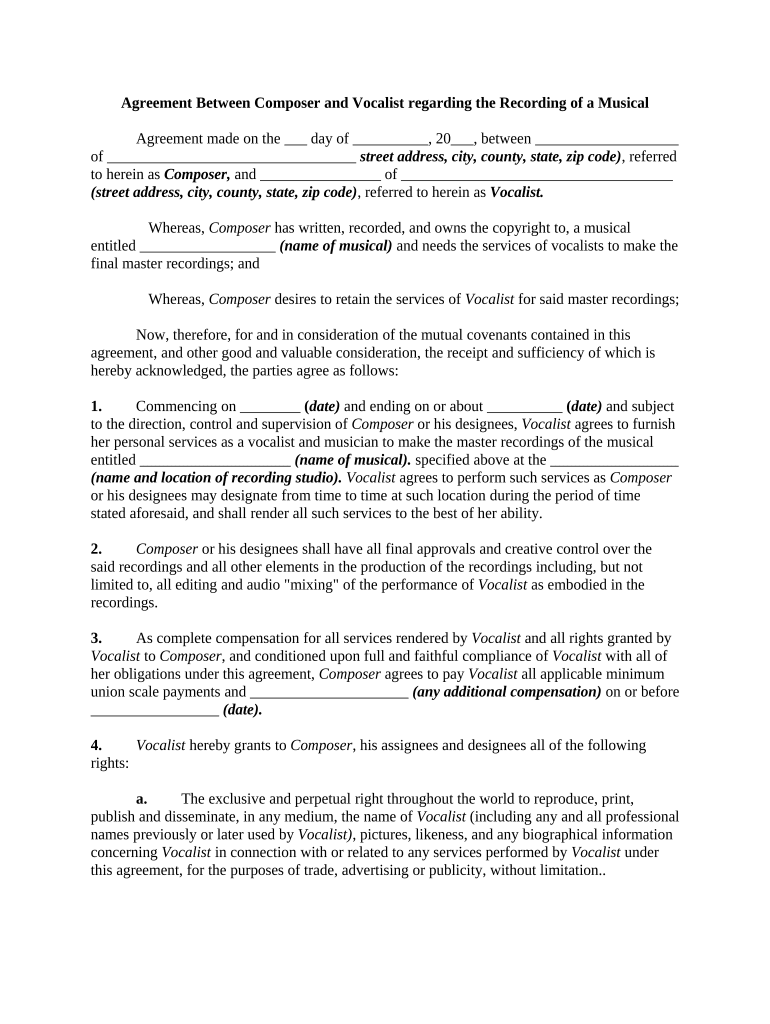
agreement vocalist Preview on Page 1

Here's how it works

01. Edit your form online
Type text, add images, blackout confidential details, add comments, highlights and more.
02. Sign it in a few clicks
Draw your signature, type it, upload its image, or use your mobile device as a signature pad.
03. Share your form with others
Send it via email, link, or fax. You can also download it, export it or print it out.

How to use or fill out agreement vocalist with our platform

Form edit decoration
9.5
Ease of Setup
DocHub User Ratings on G2
9.0
Ease of Use
DocHub User Ratings on G2
  1. Click ‘Get Form’ to open the agreement vocalist in the editor.
  2. Begin by filling in the date of the agreement at the top of the form. This is crucial for establishing the timeline of your contract.
  3. Next, enter the names and addresses of both parties: Composer and Vocalist. Ensure all details are accurate to avoid any legal issues.
  4. In section one, specify the start and end dates for Vocalist's services, along with the name and location of the recording studio. This sets clear expectations for both parties.
  5. Proceed to section three to outline compensation details. Fill in any additional payments agreed upon, ensuring clarity on payment timelines.
  6. Review sections four through ten carefully, as they cover rights, indemnities, and dispute resolution. Make sure all terms are understood before finalizing.

Start using our platform today to streamline your document editing and signing process for free!

be ready to get more

Complete this form in 5 minutes or less

Get form

Got questions?

We have answers to the most popular questions from our customers. If you can't find an answer to your question, please contact us.
Contact us

Of course, electronically drawing your signature is acceptable, but only if you use a tool that complies with industry regulations and policies. Try DocHub, which ensures eSignature validity under ESIGN and UETA requirements. All you need to approve your agreement vocalist electronically is an account with DocHub and an internet connection. When you open your file in our editor, click Sign and choose the Draw tool.

With DocHub, you have several convenient methods to edit your agreement vocalist online. You can drag and drop the form and edit it directly at the DocHub site or use our browser extension to fill out your form right away. Additionally, you can edit your PDF on your phone, as DocHub works with all the accessible mobile platforms.

Security and compliance

At DocHub, your data security is our priority. We follow HIPAA, SOC2, GDPR, and other standards, so you can work on your documents with confidence.

Learn more
ccpa2
pci-dss
gdpr-compliance
hipaa
soc-compliance
be ready to get more

Complete this form in 5 minutes or less

Get form