Release purchaser 2026

Get Form
release purchaser Preview on Page 1

Here's how it works

01. Edit your form online
Type text, add images, blackout confidential details, add comments, highlights and more.
02. Sign it in a few clicks
Draw your signature, type it, upload its image, or use your mobile device as a signature pad.
03. Share your form with others
Send it via email, link, or fax. You can also download it, export it or print it out.

How to use or fill out release purchaser with our platform

Form edit decoration
9.5
Ease of Setup
DocHub User Ratings on G2
9.0
Ease of Use
DocHub User Ratings on G2
  1. Click ‘Get Form’ to open the release purchaser document in the editor.
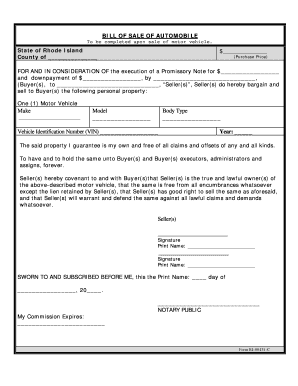
  2. Begin by entering the name of the Facilitator in the designated field. This identifies who is arranging the sale.
  3. Next, input your name as the Purchaser and the Seller's name in their respective fields. This ensures all parties are clearly identified.
  4. Provide a detailed description of the Horse being purchased. This section is crucial for clarity regarding what is being sold.
  5. Review the waiver statement carefully. Ensure you understand that you are accepting the Horse 'as is' and releasing any claims against the Facilitator.
  6. Sign and print your name at the bottom of the form, confirming your agreement to all terms outlined in this document.
  7. Finally, save your completed form and share it as needed, utilizing our platform’s export features for convenience.

Start using our platform today to streamline your document editing and signing process for free!

be ready to get more

Complete this form in 5 minutes or less

Get form

Got questions?

We have answers to the most popular questions from our customers. If you can't find an answer to your question, please contact us.
Contact us
20:47 21:44 So click here. Now the purchase order released effected with release code K4 that is warehouseMoreSo click here. Now the purchase order released effected with release code K4 that is warehouse manager. Okay now save so purchase order status is now R that is released.
A purchase release is used to send out, under one release number, several schedules with similar characteristics. These characteristics must be the same: Ship-from business partner. Ship-to address. Release type (material release, shipping schedule, or sequence shipping schedule.
A Released status indicates that the purchase order has been sent to the vendor. A new purchase order is assigned a Released status if at least one purchase order line changes from a New status to a Released status.
Issuing the Letter of Purchase Order (LPO) It serves as a binding agreement between the buyer and the seller. Process: Finalization: Once the PO is approved, it is converted into an LPO, which is then sent to the supplier. The LPO includes all agreed-upon details and acts as a confirmation of the order.
Once the purchase requisition is approved, its used to create a PO. The PO contains the information a vendor needs to fulfill the order, and is used to place the order. Because purchase requisitions come before purchase orders in the purchasing process, lets do a deep dive into them first.

Security and compliance

At DocHub, your data security is our priority. We follow HIPAA, SOC2, GDPR, and other standards, so you can work on your documents with confidence.

Learn more
ccpa2
pci-dss
gdpr-compliance
hipaa
soc-compliance

People also ask

A release is often sought when the buyer lacks a contractual basis for termination, but the seller agrees to let them out of the deal, possibly in exchange for the buyer forfeiting the earnest money deposit.
Purchase Order Release or Release means a Purchase Order issued against a Blanket Purchase Order and incorporating the provisions of the Blanket Purchase Order.

Related links