Type text, add images, blackout confidential details, add comments, highlights and more.

02. Sign it in a few clicks
Draw your signature, type it, upload its image, or use your mobile device as a signature pad.

03. Share your form with others
Send claim of policy examples via email, link, or fax. You can also download it, export it or print it out.

How to Use or Fill Out Insurance Claim with Our Platform
Ease of Setup
DocHub User Ratings on G2
Ease of Use
DocHub User Ratings on G2
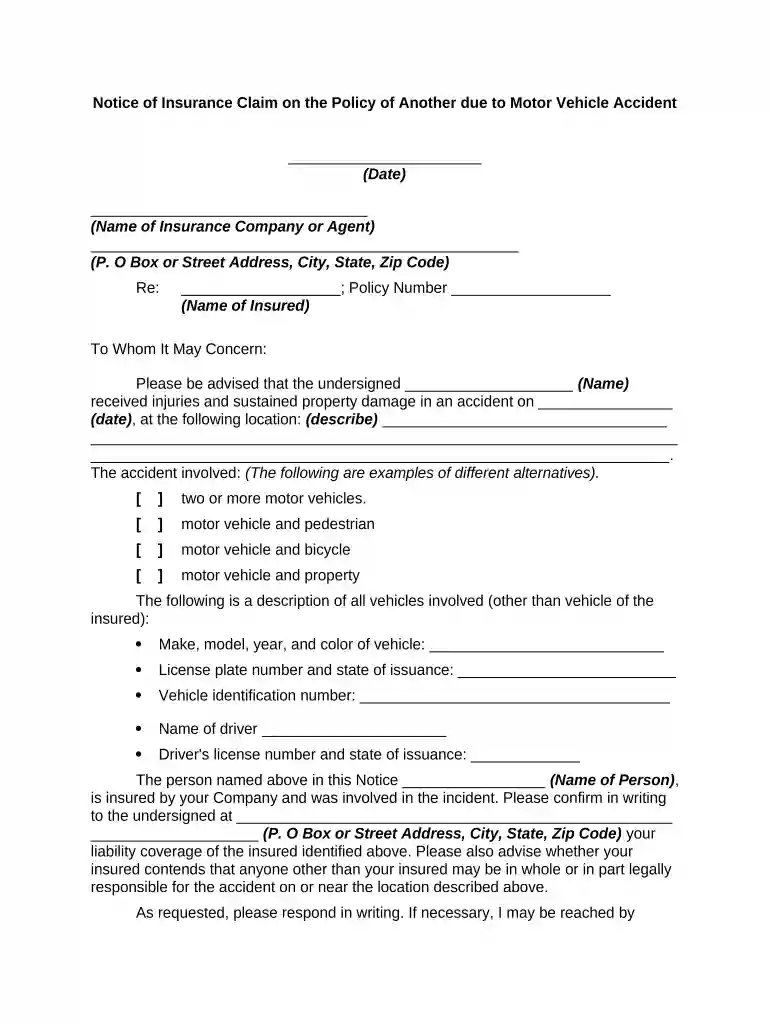
Click ‘Get Form’ to open the insurance claim document in the editor.
Begin by entering the date at the top of the form. This is crucial for record-keeping and processing your claim.
Fill in the name of the insurance company or agent, along with their address details. Accurate information ensures your claim reaches the right party.
In the 'Re:' section, provide the name of the insured and their policy number. This links your claim directly to their coverage.
Describe the accident's date and location in detail. Include specifics about how it occurred, as this information is vital for assessing liability.
Indicate what type of accident occurred by checking one of the provided options (e.g., motor vehicle vs. pedestrian).
List all vehicles involved, including make, model, year, color, license plate number, and driver details. This comprehensive data helps clarify responsibility.
Finally, provide your contact information for follow-up communication regarding your claim.
Start filling out your insurance claim today using our platform for free!
First, know your policy -- know whats covered, whats excluded and what the deductibles are. If you have to file a claim, do so as soon as possible.Read more
Step One: Contact Your Agent Immediately. Give your name, address, policy number, and the date and time of your loss. Make sure to tell your insurance agentRead more
Cookie consent notice
This site uses cookies to enhance site navigation and personalize your experience.
By using this site you agree to our use of cookies as described in our Privacy Notice.
You can modify your selections by visiting our Cookie and Advertising Notice.