
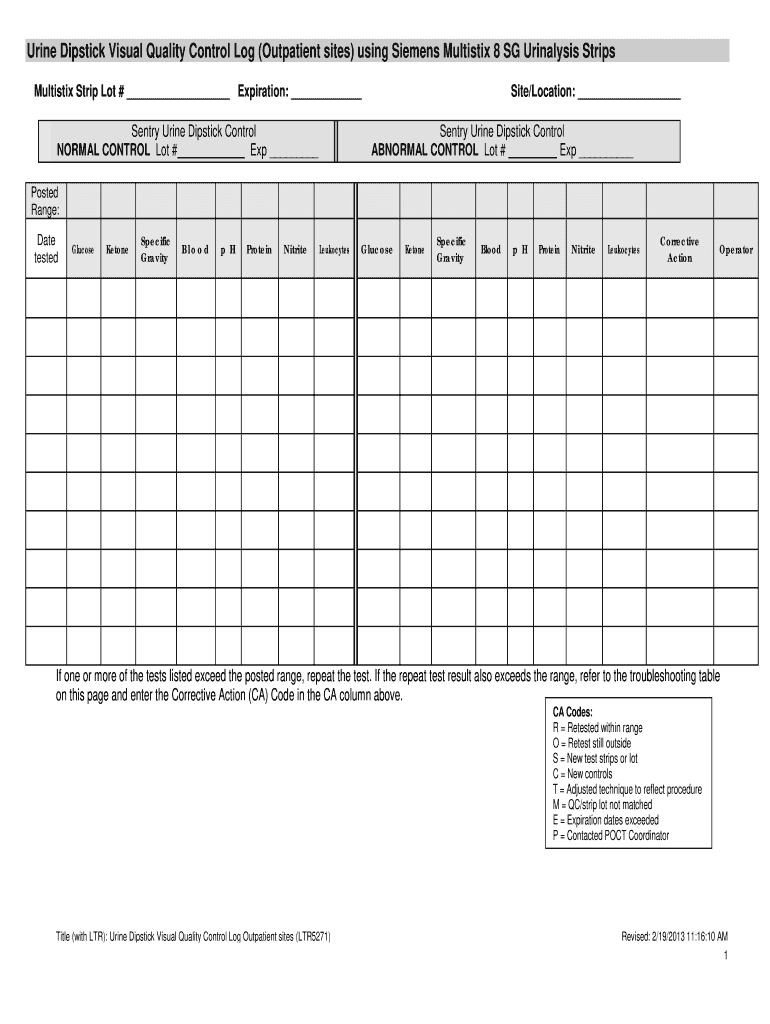







Overview of the Siemens Multistix 10 SG Results Chart
The Siemens Multistix 10 SG results chart is an essential tool for interpreting urinalysis results obtained using Siemens Multistix 10 SG strips. This chart outlines parameters that can be tested, including glucose, ketones, specific gravity, blood, pH, protein, nitrite, and leukocytes, providing healthcare professionals and technicians with critical thresholds for each result.
Key Parameters in the Results Chart
The Multistix test strips provide results for various parameters, each indicating different aspects of a patient’s health. The results chart categorizes these into distinct thresholds, often distinguishing between normal, abnormal, and critical values.
- Glucose: Indicates the presence of sugar in urine, an essential marker for diabetes monitoring.
- Ketones: Detected when the body starts burning fat for energy, which can occur in uncontrolled diabetes.
- Specific Gravity: Reflects urine concentration, providing insights into hydration status.
- Blood: The presence of blood can indicate urinary tract infections, kidney stones, or other renal issues.
- pH: Analyzes urine acidity or alkalinity, linked to various metabolic conditions.
- Protein: The presence of protein can suggest kidney disease.
- Nitrite: Indicates bacterial infections in the urinary tract.
- Leukocytes: Often present during infections, indicating white blood cells in urine.
Using the Siemens Multistix 10 SG Results Form
Healthcare providers should familiarize themselves with the Siemens Multistix results form to effectively interpret test outcomes. Following established procedures ensures accurate patient assessments.
- Collect Urine Sample: Ensure the patient collects a midstream urine sample in a clean container to prevent contamination.
- Dip the Test Strip: Submerge the test strip fully into the urine for the specified duration provided in the package instructions.
- Read Results: After the recommended waiting time, compare the test strip color to the results chart for each parameter. Document the readings meticulously.
Interpretation of Results
Understanding how to interpret the results from the Multistix chart is vital for accurate diagnostics. Here’s how to proceed:
- Normal Values: These values indicate a healthy state and must align with the reference range specified in the results chart.
- Abnormal Values: If a reading deviates from normal, further investigation or additional testing may be necessary.
- Clinical Context: Always consider the patient’s clinical history and present symptoms alongside test results for accurate diagnosis.
Quality Control Considerations
To maintain the reliability of test results using Siemens Multistix strips, quality control is critical. This includes:
- Testing Expiration Dates: Always check the expiration date on the Multistix packaging before use, as expired strips can yield false results.
- Daily Control Tests: Conduct control tests to ensure testing strips are functioning correctly, especially if results appear inconsistent.
- Documentation: Keep comprehensive logs of results, including dates, patient identifiers, and any corrective actions taken for out-of-range results.
Documentation and Log Requirements
Proper documentation when using the Siemens Multistix 10 SG results chart is crucial. Follow these guidelines:
- Log the Lot Number and Expiration Date: Each test should include the specific lot number and expiration date of the strips used.
- Record Results: Document individual results for each tested parameter, including any notes on inconsistencies alongside patient information.
- Corrective Actions: Outline any steps taken if parameters fall outside the acceptable range, using the corrective action codes provided in the quality control log.
The Siemens Multistix 10 SG results chart is integral for healthcare professionals conducting urinalysis, enabling timely and accurate assessments of patient health based on urine chemistry. By understanding and utilizing the chart effectively, professionals can better diagnose and manage patient conditions.




