




Here's how it works

01. Edit your outside employment online
Type text, add images, blackout confidential details, add comments, highlights and more.

02. Sign it in a few clicks
Draw your signature, type it, upload its image, or use your mobile device as a signature pad.

03. Share your form with others
Send outside employment form via email, link, or fax. You can also download it, export it or print it out.
How to use or fill out outside employee with our platform

- Click ‘Get Form’ to open the Outside Work Approval Form in the editor.
- Begin by entering your Employee Name, Title, and Appointment Grade in the designated fields. Ensure accuracy as this information is crucial for identification.
- Fill in your Department and Major Organization details. This helps in categorizing your request appropriately within the organization.
- Indicate your Per Cent Time and Appointment Period by selecting options such as Full Time or Part Time, along with the duration of your appointment.
- In the 'Details of Outside Work' section, specify the name of the employer or organization you will be working for, along with the dates work will be performed.
- Select the type of organization (e.g., Private, Non-Profit) and provide a brief description of the work you will perform.
- If applicable, indicate whether this work will occur during regular hours and what type of leave you plan to request if so.
- Answer questions regarding other employees involved and any potential conflicts of interest related to equity or management positions.
- Finally, ensure you sign and date the form before submitting it for supervisor approval. Include their contact information for follow-up.
Start using our platform today to streamline your document editing and approval process for free!
Fill out outside employee online
It's free
It's free
Security and compliance
At DocHub, your data security is our priority. We follow HIPAA, SOC2, GDPR, and other standards, so you can work on your documents with confidence.
Learn more


Related forms
Tembo sacco
The document is a loan application form for Tembo Sacco Limited, detailing the necessary information required from appli ...
Mv 83sal
The document is a Salvage Examination/Title Application form for vehicles in New York State. It outlines the application ...

Rbc personal statement of affairs
The document is Form 11114 BAR, an application for a Business Deposit Account at RBC Royal Bank (Barbados) Limited. It c ...

Player profile & emergency contact form - Niagara United Soccer...
The document is a Player Profile and Emergency Contact Form designed to collect essential personal and medical informati ...
Met police vetting form
The document is a declaration form for recruits joining the Metropolitan Police Service, specifically for the MPS Vettin ...
Probationary form 90
The document outlines the procedures and forms related to the probationary review process for employees at Cornell Unive ...
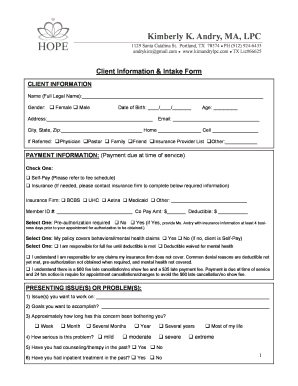
Andry, MA, LPC
The document is a comprehensive client intake form and office policy for Kimberly K. Andry, a licensed professional coun ...