Staff form nyc 1992-2026

Get Form
nyc staff health form Preview on Page 1

Here's how it works

01. Edit your nyc staff health form online
Type text, add images, blackout confidential details, add comments, highlights and more.
02. Sign it in a few clicks
Draw your signature, type it, upload its image, or use your mobile device as a signature pad.
03. Share your form with others
Send it via email, link, or fax. You can also download it, export it or print it out.

How to use or fill out staff form nyc 1992 with our platform

Form edit decoration
9.5
Ease of Setup
DocHub User Ratings on G2
9.0
Ease of Use
DocHub User Ratings on G2
  1. Click ‘Get Form’ to open it in the editor.
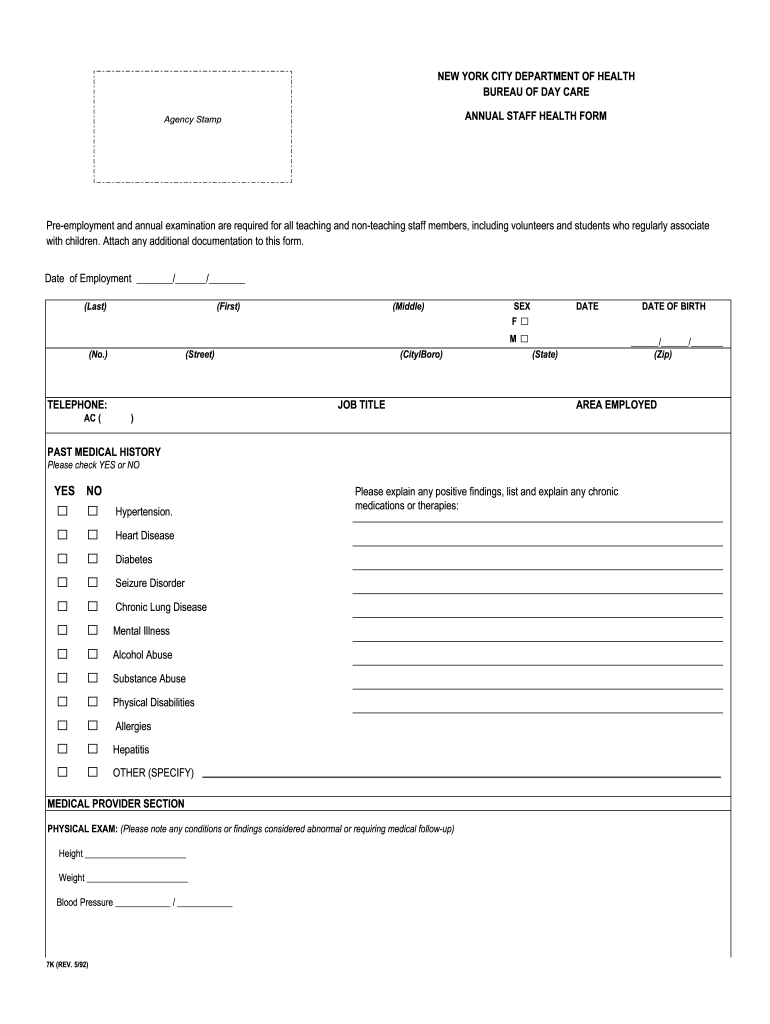
  2. Begin by entering your Date of Employment, Last Name, First Name, and Middle Initial in the designated fields.
  3. Indicate your sex by checking the appropriate box (F or M). Fill in your address details including street, city/borough, state, and zip code.
  4. Provide your job title and area employed. Next, move to the Past Medical History section and check 'YES' or 'NO' for each condition listed.
  5. In the Medical Provider Section, enter your height, weight, and blood pressure readings. Complete the Tuberculin Testing section with dates tested and interpreted along with results.
  6. Fill out the Immunization Record by selecting options that apply to you. If applicable, specify any laboratory tests ordered and their results.
  7. Finally, ensure that a medical provider completes their section with their name, license number, telephone number, signature, and date of exam.

Start using our platform today for free to streamline your document editing experience!

See more staff form nyc 1992 versions

We've got more versions of the staff form nyc 1992 form. Select the right staff form nyc 1992 version from the list and start editing it straight away!
Versions Form popularity Fillable & printable
2017 4.8 Satisfied (95 Votes)
1992 4.4 Satisfied (364 Votes)
be ready to get more

Complete this form in 5 minutes or less

Get form

Got questions?

We have answers to the most popular questions from our customers. If you can't find an answer to your question, please contact us.
Contact us

Electronic document approval requires a software solution that works in compliance with data protection and eSignature laws. DocHub is a great tool for that, since it fulfills all the aforementioned requirements. Whatever method you prefer to sign your staff form nyc 1992 in DocHub, your eSignature will be legally binding and court-admissible.

When you choose analog methods of completing your staff form nyc 1992, it is simple to download your file for printing. Search DocHub’s Forms & Templates catalog to get the exact document template you need and open it for editing or download it on your device in the format of your liking. It is possible to complete your form electronically and place your handwritten signature on it after printing or eSign your document with DocHub.

Security and compliance

At DocHub, your data security is our priority. We follow HIPAA, SOC2, GDPR, and other standards, so you can work on your documents with confidence.

Learn more
ccpa2
pci-dss
gdpr-compliance
hipaa
soc-compliance