Sd llc 2026

Get Form
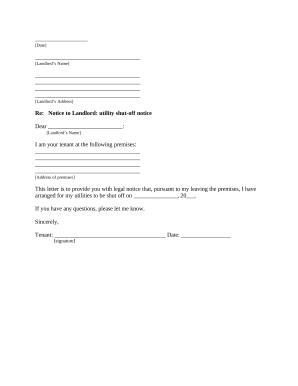
sd llc Preview on Page 1

Here's how it works

01. Edit your form online
Type text, add images, blackout confidential details, add comments, highlights and more.
02. Sign it in a few clicks
Draw your signature, type it, upload its image, or use your mobile device as a signature pad.
03. Share your form with others
Send it via email, link, or fax. You can also download it, export it or print it out.

How to use or fill out sd llc with our platform

Form edit decoration
9.5
Ease of Setup
DocHub User Ratings on G2
9.0
Ease of Use
DocHub User Ratings on G2
  1. Click ‘Get Form’ to open the sd llc document in the editor.
  2. Begin by filling in your name, company, address, city, state, zip code, phone number, and fax number in the designated fields at the top of the form.
  3. In the section labeled 'ACKNOWLEDGEMENT OF SATISFACTION OF LIEN', enter your name as a representative of the corporation claiming a lien. Specify the corporation's name and type.
  4. Provide details about the property related to the lien, including a description and ownership information.
  5. Fill in the date when you recorded the lien and the amount of that lien.
  6. Indicate when you received payment and from whom, along with the payment amount.
  7. Describe any improvements or materials related to this lien in detail.
  8. Complete the signature section by signing as a lien holder and printing your name, title, and corporation details. Ensure witnesses sign where indicated.
  9. Finally, have a notary public complete their section to finalize your document.

Start using our platform today for free to streamline your document editing and signing process!

be ready to get more

Complete this form in 5 minutes or less

Get form

Got questions?

We have answers to the most popular questions from our customers. If you can't find an answer to your question, please contact us.
Contact us

If you often deal with documents stored in your Google Drive, DocHub is a superb solution for you to easily and quickly fill out, edit, and approve them. This editor integrates properly with Google apps, so you can export your sd llc from your Google Drive to the editor without the need of downloading and re-uploading it. Right-click on your file, select Open With → DocHub PDF Sign and Edit. In our editor, add and assign Signature Fields for all parties involved, then click on the Menu option above → Send → decide on how you want to share your form.

You can easily edit and complete your sd llc on any iOS gadget. Open an internet browser of your liking, visit the DocHub website, authorize or create a new account, upload your file for editing, and make your required adjustments. Our service is mobile-friendly, so using its functions on your smartphone will be a no-brainer, even on the first try.

Mail filings: In total, mail filing approvals for South Dakota LLCs take 3 weeks. This accounts for the 3-5 business day processing time, plus the time your documents are in the mail. Online filings: Online filings for South Dakota LLCs are approved immediately.
Florida LLC Approval Times Mail filings: In total, mail filing approvals for Florida LLCs take 3-4 weeks. This accounts for the 5-7 business day processing time, plus the time your documents are in the mail. Online filings: In total, online filing approvals for Florida LLCs take 1-2 business days.
Business Corporations - Domestic Foreign ServiceFeeLimited Liability Company (LLC) - Domestic ForeignDomestic Articles of OrganizationFiled Electronically online$150Filed via Paper (includes paper filing fee)$165114 more rows

Security and compliance

At DocHub, your data security is our priority. We follow HIPAA, SOC2, GDPR, and other standards, so you can work on your documents with confidence.

Learn more
ccpa2
pci-dss
gdpr-compliance
hipaa
soc-compliance
be ready to get more

Complete this form in 5 minutes or less

Get form

People also ask

Depending on how fast the state processes business filings, it can generally take between a week to ten business days. In some states, once your intake information is received, the state agency often issues approval for the limited liability company within only three business days.
Just follow these six steps, and youll be on your way. Name Your South Dakota LLC. Choose Your Registered Agent. Prepare and File Articles of Organization. Receive a Certificate From the State. Create an Operating Agreement. Get an Employer Identification Number.
An LLC is an unincorporated business organization of one or more persons who have limited liability for the contractual obligations and other liabilities of the business. The Limited Liability Company Law governs the formation and operation of an LLC. An LLC may organize for any lawful business purpose or purposes.
Just follow these six steps, and youll be on your way. Name Your South Dakota LLC. Choose Your Registered Agent. Prepare and File Articles of Organization. Receive a Certificate From the State. Create an Operating Agreement. Get an Employer Identification Number.
A Limited liability company (LLC) is a business structure that offers limited liability protection and pass-through taxation. As with corporations, the LLC legally exists as a separate entity from its owners. Therefore, owners cannot typically be held personally responsible for the business debts and liabilities.

Related links