Type text, add images, blackout confidential details, add comments, highlights and more.
02. Sign it in a few clicks
Draw your signature, type it, upload its image, or use your mobile device as a signature pad.
03. Share your form with others
Send it via email, link, or fax. You can also download it, export it or print it out.
How to use or fill out Warranty Deed from Husband and Wife to Corporation - Florida with our platform
Ease of Setup
DocHub User Ratings on G2
Ease of Use
DocHub User Ratings on G2
Click ‘Get Form’ to open the Warranty Deed in the editor.
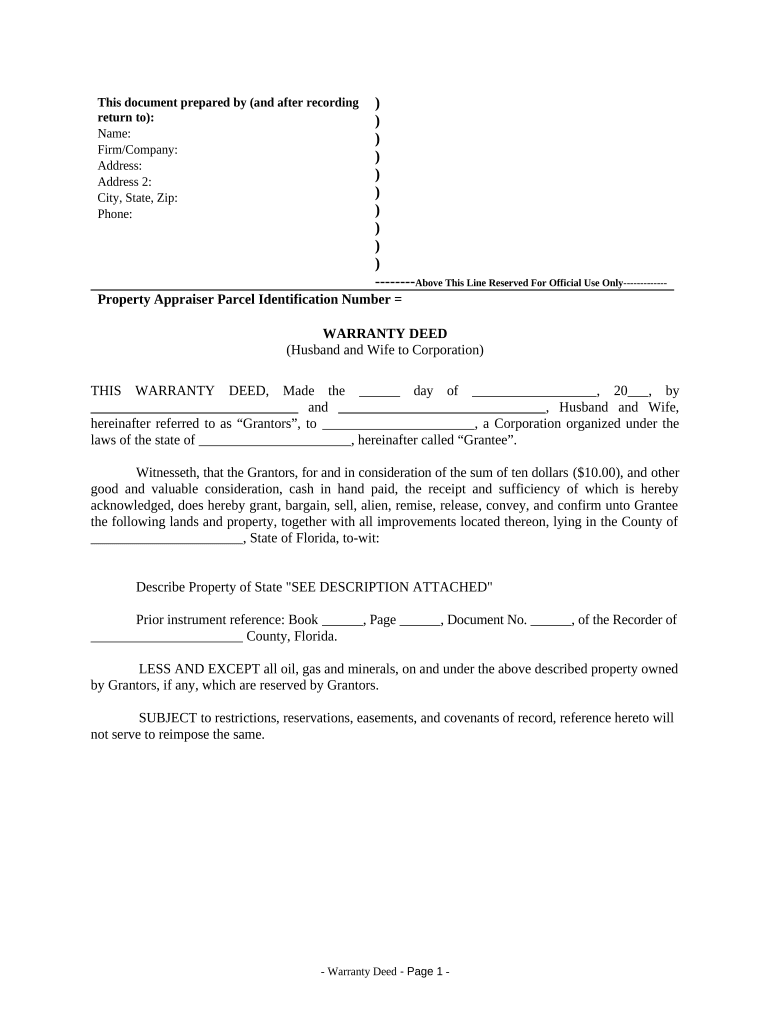
Begin by filling in the names of the Grantors (Husband and Wife) at the top of the form, along with their address details. Ensure accuracy as this information is crucial for legal identification.
In the section labeled 'Grantee', enter the name of the Corporation receiving the property, followed by its state of incorporation.
Specify the property details in the designated area. If there is a separate description attached, indicate that by writing 'SEE DESCRIPTION ATTACHED'.
Complete any prior instrument references if applicable, including Book and Page numbers.
Fill out tax-related information regarding how taxes will be handled between Grantors and Grantee.
Both Grantors must sign and date the document in front of witnesses. Ensure that one witness can also act as a Notary Public.
Finally, provide your contact information at the end of the document for future correspondence regarding tax statements.
Start using our platform today to easily complete your Warranty Deed online for free!
Fill out Warranty Deed from Husband and Wife to Corporation - Florida online It's free
Warranty deed from husband and wife to corporation florida templateWarranty deed from husband and wife to corporation florida formWarranty deed from husband and wife to corporation florida sampleWarranty deed from husband and wife to corporation florida formatWarranty deed form pdf free DownloadWarranty Deed example filled outFree warranty deed from husband and wife to corporation floridaTax implications of adding spouse to deed
Security and compliance
At DocHub, your data security is our priority. We follow HIPAA, SOC2, GDPR, and other standards, so you can work on your documents with confidence.
NOTICE: This report was prepared as an account of work sponsored by an agency of the United States Government. Neither the United States Govern-.Read more
Cookie consent notice
This site uses cookies to enhance site navigation and personalize your experience.
By using this site you agree to our use of cookies as described in our Privacy Notice.
You can modify your selections by visiting our Cookie and Advertising Notice.