Type text, add images, blackout confidential details, add comments, highlights and more.
02. Sign it in a few clicks
Draw your signature, type it, upload its image, or use your mobile device as a signature pad.
03. Share your form with others
Send it via email, link, or fax. You can also download it, export it or print it out.
How to use or fill out gift act with our platform
Ease of Setup
DocHub User Ratings on G2
Ease of Use
DocHub User Ratings on G2
Click ‘Get Form’ to open the gift act document in the editor.
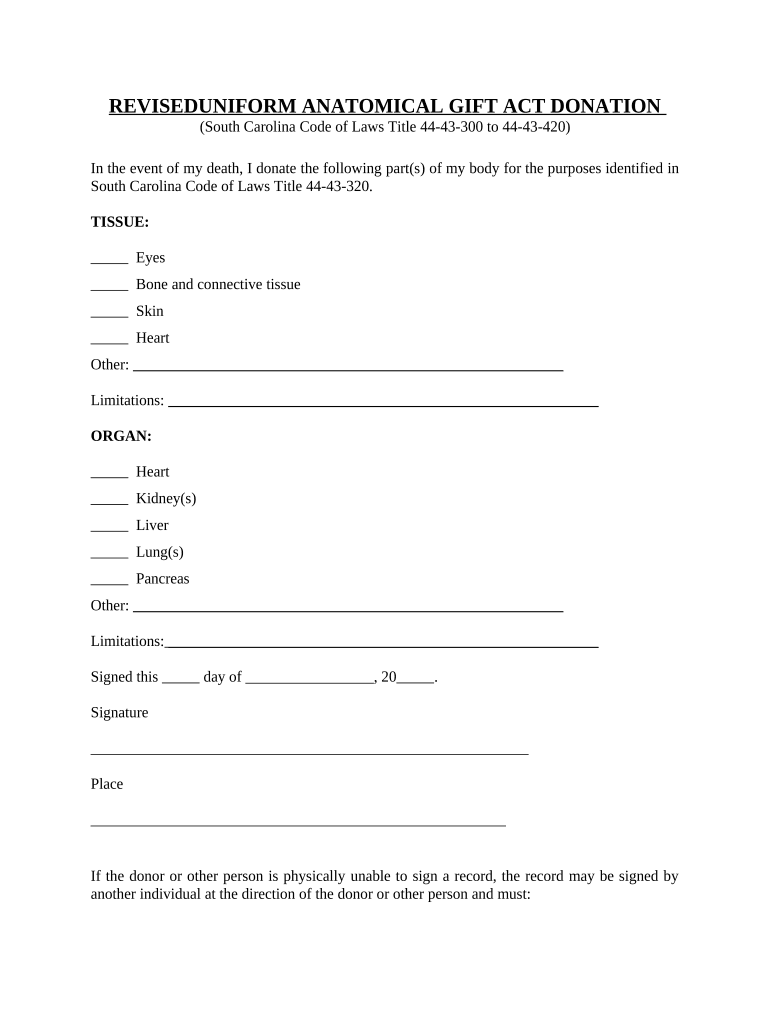
Begin by filling out the section for TISSUE donations. Select from options like Eyes, Bone and connective tissue, Skin, Heart, or specify any other tissue. If there are limitations on your donation, clearly state them in the provided space.
Next, move to the ORGAN section. Indicate which organs you wish to donate by selecting from options such as Heart, Kidney(s), Liver, Lung(s), Pancreas, or specify any other organ. Again, note any limitations if applicable.
Complete the signature section by entering the date and signing your name. Ensure that you also provide your place of signing.
If you are unable to sign yourself, follow the instructions for having another individual sign on your behalf. Make sure this is witnessed by at least two adults as specified.
Finally, complete the ACKNOWLEDGEMENT FORM by providing necessary details and signatures as required.
Start using our platform today to easily fill out your gift act form online for free!
Uniform Anatomical gift ActUniform anatomical gift Act pdfUniform anatomical gift act yearUniform Anatomical Gift Act medical definitionThe uniform Anatomical Gift Act quizletUniform anatomical gift act examplesUniform anatomical gift act statesUniform anatomical gift act citation
Security and compliance
At DocHub, your data security is our priority. We follow HIPAA, SOC2, GDPR, and other standards, so you can work on your documents with confidence.
Cookie consent notice
This site uses cookies to enhance site navigation and personalize your experience.
By using this site you agree to our use of cookies as described in our Privacy Notice.
You can modify your selections by visiting our Cookie and Advertising Notice.