Letter from Tenant to Landlord responding to Notice to Terminate for Noncompliance - Noncompliant condition caused by Landlord's own deliberate or negligent act - District of Columbia
Type text, add images, blackout confidential details, add comments, highlights and more.
02. Sign it in a few clicks
Draw your signature, type it, upload its image, or use your mobile device as a signature pad.
03. Share your form with others
Send it via email, link, or fax. You can also download it, export it or print it out.
How to use or fill out Letter from Tenant to Landlord responding to Notice to Terminate for Noncompliance - Noncompliant condition caused by Landlord's own deliberate or negligent act - District of Columbia with our platform
Ease of Setup
DocHub User Ratings on G2
Ease of Use
DocHub User Ratings on G2
Click ‘Get Form’ to open it in the editor.
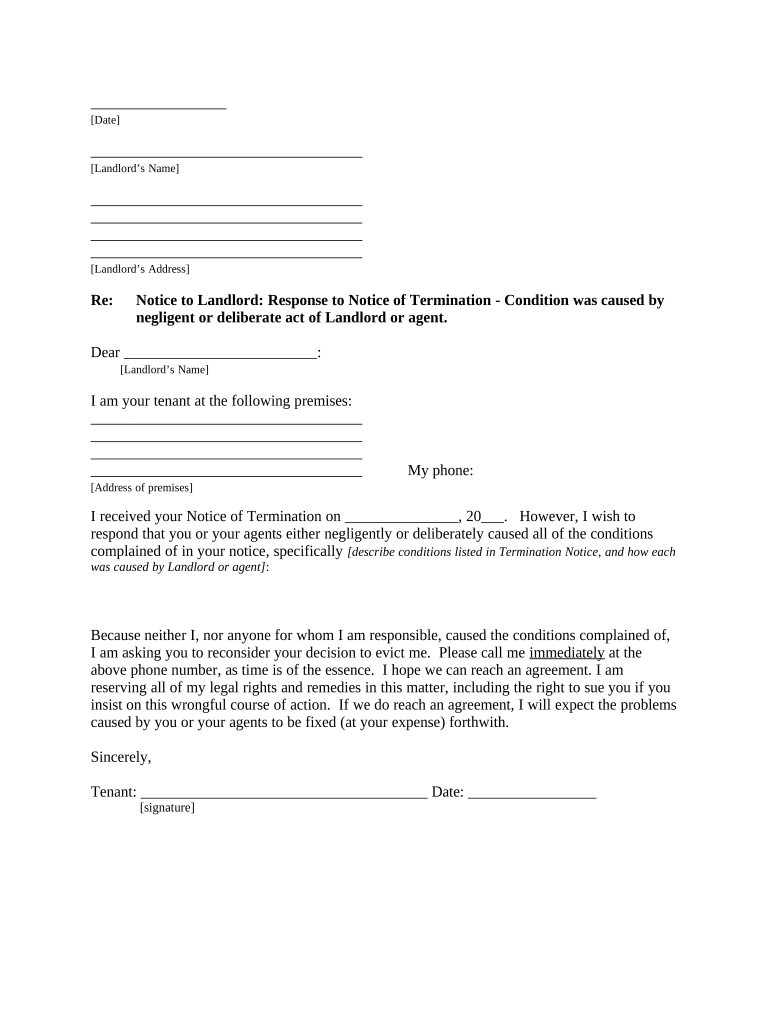
Begin by entering the date at the top of the letter. This is important for record-keeping and establishing timelines.
Fill in the landlord’s name and address in the designated fields. Ensure accuracy to avoid any miscommunication.
In the greeting, address your landlord directly using their name, which personalizes your response.
Provide your address as the tenant, along with your phone number. This information is crucial for follow-up communication.
State the date you received the Notice of Termination clearly. This helps establish a timeline for your response.
Describe the conditions mentioned in the termination notice and explain how they were caused by the landlord or their agents. Be specific and factual.
Conclude by requesting that your landlord reconsider their decision and provide your contact information again for immediate communication.
Sign and date the letter at the bottom, ensuring it is properly executed before sending.
Select a method of delivery from the options provided (personal delivery, certified mail, etc.) and sign that section as well.
Start editing your document today on our platform for free!
Fill out Letter from Tenant to Landlord responding to Notice to Terminate for Noncompliance - Noncompliant condition caused by Landlord's own deliberate or negligent act - District of Columbia online It's free
Can landlords enter without noticeResidential landlord-tenant ActLandlord entered without noticeDoes a landlord have to give notice before enteringDomestic violence landlord tenant lawWhat qualifies as uninhabitable living conditionsAre landlords required to give 24 hour notice to enterVirginia law lease termination
Security and compliance
At DocHub, your data security is our priority. We follow HIPAA, SOC2, GDPR, and other standards, so you can work on your documents with confidence.
Tenant Resources | dob - DC Department of Buildings
In the District of Columbia, landlords are required by law to keep all housing unitsincluding apartments and shared common areasin a safe, habitable,Read more
A Decent Place to Live: Improving Indianas Public and Private
Feb 2, 2023 . In sum, while the Landlord Tenant Act of 2002 establishes a landlords duty to keep premises habitable and allows tenants to make anRead more
Cookie consent notice
This site uses cookies to enhance site navigation and personalize your experience.
By using this site you agree to our use of cookies as described in our Privacy Notice.
You can modify your selections by visiting our Cookie and Advertising Notice.