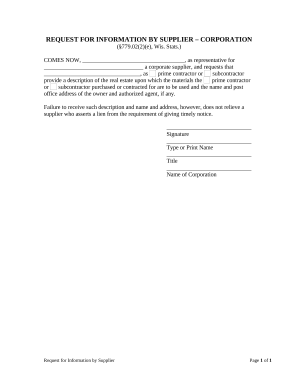
Ct landlord tenant 2026

Get Form
ct landlord tenant Preview on Page 1

Here's how it works

01. Edit your form online
Type text, add images, blackout confidential details, add comments, highlights and more.
02. Sign it in a few clicks
Draw your signature, type it, upload its image, or use your mobile device as a signature pad.
03. Share your form with others
Send it via email, link, or fax. You can also download it, export it or print it out.

How to use or fill out ct landlord tenant with our platform

Form edit decoration
9.5
Ease of Setup
DocHub User Ratings on G2
9.0
Ease of Use
DocHub User Ratings on G2
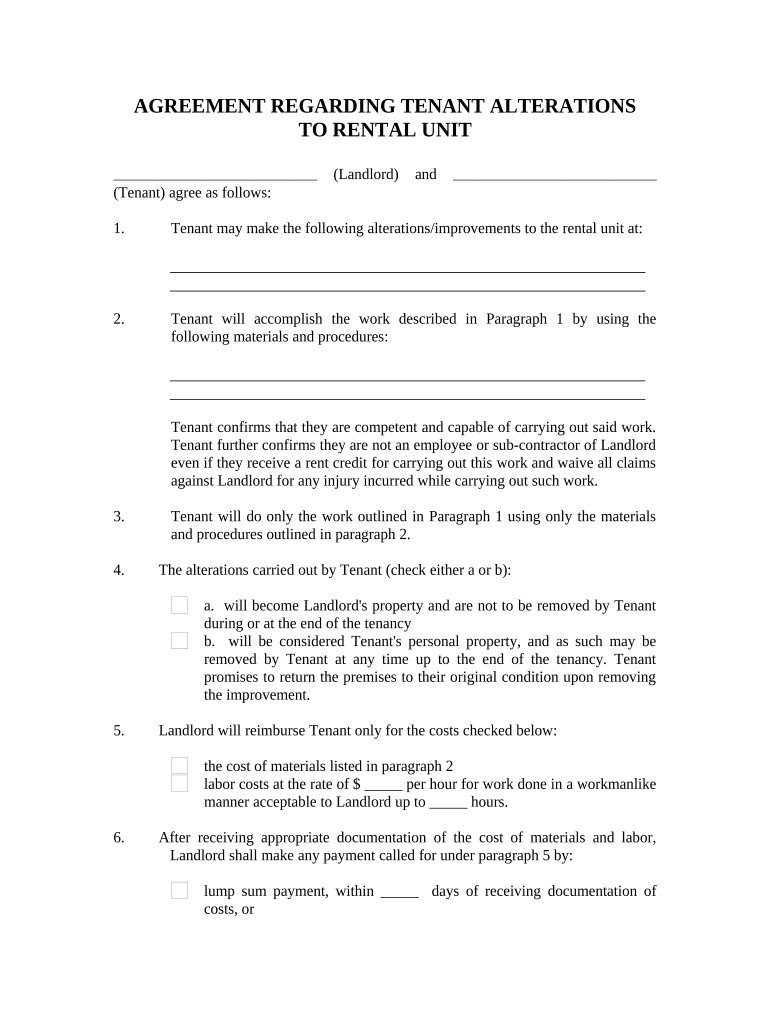
  1. Click ‘Get Form’ to open the ct landlord tenant agreement in the editor.
  2. Begin by entering the names of the Landlord and Tenant in the designated fields at the top of the form.
  3. In Paragraph 1, specify the alterations or improvements that Tenant is permitted to make to the rental unit.
  4. Detail the materials and procedures for these alterations in Paragraph 2, ensuring clarity on what will be used.
  5. Indicate whether the alterations will become Landlord's property or remain Tenant's personal property in Paragraph 4 by checking the appropriate box.
  6. Fill out Paragraph 5 with any reimbursement details, including costs for materials and labor rates.
  7. Complete payment terms in Paragraph 6, specifying how and when payments will be made by Landlord.
  8. Review all sections for accuracy before signing. Ensure both parties sign and date at the bottom of the form.

Start using our platform today to easily complete your ct landlord tenant agreement online for free!

be ready to get more

Complete this form in 5 minutes or less

Get form

Got questions?

We have answers to the most popular questions from our customers. If you can't find an answer to your question, please contact us.
Contact us
Websites like Zillow, Apartments.com, or local rental listings can provide insights. Negotiate with the Landlord: If tenants find that their rent is higher than similar properties, they can approach their landlord to discuss the possibility of lowering the rent. Its helpful to present evidence from their research.
Landlords in Connecticut cant discriminate against tenants based on protected characteristics, enforce illegal rent control or excessive late fees, enter a rental unit without proper notice or just cause, forcibly evict tenants without following legal procedures, or fail to maintain the property to required safety and
If the rent increase does not seem reasonable to you: If your town has a fair rent commission, you can file a complaint with that commission. If you dont know if your town has a commission, call town hall and ask.
Your state determines when a guest becomes a resident. Guests may become residents after staying at the property for several days. For example, in Connecticut, guests become tenants after staying at the property for 14 days within a six-month period.
While Connecticut does not have statewide rent control, landlords must be aware of local regulations, tenant protections, and market dynamics. By understanding these factors and maintaining open communication with tenants, landlords can effectively manage their properties.

Security and compliance

At DocHub, your data security is our priority. We follow HIPAA, SOC2, GDPR, and other standards, so you can work on your documents with confidence.

Learn more
ccpa2
pci-dss
gdpr-compliance
hipaa
soc-compliance
be ready to get more

Complete this form in 5 minutes or less

Get form

People also ask

What is considered a reasonable percentage for rent increases in Connecticut? While there is no state-mandated cap on the percentage by which a landlord can raise the rent, any increase should be reasonable and justifiable. Tenants may seek relief through Fair Rent Commissions if they believe the increase is excessive.

Related links