




01. Edit your sample gst return online
Type text, add images, blackout confidential details, add comments, highlights and more.

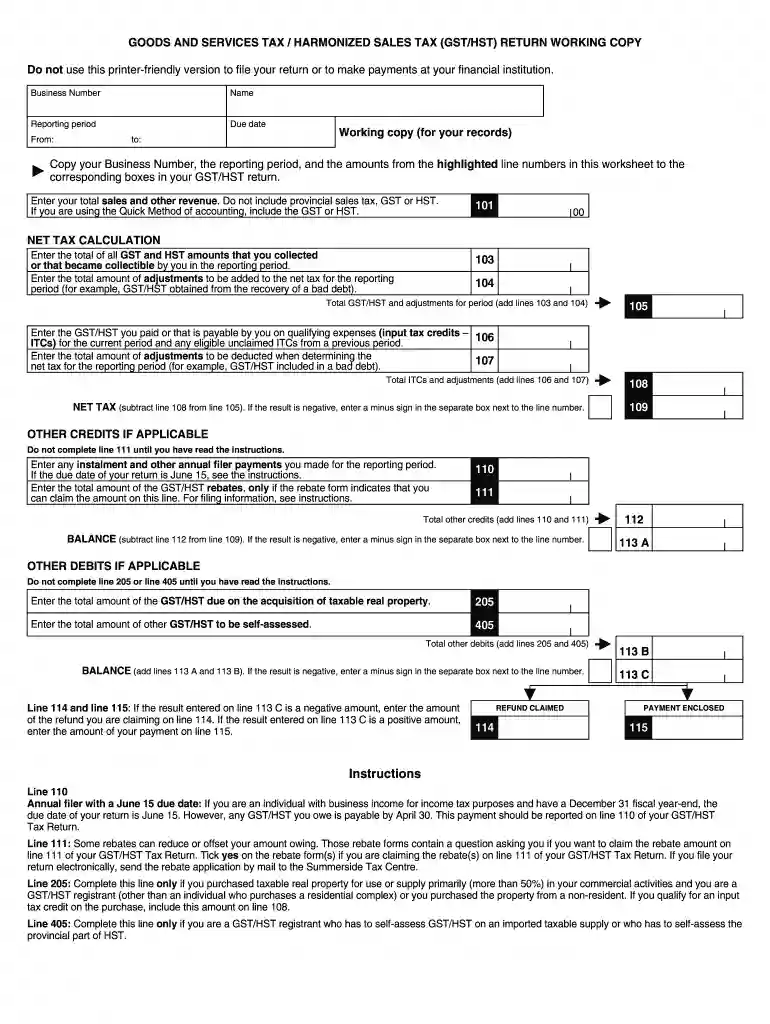
Type text, add images, blackout confidential details, add comments, highlights and more.

Draw your signature, type it, upload its image, or use your mobile device as a signature pad.

Send goods and services tax harmonized sales tax return working copy via email, link, or fax. You can also download it, export it or print it out.

Start filling out your tax GST return today using our platform for free!
We've got more versions of the sample gst return form. Select the right sample gst return version from the list and start editing it straight away!
At DocHub, your data security is our priority. We follow HIPAA, SOC2, GDPR, and other standards, so you can work on your documents with confidence.
Use Form 2350 to ask for an extension of time to file your tax return only if you expect to file Form 2555 or 2555-EZ and you need the time to meet either theRead more
In addition, a timely-filed Form 709 accompanied by payment of the GST tax (as shown on the return with respect to the direct skip) is sufficient to prevent anRead more
Jan 29, 2026 Trustees use this form to figure and report the tax due from certain trust terminations that are subject to the generation-skipping transfer (GST) tax.Read more


