Type text, add images, blackout confidential details, add comments, highlights and more.
02. Sign it in a few clicks
Draw your signature, type it, upload its image, or use your mobile device as a signature pad.
03. Share your form with others
Send it via email, link, or fax. You can also download it, export it or print it out.
How to use or fill out CA Contractor Form with our platform
Ease of Setup
DocHub User Ratings on G2
Ease of Use
DocHub User Ratings on G2
Click ‘Get Form’ to open the CA Contractor Form in the editor.
Begin by filling out the 'California Insulation Contract' section. Enter details such as the scope of work, work site, and insurance information as required.
Next, proceed to the 'Change Order Sheet'. This section allows you to amend any original contract details. Ensure all changes are clearly documented.
Complete the 'Certificate of Completion' by entering project completion dates and signatures where indicated.
Utilize the 'Time and Materials Log' to record hours worked and materials used for accurate billing.
Fill out the 'Worker Safety and Health Plan' ensuring compliance with safety regulations relevant to your project.
Use the 'Bid Log' to track outstanding bids, including due dates and statuses for effective management.
Finally, summarize your estimates in the 'Summary of Estimate' section, detailing tasks and associated costs for clarity.
Start using our platform today for free to streamline your form completion process!
Independent contractors use 1099 forms. In California, if you report your income on a Form 1099, you are an independent contractor, while if you report it on a W-2 form, you are an employee.
Is it better to do a 1099 or W9?
The best practice for businesses is to ask contractors to fill out a W-9 form on the day you hire them. Although you will not need to submit the W-9 to the IRS, you will need that information later to fill out the contractors 1099. Keep it on file so you can resurrect it at years end.
What is the form to report independent contractors in California?
Submit a paper Report of Independent Contractor(s) (DE 542) using one of the following options: Downloading a fill-in DE 542 (PDF). Ordering the form to be mailed to you through our Online Forms and Publications. Printing your data directly from your computer to the DE 542 by following the Print Specifications (PDF).
What is the new law in California regarding independent contractors?
Expanded Protections for Freelance Workers Starting in 2025, private employers hiring certain independent contractors must: Provide a written agreement specifying the terms of work. Pay contractors compensation by specific deadlines.
What is form de 542?
REPORT OF INDEPENDENT CONTRACTOR(S), DE 542. WHO MUST REPORT: Any business or government entity (defined as a Service-Recipient) that is required to file a federal Form 1099-MISC for service performed by an independent contractor (defined as a Service-Provider) must report.
Related Searches
Ca contractor form pdfCa contractor form 2022CA contractor licenseCa contractor license number lookupCa contractor form onlineCSLB FormsContractors License CheckCSLB application status
Security and compliance
At DocHub, your data security is our priority. We follow HIPAA, SOC2, GDPR, and other standards, so you can work on your documents with confidence.
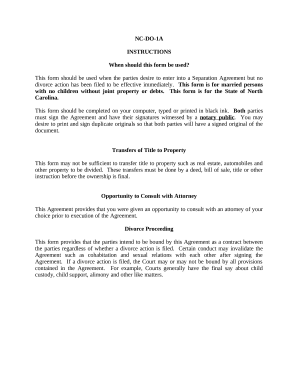
Marital Domestic Separation and Property Settlement Agreement for persons with no Children, no Joint Property, or Debts Effective Immediately - North Carolina
Marital Domestic Separation and Property Settlement Agreement for persons with no Children, no Joint Property, or Debts Effective Immediately - North Carolina
The document NC-DO-1A is a legal form for a Separation Agreement in North Carolina, intended for married couples without ...
Forms / Templates - Design, Facilities Safety Services
Forms / Templates Contractor Profile Form Open Brief Rate Schedule Consultant Profile Form UCSB Campus Design Guidelines UC Certificate of Insurance Form.Read more
This form is to be used when submitting an Application for Original Contractor License, Application for Additional Classification, or Application forRead more
Cookie consent notice
This site uses cookies to enhance site navigation and personalize your experience.
By using this site you agree to our use of cookies as described in our Privacy Notice.
You can modify your selections by visiting our Cookie and Advertising Notice.