Type text, add images, blackout confidential details, add comments, highlights and more.
02. Sign it in a few clicks
Draw your signature, type it, upload its image, or use your mobile device as a signature pad.
03. Share your form with others
Send it via email, link, or fax. You can also download it, export it or print it out.
How to use or fill out Amendment to Living Trust - Alaska with our platform
Ease of Setup
DocHub User Ratings on G2
Ease of Use
DocHub User Ratings on G2
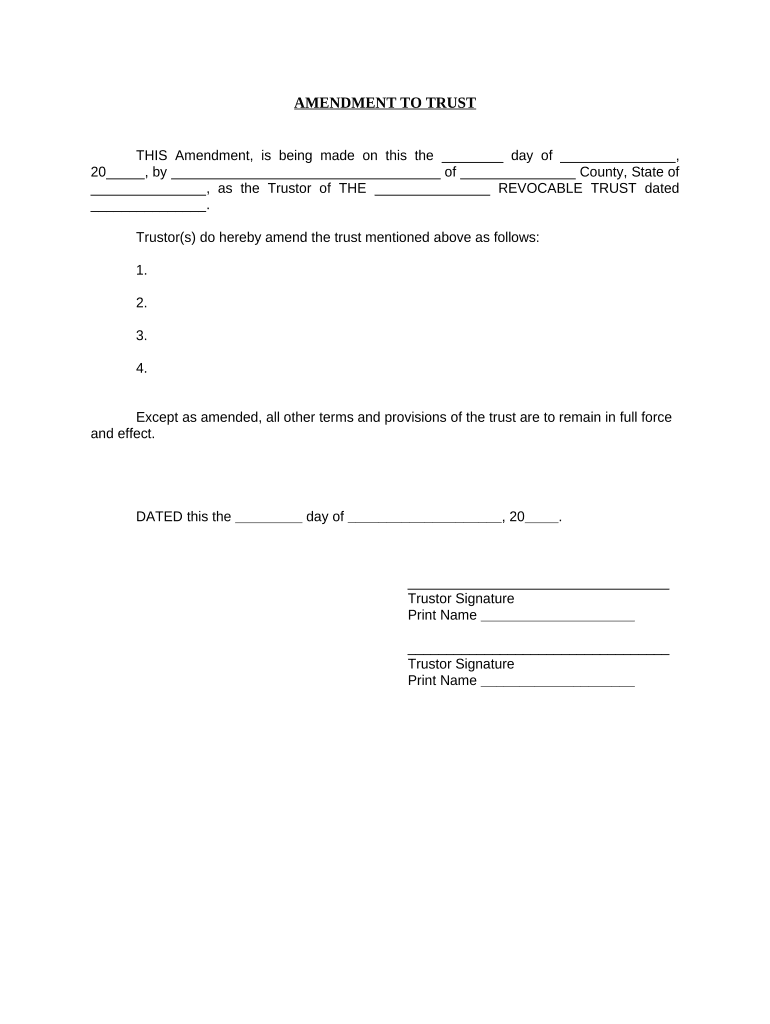
Click ‘Get Form’ to open the Amendment to Living Trust - Alaska in the editor.
Begin by entering the date of the amendment in the first blank field. This should reflect the day you are completing the document.
Next, fill in your name as the Trustor and specify your county and state in the designated fields.
In the section that begins with 'Trustor(s) do hereby amend...', list any amendments you wish to make to your trust. Number each amendment clearly for easy reference.
Ensure that all other terms of the original trust remain unchanged by confirming this statement at the end of your amendments.
Sign and print your name in the signature fields provided, ensuring both Trustors sign if applicable.
Complete the notary section by filling in details such as date, signing party's name, marital status, and notary public information.
Start editing your Amendment to Living Trust - Alaska online for free today!
Fill out Amendment to Living Trust - Alaska online It's free
Amendment to living trust alaska templateAmendment to living trust alaska sampleFree amendment to living trust alaskaAmendment to living trust alaska pdfAmendment to living trust alaska formAlaska trust lawsDeed of Trust AlaskaState OF alaska trust registration
Security and compliance
At DocHub, your data security is our priority. We follow HIPAA, SOC2, GDPR, and other standards, so you can work on your documents with confidence.
The website AlaskaLawHelp.org provides templates you can use to complete an advance healthcare directive, appoint an agent, or authorize power of attorney. The.Read more
Both trusts can be changed or cancelled (revoked) at any time before a person dies. Property placed into a revocable trust, however, does not have to passRead more
DEC Regulations 18 AAC 75, Oil and Other Hazardous
May 14, 1992 Previous amendments to regulations dealing with oil and hazardous substances pollution control are found at Register 45, 4/15/73; Register 62, 4Read more
Cookie consent notice
This site uses cookies to enhance site navigation and personalize your experience.
By using this site you agree to our use of cookies as described in our Privacy Notice.
You can modify your selections by visiting our Cookie and Advertising Notice.