Type text, add images, blackout confidential details, add comments, highlights and more.
02. Sign it in a few clicks
Draw your signature, type it, upload its image, or use your mobile device as a signature pad.
03. Share your form with others
Send it via email, link, or fax. You can also download it, export it or print it out.
How to use or fill out Delaware Filing with Our Platform
Ease of Setup
DocHub User Ratings on G2
Ease of Use
DocHub User Ratings on G2
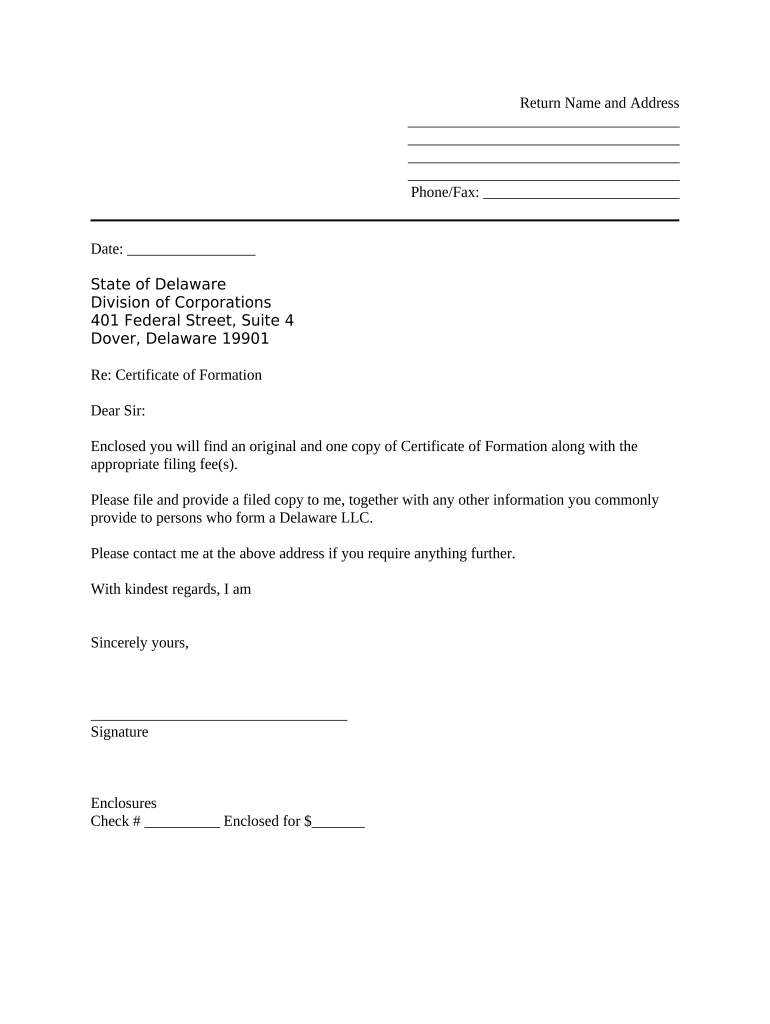
Click ‘Get Form’ to open the Delaware filing document in the editor.
Begin by entering your return name and address in the designated fields. Ensure that all information is accurate and complete.
Fill in the phone and fax number where indicated. This information is essential for any follow-up communications.
Enter the date of submission in the provided field, ensuring it reflects the current date.
Review the state address section to confirm it reads: State of Delaware, Division of Corporations, 401 Federal Street, Suite 4, Dover, Delaware 19901.
In the body of the letter, clearly state your request regarding the Certificate of Formation and mention any enclosures such as checks for filing fees.
Sign your name at the bottom of the document where indicated. This signature validates your submission.
Start using our platform today to streamline your Delaware filing process for free!
The entity information provided on this website, free of charge, consists of the entity name, file number, incorporation/formation date, registered agent name,Read more
Jul 16, 2024 Docket information for the Delaware Court of Chancery and Supreme Court is only available for a fee. The official docket site is File ServeXpress.Read more
Cookie consent notice
This site uses cookies to enhance site navigation and personalize your experience.
By using this site you agree to our use of cookies as described in our Privacy Notice.
You can modify your selections by visiting our Cookie and Advertising Notice.