




Here's how it works

01. Edit your wcb 2023 online
Type text, add images, blackout confidential details, add comments, highlights and more.

02. Sign it in a few clicks
Draw your signature, type it, upload its image, or use your mobile device as a signature pad.

03. Share your form with others
Send it via email, link, or fax. You can also download it, export it or print it out.
How to use or fill out wcb with our platform

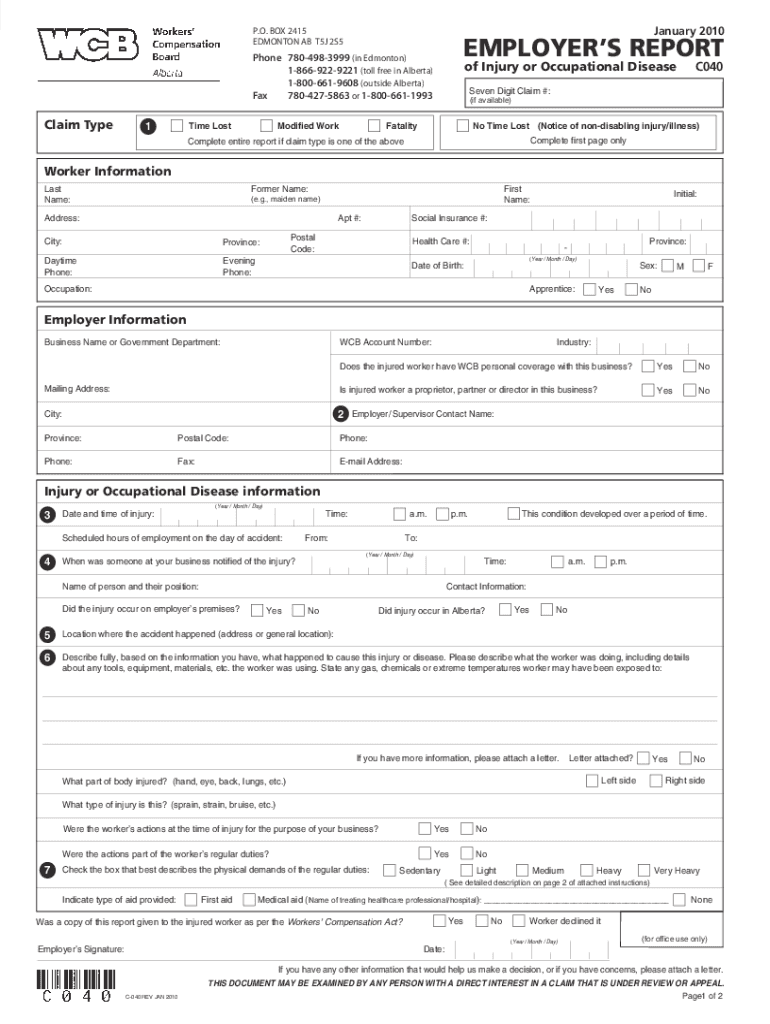
- Click ‘Get Form’ to open the wcb document in the editor.
- Begin by selecting the appropriate claim type: Time Lost, Modified Work, or No Time Lost. This will determine which sections you need to complete.
- Fill in the Worker Information section with the worker's last name, first name, Social Insurance Number, and date of birth.
- In the Employer Information section, provide your company’s contact details and WCB account number for easy reference.
- Detail the Injury or Occupational Disease information by specifying the date and time of injury, location of accident, and a thorough description of how the injury occurred.
- Complete the Time Lost/Return to Work Information section if applicable. Indicate any missed work periods and whether modified duties are available.
- Review all entered information for accuracy before submitting. Use our platform’s features to save your progress or make edits as needed.
Start using our platform today for free to streamline your wcb form completion!
Fill out wcb online
It's free
It's free
See more wcb versions
We've got more versions of the wcb form. Select the right wcb version from the list and start editing it straight away!
Security and compliance
At DocHub, your data security is our priority. We follow HIPAA, SOC2, GDPR, and other standards, so you can work on your documents with confidence.
Learn more


Related forms

For PTSD
The document is a Disability Benefits Questionnaire for Post-Traumatic Stress Disorder (PTSD) intended for Veterans appl ...

VA FORM 21P-534a
The document is an application form (VA Form 21P-534a) for Dependency and Indemnity Compensation (D.I.C.) by a surviving ...

Physical-plant-waiver-form (2)
The document is a Waiver Request Form for healthcare facilities seeking exemption from specific regulations or FGI Guide ...

Salesperson Renewal Application (RE 209), Rev 6 24
The document is a Salesperson Renewal Application (RE 209) from the California Department of Real Estate, outlining the ...

WSDA Form 4279
The document outlines the requirements for Commercial Pesticide Applicators in Washington State to submit a Financial Re ...

Ct annual report form
The document provides detailed instructions for completing the Annual Report Form for Corporations in Connecticut. It ou ...

Newsletter of the Cornell Chimesmasters and McGraw Tower
The Winter 2013 newsletter of the Cornell Chimesmasters discusses efforts by the Chimes Advisory Council to establish a ...

TXA news test1 pmd - College of Human Ecology - Cornell University - human cornell
The document announces the addition of Amy Galford as a part-time Extension Associate in the Department of Textiles and ...