Type text, add images, blackout confidential details, add comments, highlights and more.
02. Sign it in a few clicks
Draw your signature, type it, upload its image, or use your mobile device as a signature pad.
03. Share your form with others
Send decree of adoption via email, link, or fax. You can also download it, export it or print it out.
How to use or fill out final decree adoption with our platform
Ease of Setup
DocHub User Ratings on G2
Ease of Use
DocHub User Ratings on G2
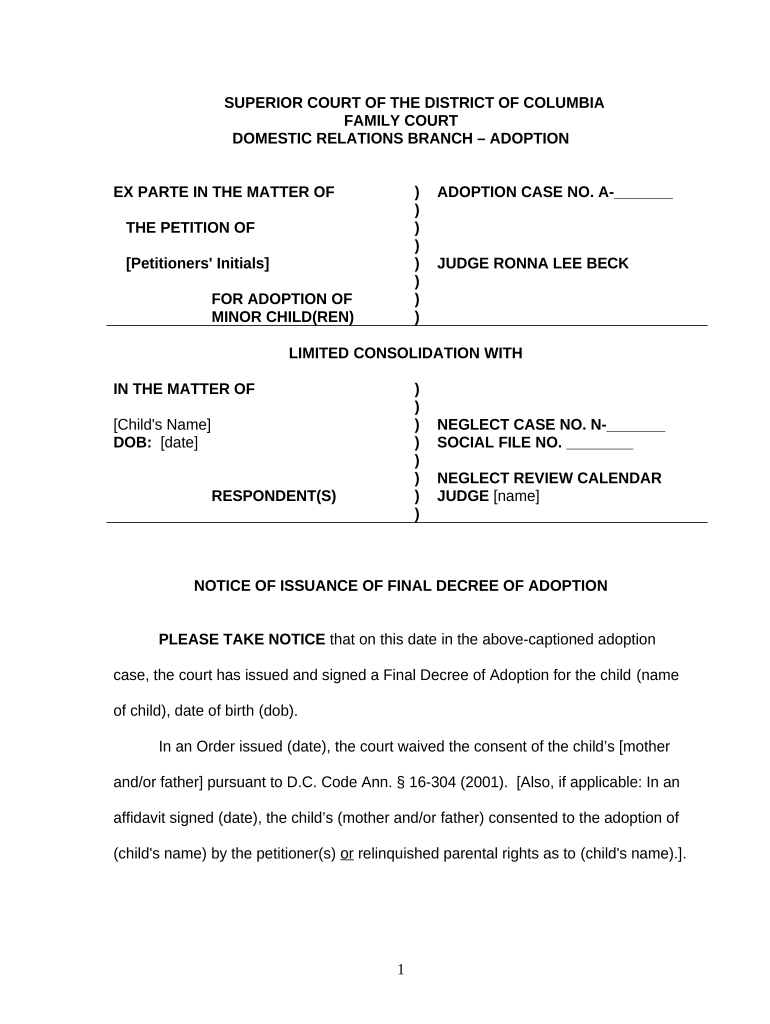
Click ‘Get Form’ to open the final decree adoption document in the editor.
Begin by entering the petitioners' initials in the designated field at the top of the form. This identifies who is seeking the adoption.
Fill in the child's name and date of birth in the appropriate sections. Accurate information is crucial for legal documentation.
Review any sections regarding parental consent. If applicable, indicate whether consent has been waived or if an affidavit has been signed.
Ensure that all necessary parties are listed in the distribution list at the bottom of the form, including counsel and social workers involved in the case.
Finally, save your changes and utilize our platform's signing feature to finalize your document before submission.
Start using our platform today to complete your final decree adoption easily and for free!
Final decree adoption templateFinal decree adoption sampleFinal decree adoption exampleFinal decree adoption formWhen is an adoption finalizedWhat to say at adoption hearing
Security and compliance
At DocHub, your data security is our priority. We follow HIPAA, SOC2, GDPR, and other standards, so you can work on your documents with confidence.
final decree of termination or adoption, as the case may be, and the child shall be returned to the parent. ((d)) ** Collateral attack; vacation of decree
Cookie consent notice
This site uses cookies to enhance site navigation and personalize your experience.
By using this site you agree to our use of cookies as described in our Privacy Notice.
You can modify your selections by visiting our Cookie and Advertising Notice.