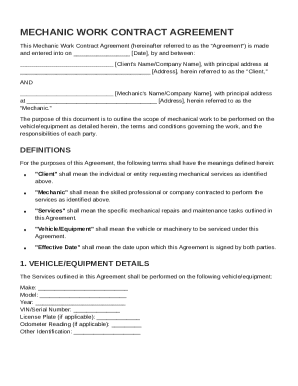
Amendment to Lease - Louisiana 2026

Get Form
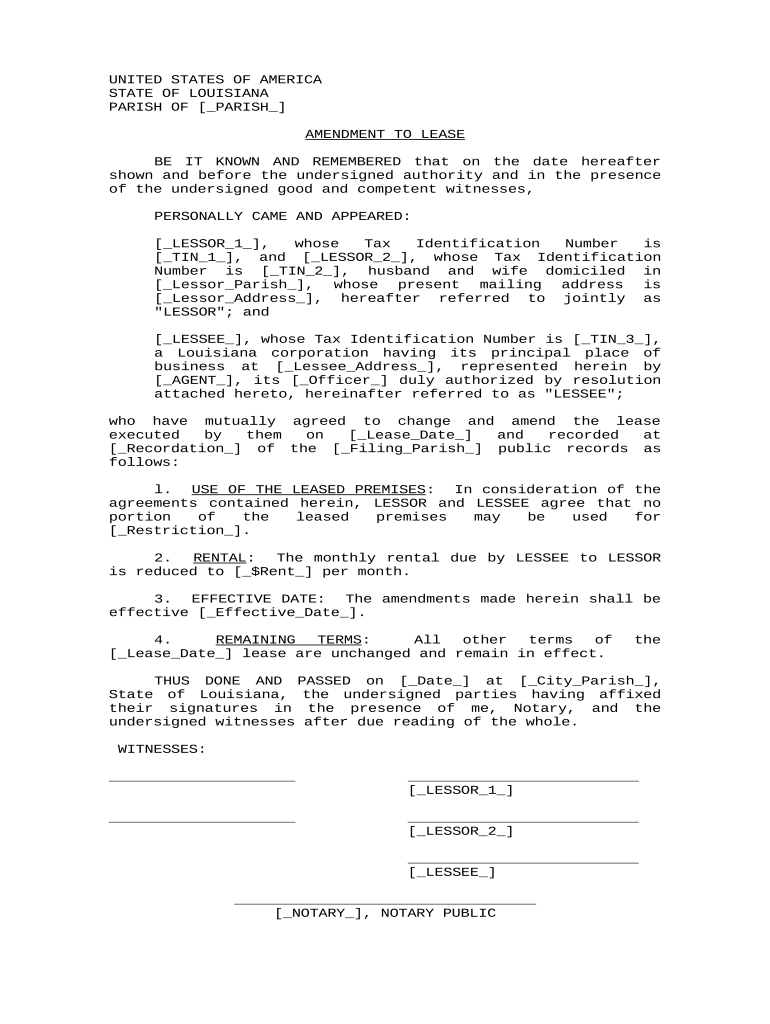
Amendment to Lease - Louisiana Preview on Page 1

Here's how it works

01. Edit your form online
Type text, add images, blackout confidential details, add comments, highlights and more.
02. Sign it in a few clicks
Draw your signature, type it, upload its image, or use your mobile device as a signature pad.
03. Share your form with others
Send it via email, link, or fax. You can also download it, export it or print it out.

How to use or fill out Amendment to Lease - Louisiana with our platform

Form edit decoration
9.5
Ease of Setup
DocHub User Ratings on G2
9.0
Ease of Use
DocHub User Ratings on G2
  1. Click ‘Get Form’ to open the Amendment to Lease - Louisiana in the editor.
  2. Begin by filling in the Parish of execution in the [_PARISH_] field, ensuring it reflects the correct location.
  3. Enter the full names of both lessors in the [_LESSOR_1_] and [_LESSOR_2_] fields, along with their respective Tax Identification Numbers in [_TIN_1_] and [_TIN_2_].
  4. Provide the mailing address for the lessors in the [_Lessor_Address_] field and specify their domicile parish in [_Lessor_Parish_].
  5. Fill out the lessee's information, including their name in [_LESSEE_], Tax Identification Number in [_TIN_3_], and principal business address in [_Lessee_Address_].
  6. Indicate who is representing the lessee by completing the fields for agent name in [_AGENT_] and their office title in [_Officer_].
  7. Specify details regarding the lease being amended, including its original date in [_Lease_Date_] and recordation data in [_Recordation_] and [_Filing_Parish_].
  8. Outline any restrictions on property use within the [_Restriction_] field, adjust rental amounts as needed in [_$Rent_], and set an effective date for these changes in [_Effective_Date_].
  9. Finally, ensure all parties sign where indicated, including witnesses and a notary public before finalizing your document.

Start editing your Amendment to Lease - Louisiana today for free on our platform!

be ready to get more

Complete this form in 5 minutes or less

Get form

Got questions?

We have answers to the most popular questions from our customers. If you can't find an answer to your question, please contact us.
Contact us
You can add or change the terms of a lease after signing if both parties agree. When the landlord and tenant mutually agree to change the lease terms, they should do so in writing. Both parties should sign the lease amendment to make it legally binding.
Is Notarization Required for Lease Agreements in California? In most cases, notarization is not legally required for residential lease agreements in California.
How Do I Change A Lease Agreement? Changes to a lease are actioned through a document called a Deed of Variation. It means that the landlord and leaseholder have both agreed to the amendment of a previously completed lease.
In most cases, notarization is not legally required for residential lease agreements in California.
A lease amendment is a document that allows landlords and tenants to make changes or additions to an existing lease agreement without the need to create an entirely new contract. It is a flexible tool that ensures both parties are on the same page when adjustments are required during the lease term.

Security and compliance

At DocHub, your data security is our priority. We follow HIPAA, SOC2, GDPR, and other standards, so you can work on your documents with confidence.

Learn more
ccpa2
pci-dss
gdpr-compliance
hipaa
soc-compliance

People also ask

A contract amendment is a change, correction, clarification, or deletion to an agreement you have already signed. An amendment leaves your original agreement substantially intact.
An addendum is typically used to add new information or terms to an existing document without altering the original content. It acts as a supplementary attachment that becomes part of the agreement. On the other hand, an amendment is used to modify, delete, or update specific terms within the original document.

Related links