Type text, add images, blackout confidential details, add comments, highlights and more.
02. Sign it in a few clicks
Draw your signature, type it, upload its image, or use your mobile device as a signature pad.
03. Share your form with others
Send it via email, link, or fax. You can also download it, export it or print it out.
How to use or fill out ky injury with our platform
Ease of Setup
DocHub User Ratings on G2
Ease of Use
DocHub User Ratings on G2
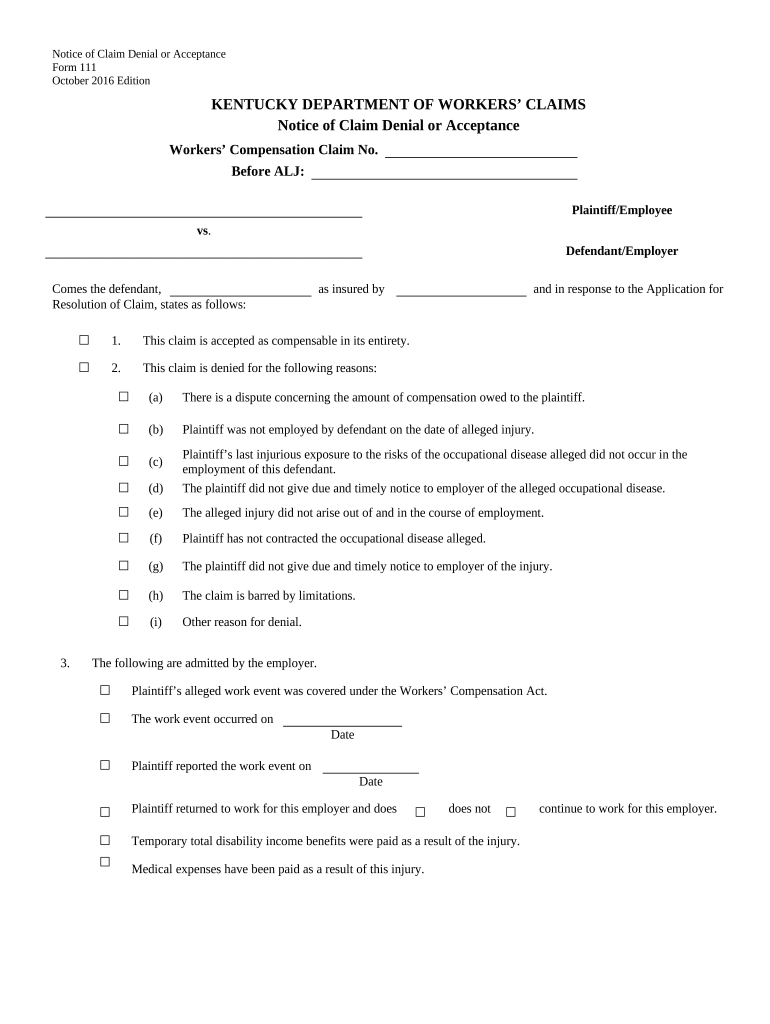
Click ‘Get Form’ to open the Notice of Claim Denial or Acceptance in the editor.
Begin by entering the Workers’ Compensation Claim Number at the top of the form. This is essential for tracking your claim.
Fill in the names of both the Plaintiff/Employee and Defendant/Employer in their respective fields.
Indicate whether the claim is accepted or denied by checking the appropriate box. If denied, provide reasons by checking all that apply from the list provided.
Complete the section regarding admitted facts by checking boxes that reflect what has been acknowledged by the employer, including dates of events.
If applicable, detail any special answers that may bar recovery, ensuring to summarize each basis clearly.
Finally, sign and date the form at the bottom, providing your contact information for follow-up.
Start using our platform today to easily fill out your ky injury form online for free!
Kentucky Injury Prevention and Research Center - University
KIPRC serves both as an academic injury prevention research center and as the KDPHs designee or bona fide agent for statewide injury prevention and control.Read more
The first report of injury must be completed within three (3) working days per KRS 342.038, after the injury. Failure to comply with this statute can result
Sep. 11 Two Freedom miners escape serious injury or death from a rockfall with debris 8 feet thick because a power outage had kept them from their work area.Read more
Cookie consent notice
This site uses cookies to enhance site navigation and personalize your experience.
By using this site you agree to our use of cookies as described in our Privacy Notice.
You can modify your selections by visiting our Cookie and Advertising Notice.