




Here's how it works

01. Edit your t 20 form online
Type text, add images, blackout confidential details, add comments, highlights and more.

02. Sign it in a few clicks
Draw your signature, type it, upload its image, or use your mobile device as a signature pad.

03. Share your form with others
Send t 20 affidavit of inheritance via email, link, or fax. You can also download it, export it or print it out.
How to use or fill out georgia t 20 with our platform

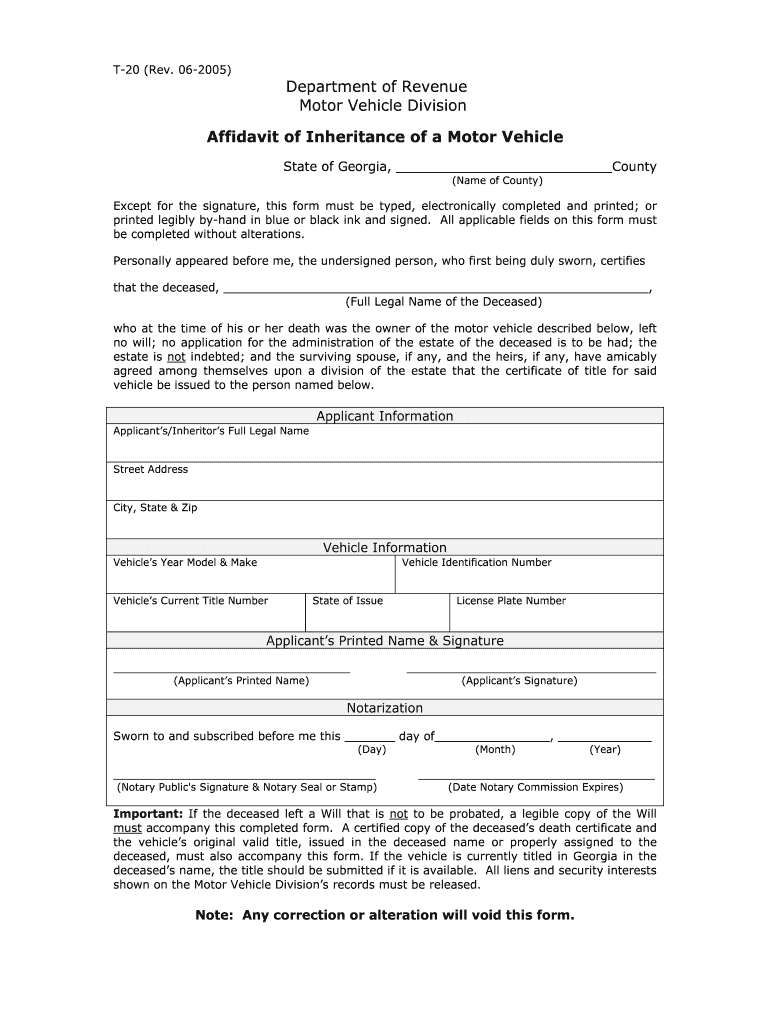
- Click ‘Get Form’ to open the Georgia T-20 in the editor.
- Begin by entering the name of the county where the affidavit is being filed at the top of the form.
- In the section for the deceased, provide their full legal name. Ensure this is accurate as it is crucial for processing.
- Fill out your information as the applicant or inheritor, including your full legal name, street address, city, state, and zip code.
- Next, complete the vehicle information section by entering details such as year model and make, vehicle identification number (VIN), current title number, state of issue, and license plate number.
- Sign and print your name in the designated area to confirm your application.
- Finally, ensure that a notary public completes their section by signing and stamping it. Remember to include any required documents like a copy of the will or death certificate if applicable.
Start using our platform today to easily fill out your Georgia T-20 form online for free!
Fill out georgia t 20 online
It's free
It's free
See more georgia t 20 versions
We've got more versions of the georgia t 20 form. Select the right georgia t 20 version from the list and start editing it straight away!
| Versions | Form popularity | Fillable & printable |
|---|---|---|
| 2005 | 4.9 Satisfied (202 Votes) |
Security and compliance
At DocHub, your data security is our priority. We follow HIPAA, SOC2, GDPR, and other standards, so you can work on your documents with confidence.
Learn more


Related forms

A WLWI i Books - Engineering and Science - California Institute of
The document discusses various advancements and applications in science and technology, highlighting the contributions o ...

BROWN CLASS OF 1965 NEWSLETTER - Brown Alumni
The Brown University Class of 1965 Newsletter announces plans for a 65th birthday celebration in 2008, encouraging regio ...

Members of the Australian Defence Force may apply to
The document outlines the application process for members of the Australian Defence Force to have their de facto relatio ...

Form no 26a first sub section tax form
The document is Form No. 26A, which is used for furnishing an accountant's certificate under the Income-tax Act, 1961. I ...

Certificate sangguniang panlalawigan

Dpwh materials form
The document is an application form for the accreditation of materials engineers by the Department of Public Works and H ...

Statutory Declaration for Lost Hearing Devices - Office of Hearing Services
The document is a Statutory Declaration form for clients of the Office of Hearing Services to report lost hearing device ...

Request to Extend or Shorten Time
The document is a request form for the Landlord and Tenant Board (LTB) to either extend or shorten deadlines related to ...