Type text, add images, blackout confidential details, add comments, highlights and more.
02. Sign it in a few clicks
Draw your signature, type it, upload its image, or use your mobile device as a signature pad.
03. Share your form with others
Send it via email, link, or fax. You can also download it, export it or print it out.
How to use or fill out easement roadway with our platform
Ease of Setup
DocHub User Ratings on G2
Ease of Use
DocHub User Ratings on G2
Click ‘Get Form’ to open the easement roadway document in the editor.
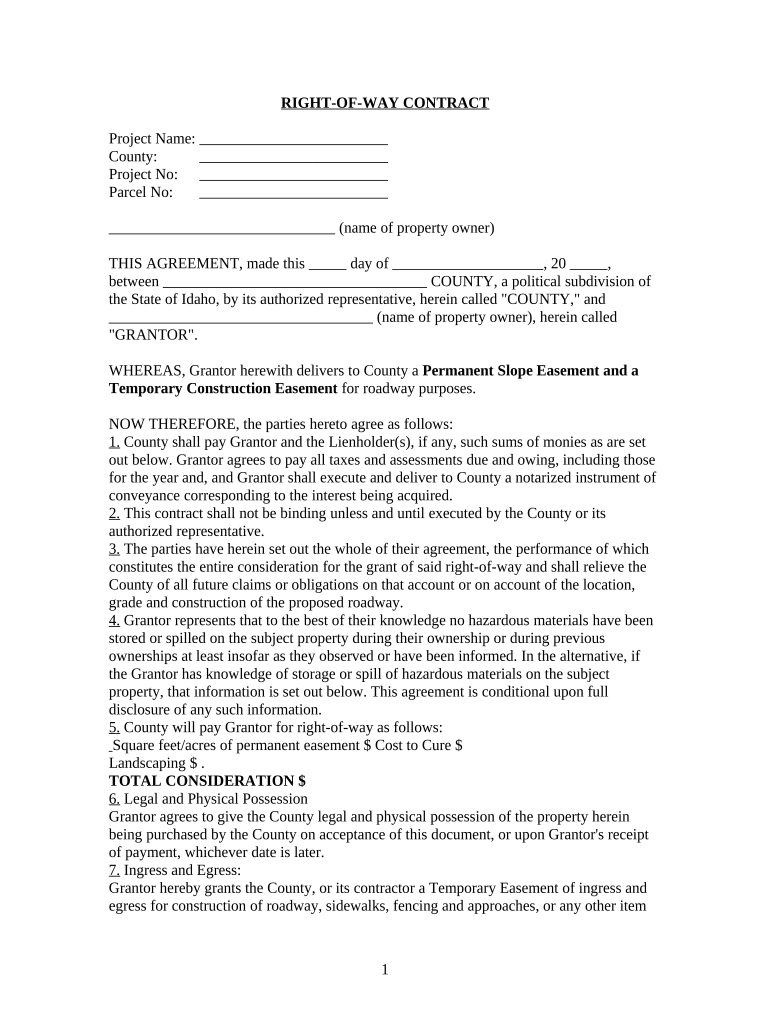
Begin by entering the Project Name, County, Project No, and Parcel No at the top of the form. This information is essential for identifying your specific agreement.
In the section labeled 'Grantor', input the name of the property owner. Ensure accuracy as this identifies who is granting the easement.
Fill in the payment details under 'County will pay Grantor for right-of-way'. Specify square feet/acres of permanent easement and associated costs clearly.
If applicable, disclose any knowledge of hazardous materials on the property in the designated area. Transparency here is crucial for compliance.
Review all sections carefully before signing. Ensure that both parties' names are correctly filled in at the bottom where indicated for execution.
Start using our platform today to streamline your easement roadway process for free!
Idaho easement lawsRight of way easement rulesRoad easement widthPrivate road easement rulesWho owns right of way propertyWhat are the 3 types of easementsWho maintains a right of way easementRight of way easement example
Security and compliance
At DocHub, your data security is our priority. We follow HIPAA, SOC2, GDPR, and other standards, so you can work on your documents with confidence.
Learn the difference between an easement and a right-of-way. Below are brief explanations of the areas identified by a number in the image on this page.Read more
Cookie consent notice
This site uses cookies to enhance site navigation and personalize your experience.
By using this site you agree to our use of cookies as described in our Privacy Notice.
You can modify your selections by visiting our Cookie and Advertising Notice.