Drainage Contractor Package - Arizona 2026

Get Form
Drainage Contractor Package - Arizona Preview on Page 1

Here's how it works

01. Edit your form online
Type text, add images, blackout confidential details, add comments, highlights and more.
02. Sign it in a few clicks
Draw your signature, type it, upload its image, or use your mobile device as a signature pad.
03. Share your form with others
Send it via email, link, or fax. You can also download it, export it or print it out.

How to use or fill out Drainage Contractor Package - Arizona with our platform

Form edit decoration
9.5
Ease of Setup
DocHub User Ratings on G2
9.0
Ease of Use
DocHub User Ratings on G2
  1. Click ‘Get Form’ to open the Drainage Contractor Package in the editor.
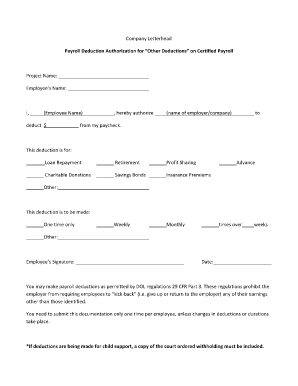
  2. Begin with the 'Arizona Drainage Contract' form. Fill in the contractor's details, project scope, and insurance information as required.
  3. Next, complete the 'Change Order Sheet' if any amendments are needed for your original contract. Ensure all changes are clearly documented.
  4. Use the 'Certificate of Completion' form to certify that all work has been satisfactorily completed. Include project details and signatures as necessary.
  5. Track your bids using the 'Bid Log'. Enter each bid's due date, sent date, price, and status to maintain organization.
  6. If following up on a bid, utilize the 'Bid Follow Up Letter' template to communicate effectively with clients or agencies.
  7. Complete the 'Worker Safety and Health Plan' to ensure compliance with safety regulations during construction.
  8. Document equipment usage with the 'Weekly Equipment Summary', noting make, model, maintenance performed, and ownership status.
  9. Summarize project tasks and expenses using the 'Summary of Estimate' form for accurate contract pricing.
  10. Finally, fill out the 'Construction Project Information Sheet' to identify all key parties involved in your project.

Start editing your Drainage Contractor Package today for free and streamline your workflow!

be ready to get more

Complete this form in 5 minutes or less

Get form

Got questions?

We have answers to the most popular questions from our customers. If you can't find an answer to your question, please contact us.
Contact us

As outlined by eSignature regulations, forms signed digitally have the same validity as traditionally approved ones. You can electronically sign almost any business and private documentation. Four types of documents still call for wet signatures only - wills and testamentary trusts, court orders and other court papers, state statutes governing divorce, adoption, or other family law, and notice of cancellation of utility services. If you follow the guidelines and use a reliable and compliant software solution, like DocHub, you can eSign your Drainage Contractor Package - Arizona without printing it.

You need only a web connection and a browser to complete your Drainage Contractor Package - Arizona by using an iOS phone. Open the DocHub website and authenticate. Then, add your document or select it from the list in your dashboard. Then use our editing instruments to complete your form and save all your adjustments. You can also send it to a specified recipient immediately.

Security and compliance

At DocHub, your data security is our priority. We follow HIPAA, SOC2, GDPR, and other standards, so you can work on your documents with confidence.

Learn more
ccpa2
pci-dss
gdpr-compliance
hipaa
soc-compliance