01. Edit your revocation packet counselors az online
Type text, add images, blackout confidential details, add comments, highlights and more.
02. Sign it in a few clicks
Draw your signature, type it, upload its image, or use your mobile device as a signature pad.
03. Share your form with others
Send it via email, link, or fax. You can also download it, export it or print it out.
How to use or fill out Arizona Revocation with our platform
Ease of Setup
DocHub User Ratings on G2
Ease of Use
DocHub User Ratings on G2
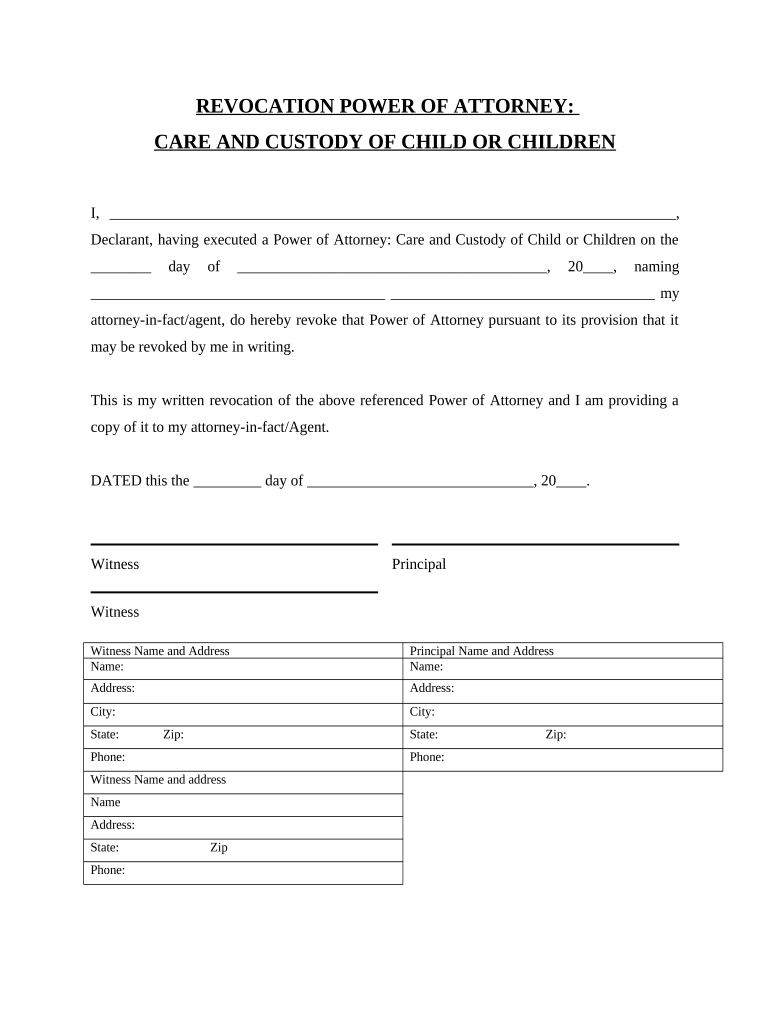
Click ‘Get Form’ to open the Arizona Revocation document in the editor.
Begin by filling in your name as the Declarant at the top of the form. This identifies you as the individual revoking the Power of Attorney.
Next, indicate the date on which you originally executed the Power of Attorney. This is crucial for establishing a timeline.
In the designated area, write down the name of your attorney-in-fact or agent whom you previously appointed. This clarifies who is affected by this revocation.
Complete the date section at the bottom of the form to finalize your revocation. Ensure all witness information is filled out accurately, including names and addresses.
Review all entries for accuracy before saving or exporting your completed document. This ensures that your revocation is clear and legally binding.
Start using our platform today to easily manage your documents online for free!
Revocation packet counselors AZRevocation application AZHow to check if your license is suspended in AZHow long does a revocation packet takeMVD revocation packetRevocation investigation packetReinstate suspended license AZHow to reinstate license in AZ online
Security and compliance
At DocHub, your data security is our priority. We follow HIPAA, SOC2, GDPR, and other standards, so you can work on your documents with confidence.
Article 3 - RECISSION OR REVOCATION | State Regulations | US
State regulations are updated quarterly; we currently have two versions available. Below is a comparison between our most recent version and the prior quarterly
Cookie consent notice
This site uses cookies to enhance site navigation and personalize your experience.
By using this site you agree to our use of cookies as described in our Privacy Notice.
You can modify your selections by visiting our Cookie and Advertising Notice.