Type text, add images, blackout confidential details, add comments, highlights and more.
02. Sign it in a few clicks
Draw your signature, type it, upload its image, or use your mobile device as a signature pad.
03. Share your form with others
Send it via email, link, or fax. You can also download it, export it or print it out.
How to use or fill out Iowa Annual with our platform
Ease of Setup
DocHub User Ratings on G2
Ease of Use
DocHub User Ratings on G2
Click ‘Get Form’ to open the Iowa Annual document in the editor.
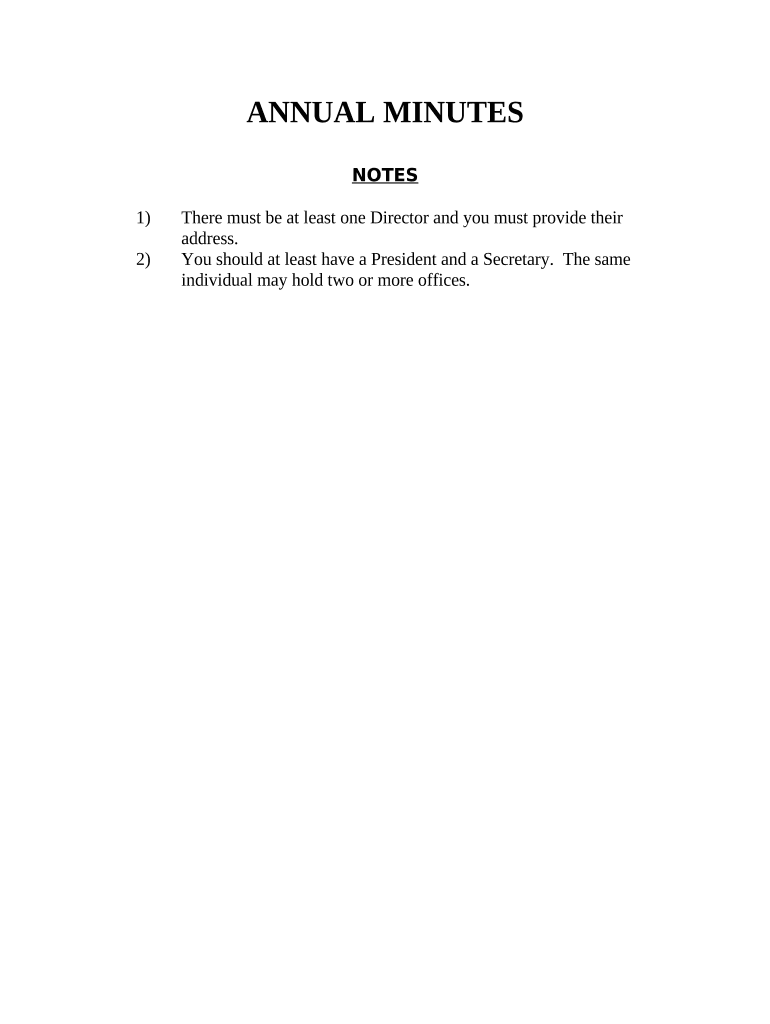
Begin by entering the name of your corporation in the designated field at the top of the form. This identifies which business is being discussed.
Fill in the names and addresses of at least one Director, as well as a President and Secretary. Remember, one individual can hold multiple positions.
In the 'Election of Directors' section, list each Director's name and address. Ensure all required individuals are included for compliance.
Proceed to 'Election of Officers' where you will designate individuals for roles such as President, Vice-President, Secretary, and Treasurer. Fill in their names accordingly.
Review all entries for accuracy before finalizing. Once complete, utilize our platform’s signing feature to collect necessary signatures from Shareholders and Directors.
Start using our platform today to streamline your Iowa Annual form completion for free!
Iowa annual financial reportIowa Certificate of Organization templateFast Track Filing IowaIowa limited liability company ACTIowa Secretary of State websiteRenew llc iowaIowa acfrHow to create a Certificate of Organization in Iowa
Security and compliance
At DocHub, your data security is our priority. We follow HIPAA, SOC2, GDPR, and other standards, so you can work on your documents with confidence.
Annuals are flowers and plants grown for one growing season in the landscape. Popular annuals like impatiens, petunias, and coleus are just the start.Read more
Iowa State University Power Plant - Global Energy Monitor
Apr 30, 2021 Iowa State University Power Plant is a coal-fired power station owned and operated by Iowa State University on Iowa State campus in Ames, Iowa.Read more
Cookie consent notice
This site uses cookies to enhance site navigation and personalize your experience.
By using this site you agree to our use of cookies as described in our Privacy Notice.
You can modify your selections by visiting our Cookie and Advertising Notice.