Type text, add images, blackout confidential details, add comments, highlights and more.
02. Sign it in a few clicks
Draw your signature, type it, upload its image, or use your mobile device as a signature pad.
03. Share your form with others
Send it via email, link, or fax. You can also download it, export it or print it out.
How to use or fill out Georgia Revocation with Our Platform
Ease of Setup
DocHub User Ratings on G2
Ease of Use
DocHub User Ratings on G2
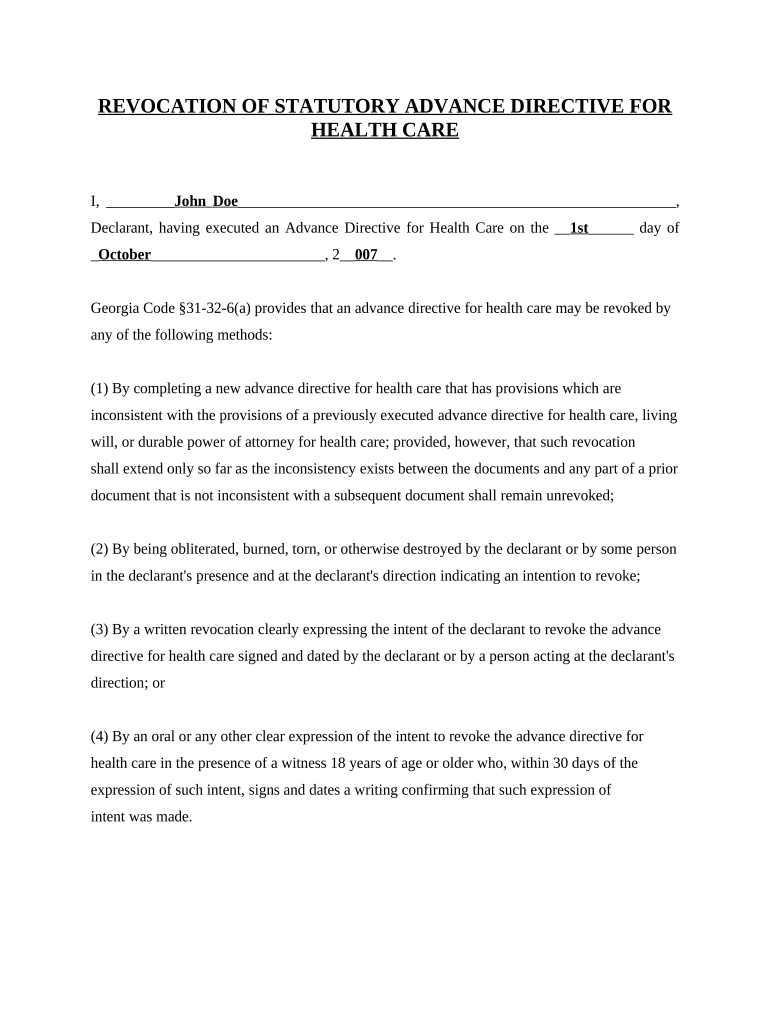
Click ‘Get Form’ to open the Georgia Revocation document in the editor.
Begin by entering your name in the designated field for the Declarant. Ensure that it matches the name on your original Advance Directive for Health Care.
Fill in the date when you executed your original Advance Directive, using the format provided (e.g., '1st day of October, 2007').
In the section outlining methods of revocation, review each option carefully. If you choose to revoke by written notice, ensure that your intent is clearly expressed and sign and date this section.
Complete the signature field with your signature and printed name. Also, provide your address as required.
Finally, ensure that two witnesses sign and date the document in their respective fields to validate your revocation.
Start editing your Georgia Revocation form online for free today!
Check GA driver license statusHow to check if your license is suspended in GAGeorgia revocation of Power of Attorney formCheck driver license statusHow do I reinstate my suspended license in GACheck ga drivers license status onlineHow to check points on license GADDS license check
Security and compliance
At DocHub, your data security is our priority. We follow HIPAA, SOC2, GDPR, and other standards, so you can work on your documents with confidence.
Technical and Regulatory Guidance for In Situ Chemical
Failure to comply with the requirements of the oversight document will revoke the permit-by-rule authorization to discharge to the ground waters of the State. 3Read more
Violations Suspensions Revocations | Georgia Department of
Alternatively, call 678-413-8400 (M-F, 7:30 AM5:30 PM), visit a DDS Customer Service Center, or mail a request with your name, license number, birth date,Read more
Ga. Comp. R. Regs. R. 560-12-1-.37 - Revocations of
This regulation governs the process for notice of proposed revocations, revocation hearings, revocations, and reinstatements. (2) Definitions. (a) CertificateRead more
Cookie consent notice
This site uses cookies to enhance site navigation and personalize your experience.
By using this site you agree to our use of cookies as described in our Privacy Notice.
You can modify your selections by visiting our Cookie and Advertising Notice.