Type text, add images, blackout confidential details, add comments, highlights and more.
02. Sign it in a few clicks
Draw your signature, type it, upload its image, or use your mobile device as a signature pad.
03. Share your form with others
Send it via email, link, or fax. You can also download it, export it or print it out.
How to use or fill out wi assets with our platform
Ease of Setup
DocHub User Ratings on G2
Ease of Use
DocHub User Ratings on G2
Click ‘Get Form’ to open the wi assets document in the editor.
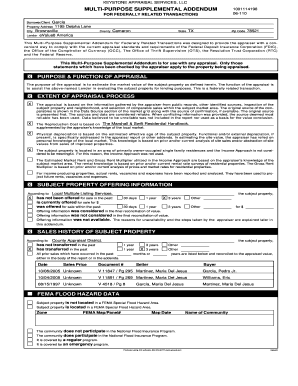
Begin with the Personal Monthly Budget Worksheet. Enter your income and expenses in the designated fields. The editor will automatically calculate your totals, helping you visualize your financial situation.
Next, move to the Personal Property Inventory form. Use this section to list all personal items, ensuring you have a comprehensive record for insurance or estate planning purposes.
For the Cash Flow Statement, input your typical household income and expenses. This will assist you in budgeting effectively by showing your cash flow dynamics.
Complete the General Durable Power of Attorney form by designating an agent who can manage your financial matters if you become incapacitated. Ensure all necessary details are filled accurately.
Finally, utilize the Sample Letter for Request for Credit Report to draft a request for your credit report from major agencies, ensuring you maintain oversight of your financial health.
Start organizing your personal assets today using our platform for free!
Milwaukee unclaimed propertyDepartment of Revenue unclaimed moneyMN unclaimed propertyUnclaimed Property photosWhen is property considered abandoned in WIWi moneySurplus funds list Milwaukee WIUnclaimed money free search by name
Security and compliance
At DocHub, your data security is our priority. We follow HIPAA, SOC2, GDPR, and other standards, so you can work on your documents with confidence.
If a Wisconsin resident dies without a will or with a will that does not include all assets intestate the assets not covered by the will are distributed.Read more
Definitions. Wireless Access Point (AP): A device that allows wireless devices to connect to a wired network using Wi-Fi or related standards.Read more
Cookie consent notice
This site uses cookies to enhance site navigation and personalize your experience.
By using this site you agree to our use of cookies as described in our Privacy Notice.
You can modify your selections by visiting our Cookie and Advertising Notice.