Type text, add images, blackout confidential details, add comments, highlights and more.
02. Sign it in a few clicks
Draw your signature, type it, upload its image, or use your mobile device as a signature pad.
03. Share your form with others
Send it via email, link, or fax. You can also download it, export it or print it out.
How to use or fill out washington ps with our platform
Ease of Setup
DocHub User Ratings on G2
Ease of Use
DocHub User Ratings on G2
Click ‘Get Form’ to open the washington ps document in the editor.
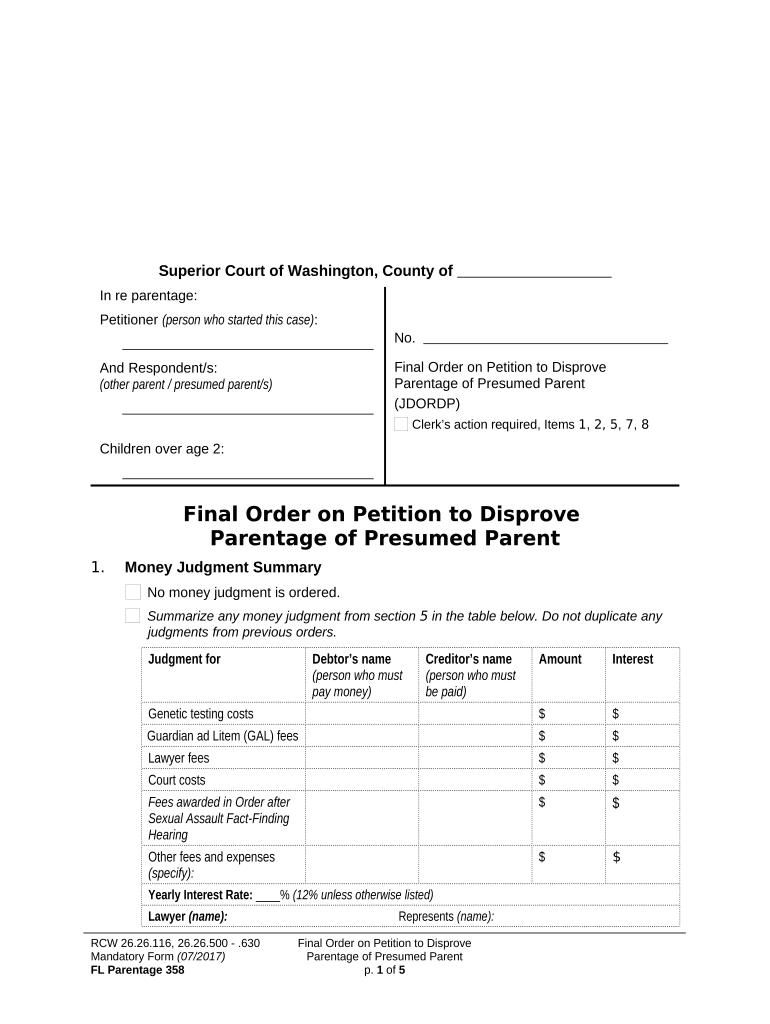
Begin by filling in the Petitioner and Respondent sections. Ensure you provide full names as required.
In the Money Judgment Summary section, summarize any judgments from section 5. Fill in the debtor's name, creditor's name, amount, and interest for each applicable fee.
Complete the Parentage Decision section by checking the appropriate boxes based on your situation. Provide full names of parents and children as needed.
If applicable, fill out the Children’s Name Change section with current and new names. Ensure accuracy to avoid future issues.
Review all sections for completeness before saving your changes. Use our platform’s tools to sign or share the document as necessary.
Start using our platform today to streamline your form completion process for free!
Washington public schools CalendarBreaking news in America todayWashington Post editorial boardUSA news TODAY liveIs the Washington Post pro TrumpWCPS Calendar 25 26 pdfWashington Post endorsementIs the Washington Post left or right
Security and compliance
At DocHub, your data security is our priority. We follow HIPAA, SOC2, GDPR, and other standards, so you can work on your documents with confidence.
The Open Society Foundations work to build vibrant and inclusive democracies whose governments are accountable to their people. Learn more about who we areRead more
Arlington Public Schools (APS) is the ninth largest of 15 school districts in Snohomish County. APS includes the city of Arlington, a section of Smokey PointRead more
Cookie consent notice
This site uses cookies to enhance site navigation and personalize your experience.
By using this site you agree to our use of cookies as described in our Privacy Notice.
You can modify your selections by visiting our Cookie and Advertising Notice.