Type text, add images, blackout confidential details, add comments, highlights and more.
02. Sign it in a few clicks
Draw your signature, type it, upload its image, or use your mobile device as a signature pad.
03. Share your form with others
Send it via email, link, or fax. You can also download it, export it or print it out.
How to use or fill out utah waiver with our platform
Ease of Setup
DocHub User Ratings on G2
Ease of Use
DocHub User Ratings on G2
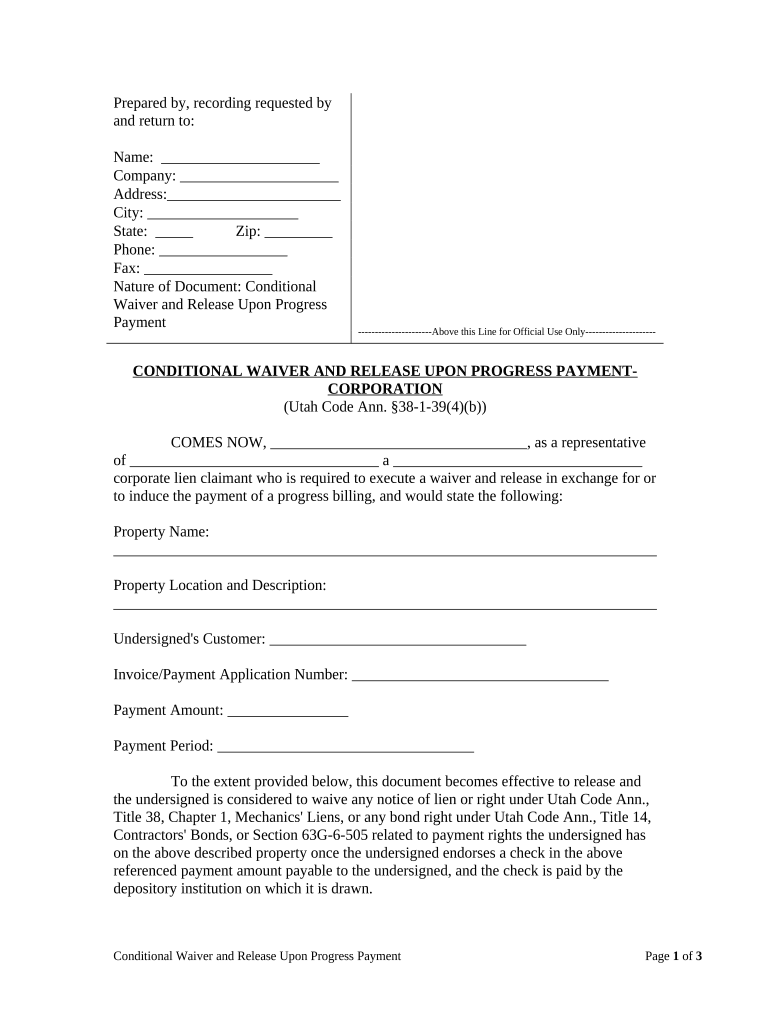
Click ‘Get Form’ to open the Utah Waiver in the editor.
Begin by filling in your name, company, address, city, state, zip code, phone number, and fax number at the top of the form. This information is essential for identifying the parties involved.
In the section labeled 'COMES NOW,' enter your name as a representative and provide the name of your company along with its corporate status.
Fill in the property name and location description accurately to ensure clarity regarding where the waiver applies.
Complete details about your customer and include the invoice or payment application number along with the payment amount and period.
Review all entries for accuracy before signing. Ensure that you understand that this waiver releases any lien rights upon receipt of payment.
Sign and date the document at the bottom. If applicable, have a notary public acknowledge your signature to finalize the process.
Start using our platform today to easily fill out your Utah Waiver for free!
Tuition Waivers | Admissions - The University of Utah
You may qualify if you: Attended a Utah high school for three or more academic years. Graduated from a Utah high school or attained the equivalent of a highRead more
These individuals are allowed to waive their rights to workers compensation coverage by obtaining a Workers Compensation Coverage Waiver (WCCW).Read more
Cookie consent notice
This site uses cookies to enhance site navigation and personalize your experience.
By using this site you agree to our use of cookies as described in our Privacy Notice.
You can modify your selections by visiting our Cookie and Advertising Notice.