




Here's how it works

01. Edit your dochub com fillable form online
Type text, add images, blackout confidential details, add comments, highlights and more.

02. Sign it in a few clicks
Draw your signature, type it, upload its image, or use your mobile device as a signature pad.

03. Share your form with others
Send adverse possession form via email, link, or fax. You can also download it, export it or print it out.
How to use or fill out adverse possession form with our platform

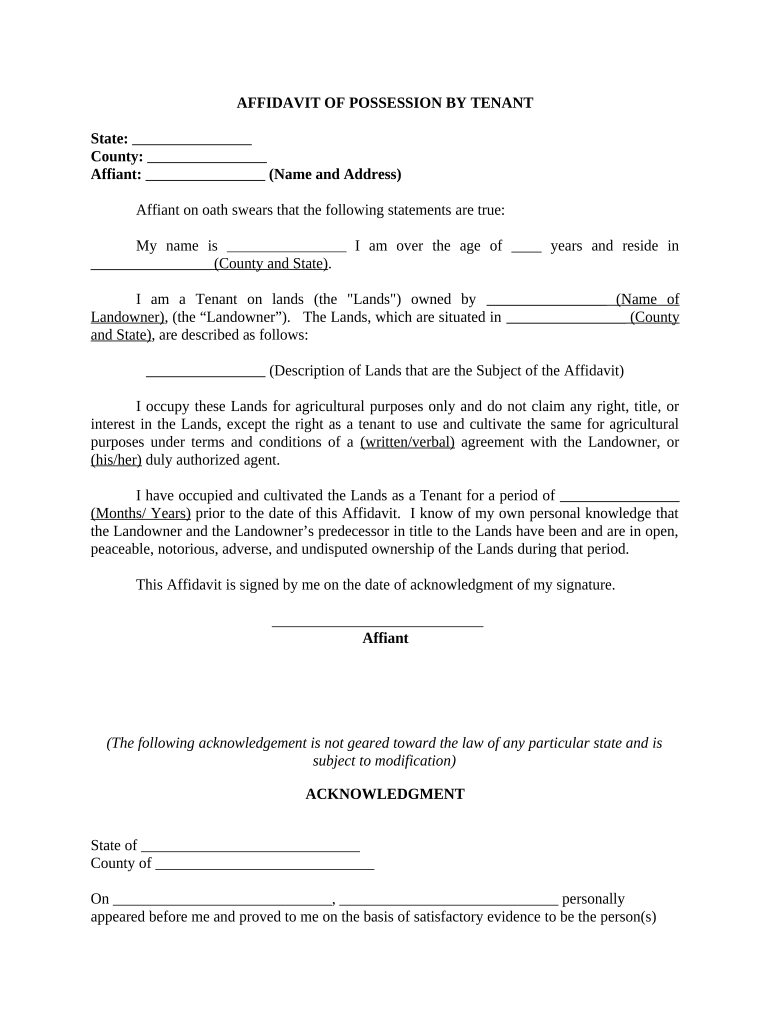
- Click ‘Get Form’ to open the adverse possession form in the editor.
- Begin by filling in the 'State' and 'County' fields at the top of the form. This information is crucial for identifying the jurisdiction.
- In the 'Affiant' section, enter your name and address. This identifies you as the person making the affidavit.
- Next, state your age and confirm your residency in the specified county and state.
- Provide details about the land you occupy, including the name of the landowner and a description of the lands involved.
- Indicate that you occupy these lands for agricultural purposes only, specifying any agreements with the landowner.
- Fill in how long you have occupied these lands, noting whether it has been months or years.
- Finally, sign and date your affidavit at the bottom. Ensure that all information is accurate before submission.
Start using our platform today to fill out your adverse possession form online for free!
Fill out adverse possession form online
It's free
Security and compliance
At DocHub, your data security is our priority. We follow HIPAA, SOC2, GDPR, and other standards, so you can work on your documents with confidence.
Learn more


