Service contract self employed 2026

Get Form
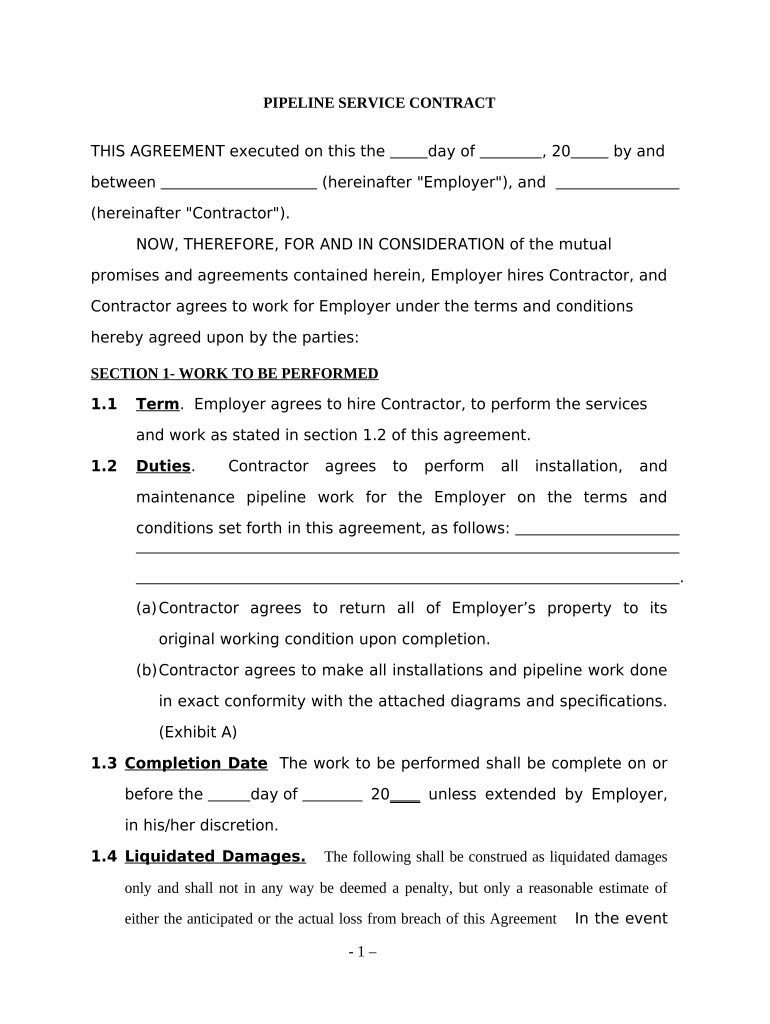
service contract self employed Preview on Page 1

Here's how it works

01. Edit your form online
Type text, add images, blackout confidential details, add comments, highlights and more.
02. Sign it in a few clicks
Draw your signature, type it, upload its image, or use your mobile device as a signature pad.
03. Share your form with others
Send it via email, link, or fax. You can also download it, export it or print it out.

How to use or fill out service contract self employed with our platform

Form edit decoration
9.5
Ease of Setup
DocHub User Ratings on G2
9.0
Ease of Use
DocHub User Ratings on G2
  1. Click ‘Get Form’ to open the service contract in the editor.
  2. Begin by filling in the date and names of both the Employer and Contractor at the top of the document.
  3. In Section 1, specify the work to be performed. Clearly outline the duties and responsibilities of the Contractor, ensuring all details are accurate.
  4. Set a completion date for the work in Section 1.3, and if applicable, include any liquidated damages terms in Section 1.4.
  5. Move to Section 2 to detail compensation. Enter the payment amount and frequency (e.g., upon completion, weekly).
  6. In Section 3, confirm that the Contractor understands their independent status and does not represent Employer.
  7. Complete Sections 4 through 6 by providing necessary representations, insurance requirements, and any miscellaneous provisions as needed.
  8. Finally, ensure both parties sign at the bottom of the document to finalize the agreement.

Start using our platform today for free to streamline your service contract process!

be ready to get more

Complete this form in 5 minutes or less

Get form

Got questions?

We have answers to the most popular questions from our customers. If you can't find an answer to your question, please contact us.
Contact us
If payment for services you provided is listed on Form 1099-NEC, Nonemployee Compensation, the payer is treating you as a self-employed worker, also referred to as an independent contractor. You dont necessarily have to have a business for payments for your services to be reported on Form 1099-NEC.
Self-service is a system whereby customers acquire (or serve) themselves goods or services, paying for the items at a point-of-sale, as opposed to a shop assistant or clerk acquiring goods or providing services in addition to taking payment.
A self-contract is kind of commitment where you write down what you want to achieve as well as how to achieve it. Often, it also clearly states any rewards for completing the contract as well as any penalties for breaking it.
A self-serve contract workflow is an approach to contract management where different departments are enabled to set up, negotiate and agree contracts without needing docHub input from in-house legal teams.
Factors that show you are an independent contractor include working with multiple clients instead of just one, not receiving detailed instructions from hiring firms, paying your own business expenses such as office and equipment expenses, setting your own schedule, marketing your services to the public, having all

Security and compliance

At DocHub, your data security is our priority. We follow HIPAA, SOC2, GDPR, and other standards, so you can work on your documents with confidence.

Learn more
ccpa2
pci-dss
gdpr-compliance
hipaa
soc-compliance

People also ask

If you are an independent contractor, then you are self-employed. The earnings of a person who is working as an independent contractor are subject to self-employment tax.

Related links