01. Edit your subsidiary agreement template online
Type text, add images, blackout confidential details, add comments, highlights and more.
02. Sign it in a few clicks
Draw your signature, type it, upload its image, or use your mobile device as a signature pad.
03. Share your form with others
Send sample agreement between parent company and subsidiary via email, link, or fax. You can also download it, export it or print it out.
How to use or fill out subsidiary agreement with our platform
Ease of Setup
DocHub User Ratings on G2
Ease of Use
DocHub User Ratings on G2
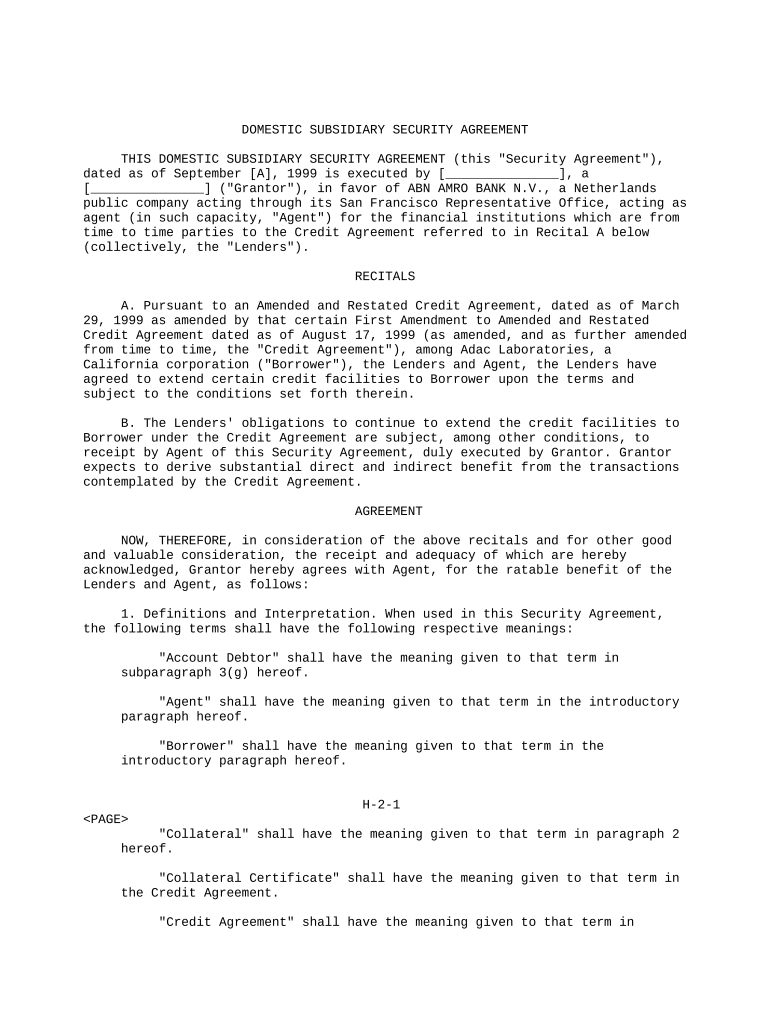
Click ‘Get Form’ to open the subsidiary agreement in the editor.
Begin by filling in the date at the top of the document. Ensure that you enter the correct date format as specified.
In the introductory paragraph, input the name of the Grantor and their legal structure (e.g., corporation, LLC). This identifies who is entering into the agreement.
Review and complete each section under 'Recitals' to ensure all relevant details about the Credit Agreement are accurately reflected.
Proceed to fill out definitions and interpretations. Make sure to clarify terms like 'Collateral' and 'Agent' as they pertain to your specific situation.
In Section 2, clearly outline what property is being pledged as security. Attach any necessary documents that define this collateral.
Complete Sections 3 and 4 by providing representations and warranties about your ownership of collateral and any covenants you agree to uphold.
Finally, review all entries for accuracy before signing. Use our platform’s signature feature to securely sign the document electronically.
Start using our platform today for free to streamline your subsidiary agreement process!
Subsidiary agreement templateSubsidiary agreement sampleSubsidiary agreement exampleSubsidiary agreement pdfIndependent subsidiary meaningHolding and subsidiary company examplesInvestment in a subsidiaryAccounting for subsidiary company
Security and compliance
At DocHub, your data security is our priority. We follow HIPAA, SOC2, GDPR, and other standards, so you can work on your documents with confidence.
Most contracts for sale provide that the seller may retain, as liquidated damages, all deposits made by the buyer in the event of a material bDocHub. The amountRead more
Cookie consent notice
This site uses cookies to enhance site navigation and personalize your experience.
By using this site you agree to our use of cookies as described in our Privacy Notice.
You can modify your selections by visiting our Cookie and Advertising Notice.