Type text, add images, blackout confidential details, add comments, highlights and more.
02. Sign it in a few clicks
Draw your signature, type it, upload its image, or use your mobile device as a signature pad.
03. Share your form with others
Send it via email, link, or fax. You can also download it, export it or print it out.
How to use or fill out stockholders agreement with our platform
Ease of Setup
DocHub User Ratings on G2
Ease of Use
DocHub User Ratings on G2
Click ‘Get Form’ to open the stockholders agreement in the editor.
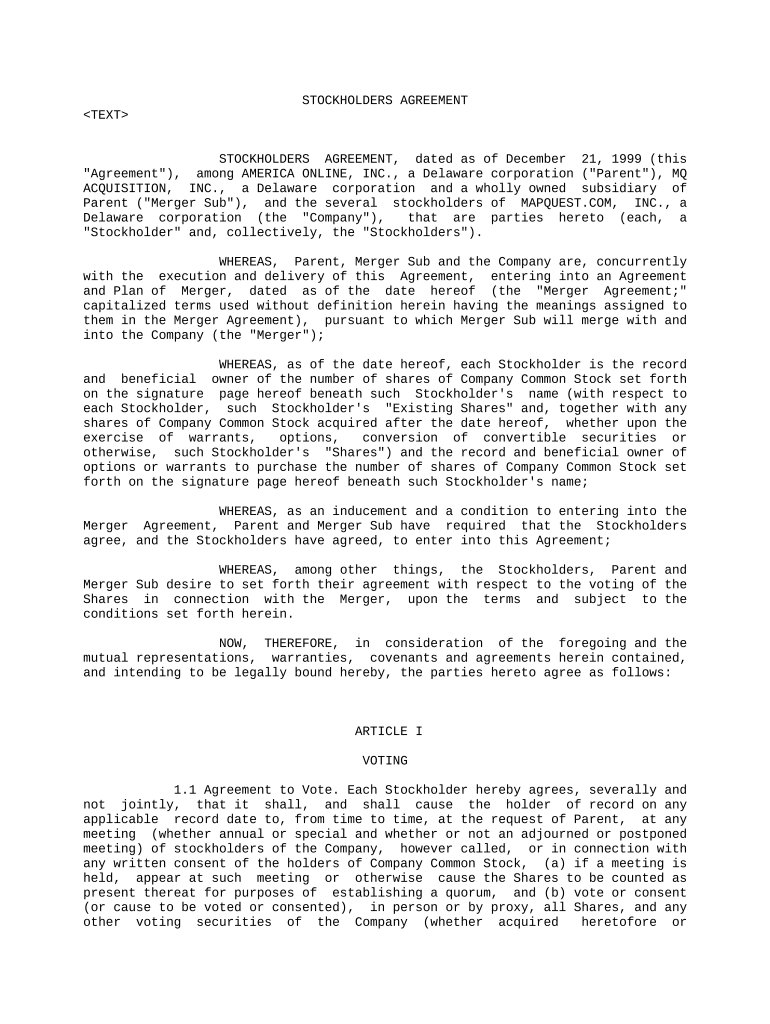
Begin by entering the date of the agreement at the top of the document. This is crucial for establishing the timeline of the agreement.
In the introductory section, fill in the names of all parties involved, including Parent, Merger Sub, and each Stockholder. Ensure accuracy as this identifies all signatories.
Proceed to Article I, where you will need to indicate your voting agreement. Each Stockholder should confirm their commitment to vote in favor of the Merger Agreement by checking appropriate boxes or signing where indicated.
In Article II, provide representations and warranties. Each Stockholder must affirm their authority and ownership of shares by filling in their respective details accurately.
Complete any additional sections as required, ensuring that all fields are filled out completely before proceeding to save or share your document.
Start using our platform today for free to streamline your stockholders agreement process!
The Perils of Governance by Stockholder Agreements
May 21, 2024 The proposed amendment would permit expansive use of stockholder agreementsagreements between a board and a stockholder (or group ofRead more
Cookie consent notice
This site uses cookies to enhance site navigation and personalize your experience.
By using this site you agree to our use of cookies as described in our Privacy Notice.
You can modify your selections by visiting our Cookie and Advertising Notice.